20
3.5.1 Contour Cutting / Print & Cut with Sure Cuts A Lot 4 (MAC)
Use File->Import when working with vector files (SVG, AI, EPS etc.)
Use File->Place_Image when working with raster files (JPEG, TIFF, PNG etc.)
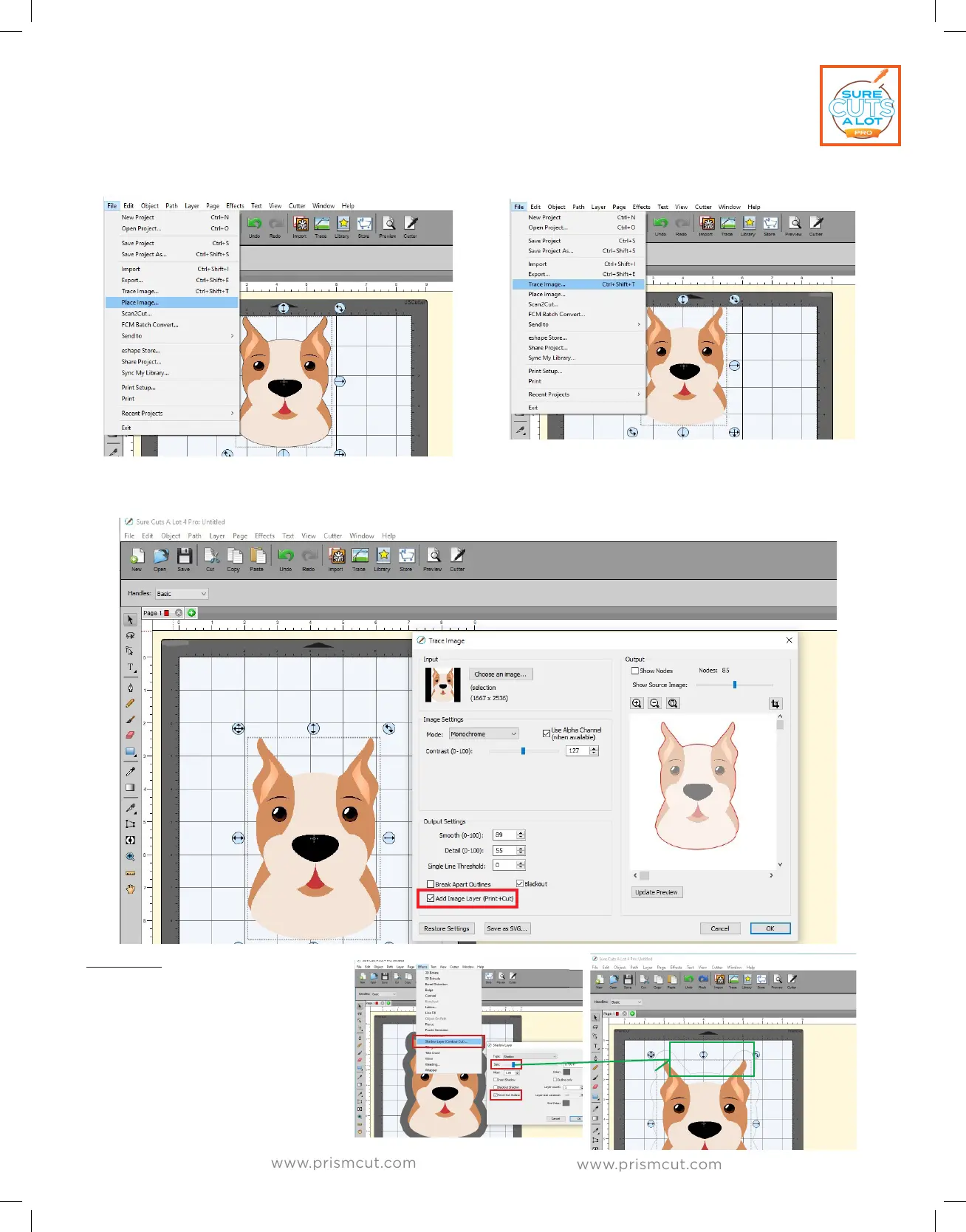
Once you have put your image on the design mat, go to File->Trace_Image.
The Trace_Image pop-up window will appear. Make sure to check the box to
“Add Layer for Print & Cut” and then press OK to continue.
Optional (PNG): You can use
File->Import and then
select Eects->ShadowLayer
which allows adjusting the
distance of the outline. This
is useful in cases where you
are cutting stickers or when
you want distance between
the image and the cutline.
Move Size slider
to adjust distance
of cut from image


 To Next Page