21
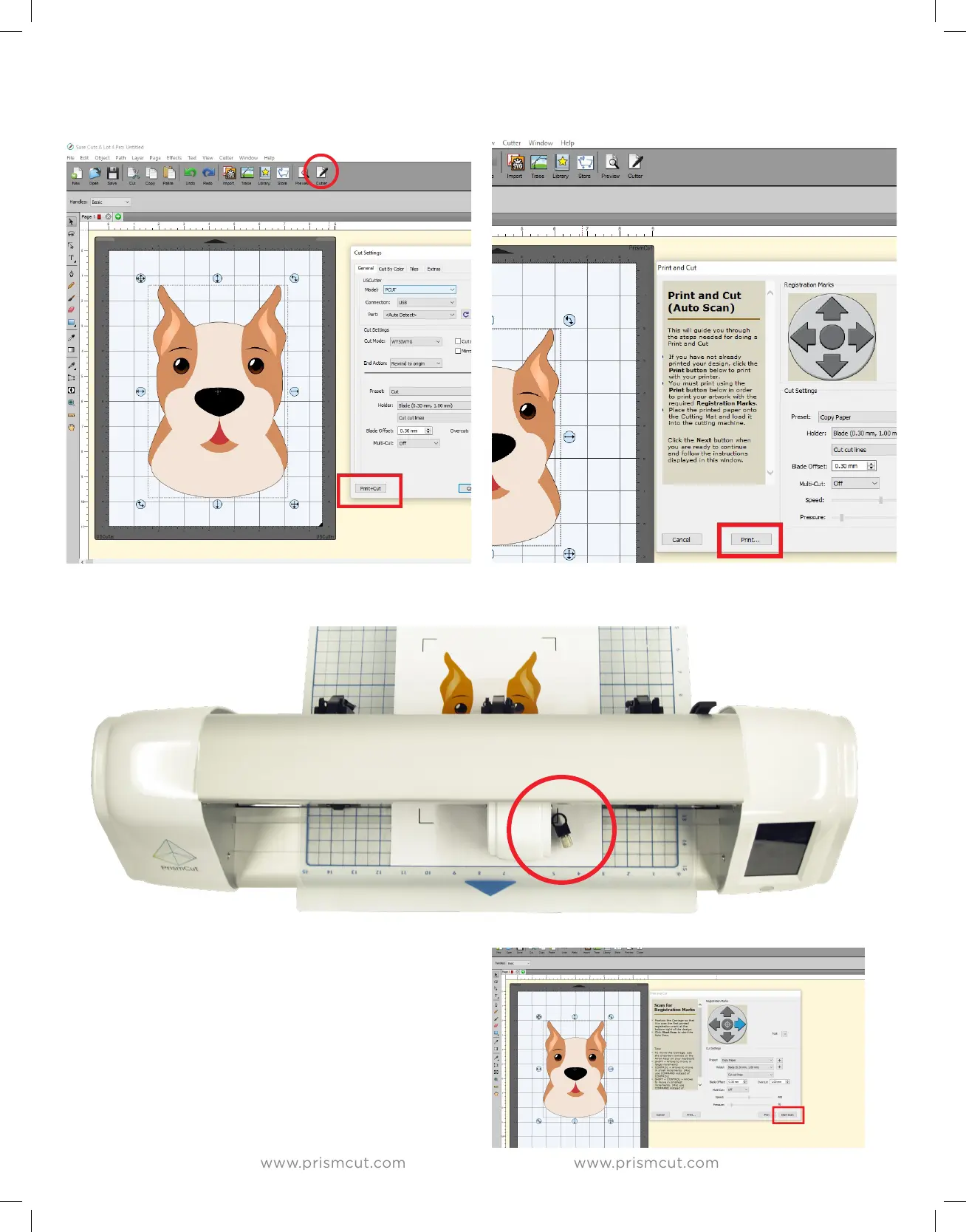
Click on Cutter and then select the Print&Cut option. This opens another window
where you can click on Print to print your artwork with the contour marks
Place the printed artwork into the cutter so that the lower right registration mark is directly
below where the blade would touch if pressed down.
On your computer, press NEXT and then
START. The camera will then inspect all 4
registration marks and then the cutter will
cut along the contour lines.
Tip: Click the preview button at the top of the
screen to see what will actually be cut and what will
be printed. This avoids unwanted surprises.


 To Next Page