22
3.5.2 Contour Cutting / Print & Cut with VinylMaster (Windows PC)
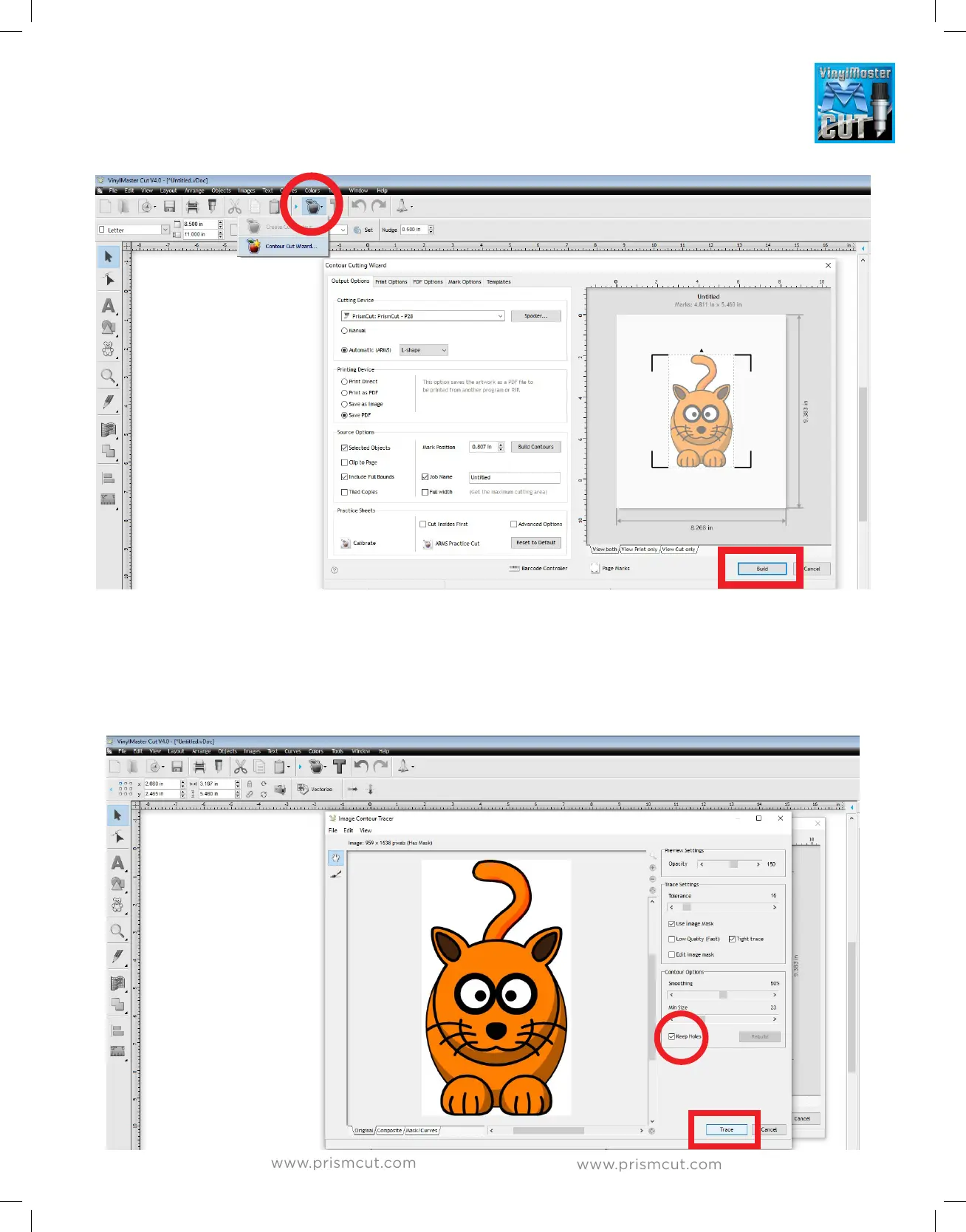
To create a contour, open the Contour Cut Wizard by clicking on the
apple icon at the top of the page. Next click the Build button to build a contour.
If you are using a photo, the software will ask to include auto-traced contours.
For vector based artwork it will do this by itself. In any case, say Yes/Accept so
that the software can Trace a contour around the outside of your image. The
Trace settings allow you to adjust for poor contrast artwork. Note the “keep
holes” checkbox which allows/denies contour cut lines inside the main outline.


 To Next Page