23
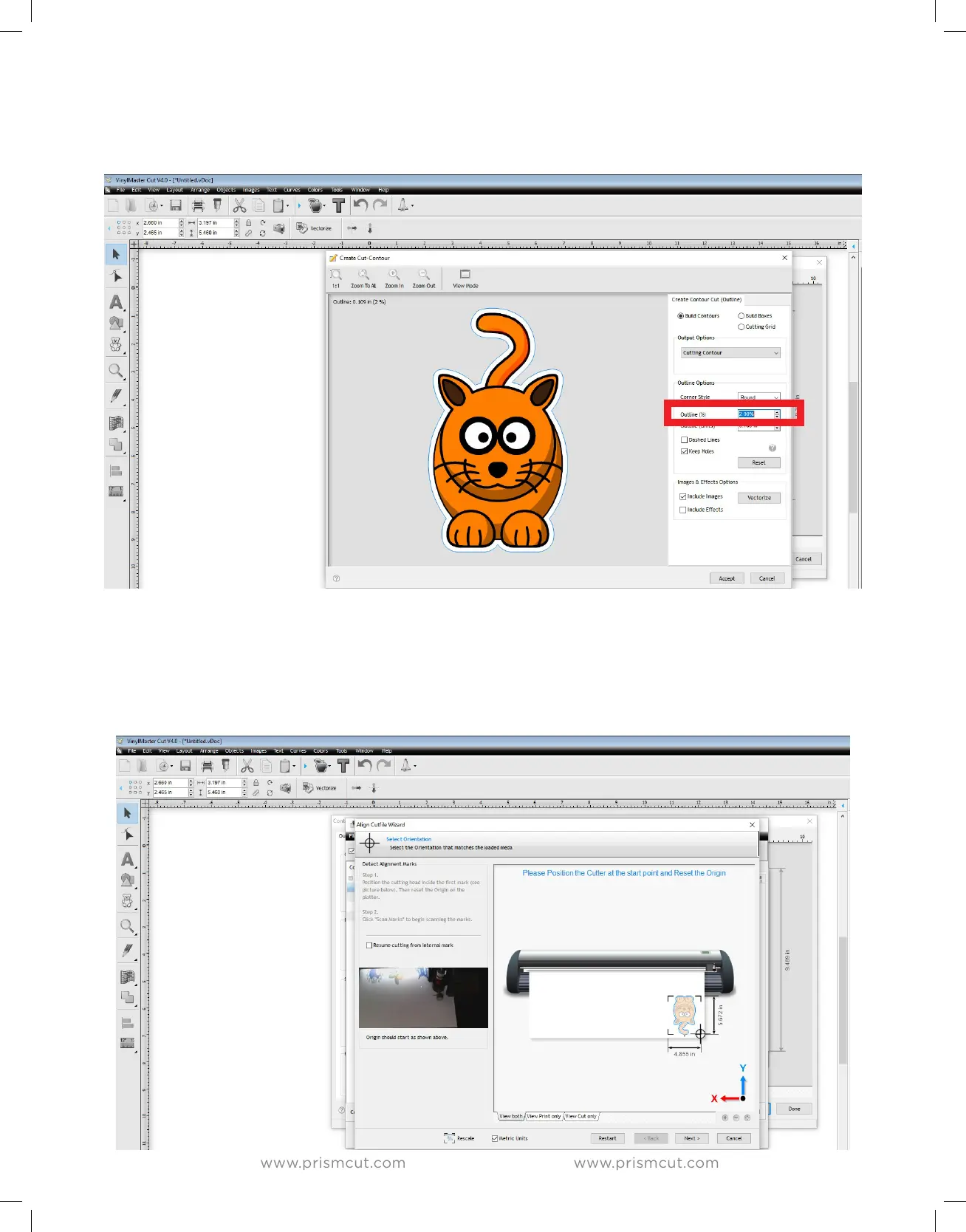
You can modify the space between the edge of your design and where the cut
will be made by adjusting the Outline distance. Note that negative values are
possible in case you want to eliminate any extra white space around the image.
You can either print your design directly, or save to .PDF and print at a dierent
location. The printed artwork will now have registration marks. Place the artwork
in the cutter so that the cutter blade is directly above the registration mark in the
lower right hand (as shown by the target icon in the below image). The cutter
will then search for all registration marks, align itself and cut along the contour.


 To Next Page