10
Section 6: Connectivity Options
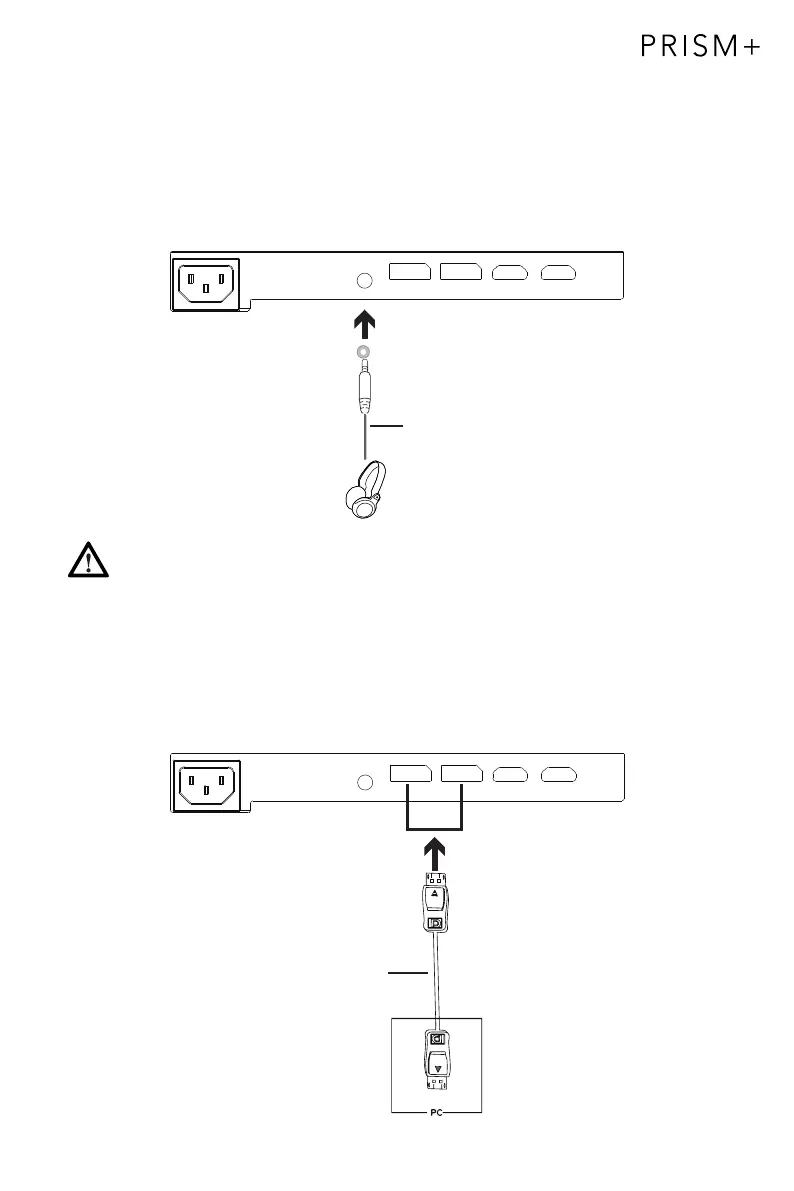
6.1 – Connecting Your Earphones
Plug in your earphones to receive audio signals from your monitor. If you have an audio
device connected to your computer when you connect your earphones to the monitor,
the audio devices will not produce sound. Earphones and other audio devices are not
included.
Earphones (not included)
DP
DP OUTPUT
DP Cable (Included)
Exposure to loud audio for prolonged periods of time may permanently
damage your hearing.
6.2 – DP Connectivity
For the monitor to receive DP signals from the computer, use the DP cable to
connect the monitor to the computer


 To Next Page