19/44
3.4 Convert screen data with the Project Converter
Convert a project file (*.prw) for GP-577RT/S with the GP-Pro EX’s Project Converter.
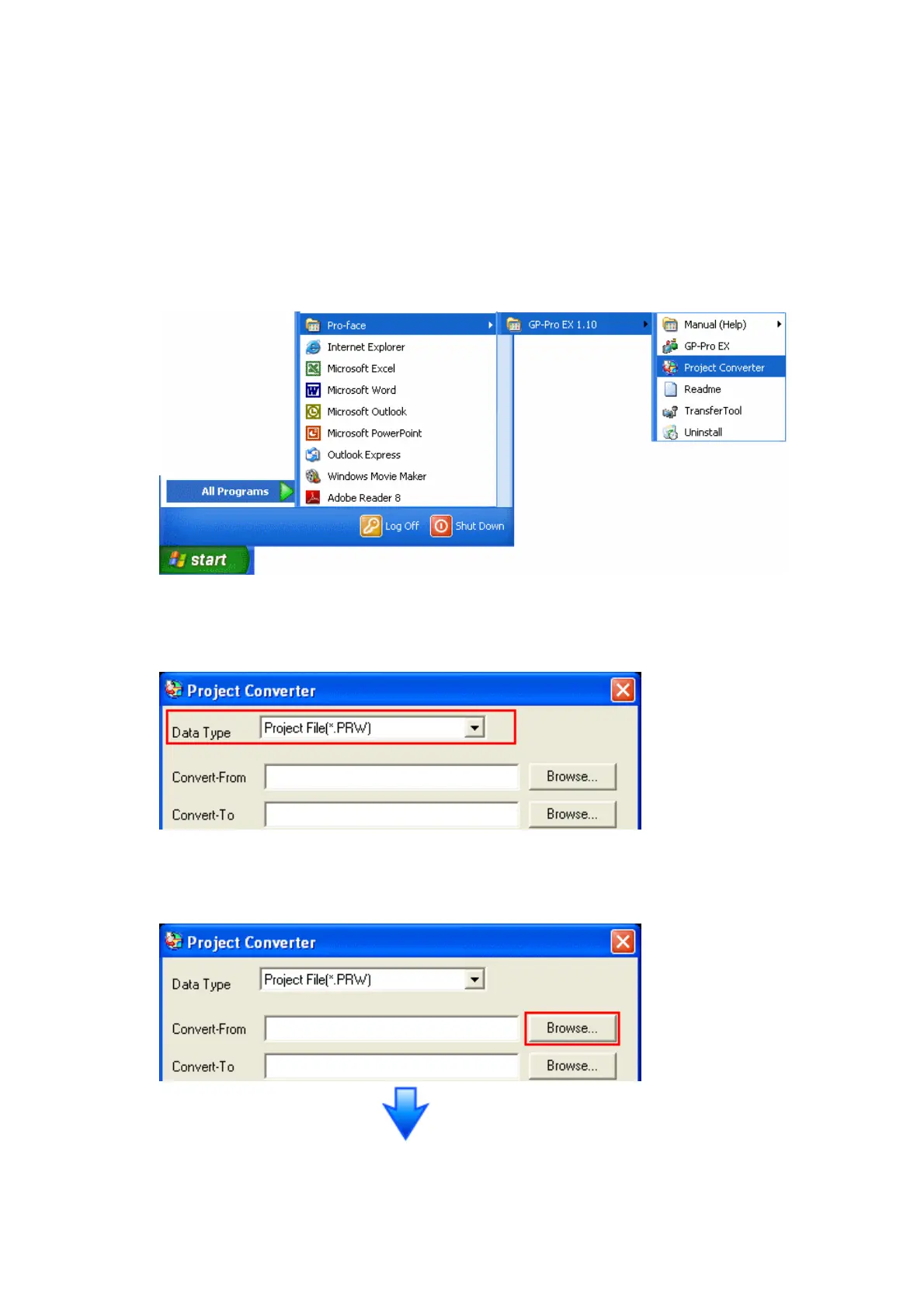
(1) Click the [Start] button, select [All Programs] (or [Programs])-> [Pro-face]->
[GP-Pro EX *.**]->[Project Converter].
(For this part, [*.**], the version of the software you use is displayed.)
(2) The Project Converter starts up and the [Project Converter] dialog box opens.
Select [Project File (*.PRW)] in the [Data Type].
(3) Click the [Browse…] button and select a project file (e.g.: “Project system A.prw”).
Click [Open], and the file will be set in [Convert-From].




 To Next Page