25/44
Convert GP-PRO/PBIII for Windows “Destination CF Card Folder”
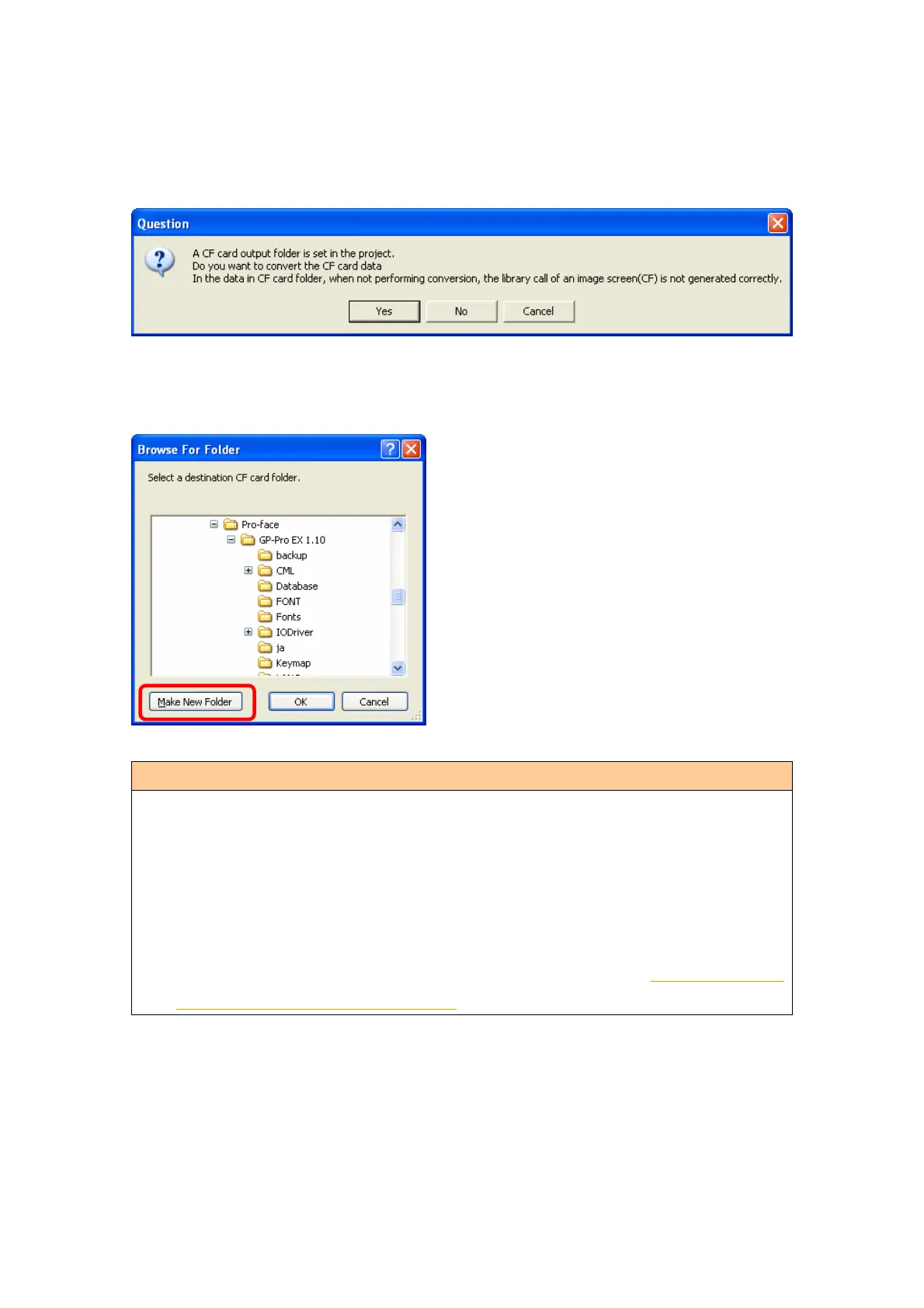
If you convert a project file (*.prw) with a destination CF card folder designated in the
step 6, the Question dialog box asking whether or not to designate the destination CF
card folder for the convert destination appears again.
Select a folder (e.g.: “Database”) and click [OK].
If you click the [Make New Folder] button, you can create a new folder at any location.
・ In the [Question] dialog box, be sure to select [Yes] and specify the destination
folder. If you select [No], images will not be called correctly.
・ GP-4501T/TW is not equipped with a CF card slot. If you create a destination
folder in the step above, the CF card setting will automatically change to the SD
card setting.
For checking or changing the destination folder setting, see [5.1 Changing the
setting of the external media to use].




 To Next Page