38/44
4.6.2 When using a RS-422 connection cable
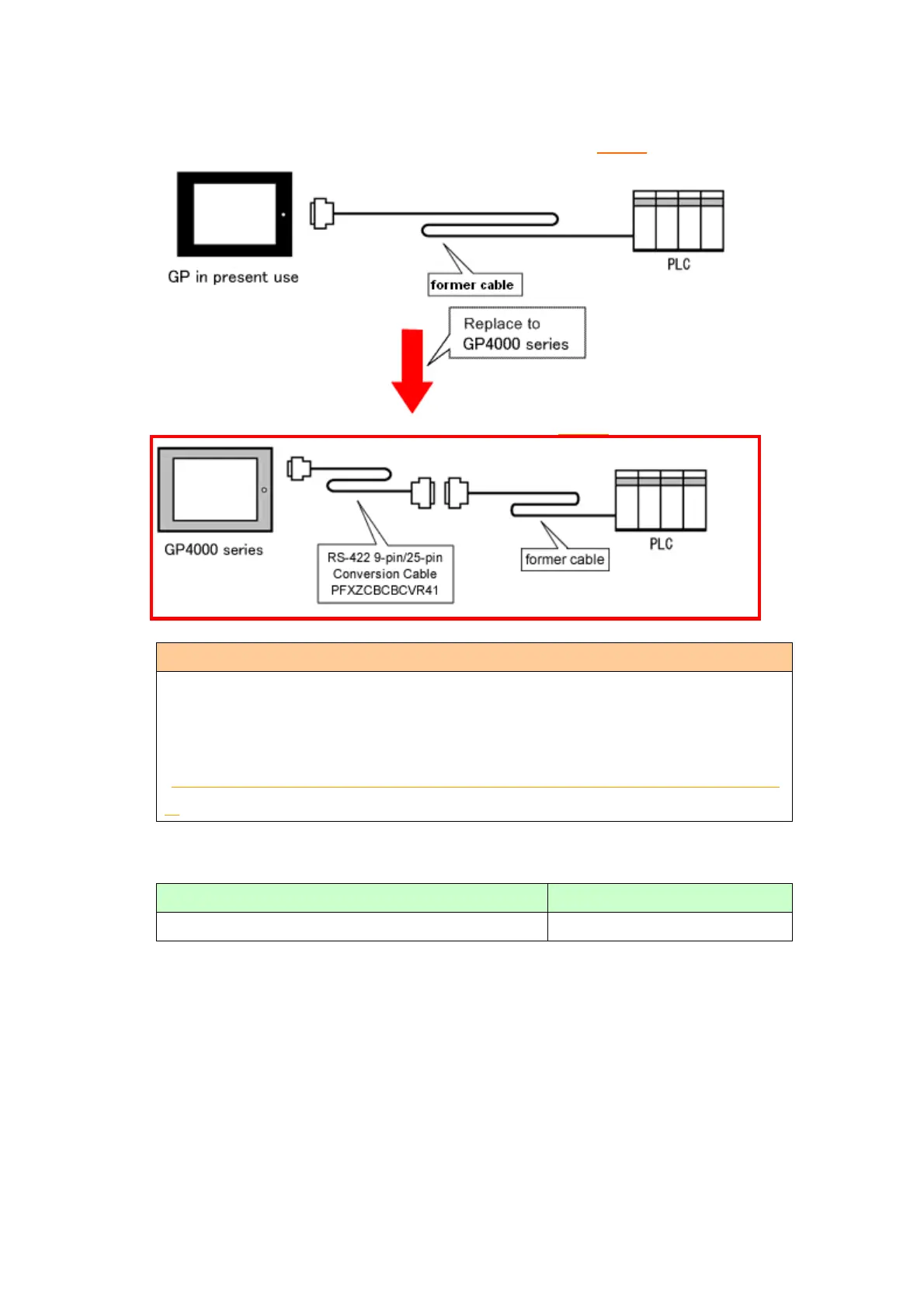
GP-377R/377S/377L System Configuration (connecting to COM1)
GP-4000 series System Configuration (connecting to COM2)
Before connecting to GP-4501T/TW, be sure to change the port setting to
[COM2] on Device/PLC Setting of GP-Pro EX. Please check the communication
setting with GP-Pro EX Device/PLC Connection Manual just in case.
(http://www.pro-face.com/otasuke/files/manual/gpproex/new/device/index.ht
m)
To replace GP-377R/377S/377L with GP4000 series, prepare the following item.
RS-422 9-pin/25-pin Conversion Cable (20cm)




 To Next Page