43/44
[Solution]
1. Change the SD Card setting to the USB storage setting following the steps below.
<Procedure>
i. Click [Project]->[Information]->[Destination Folder].
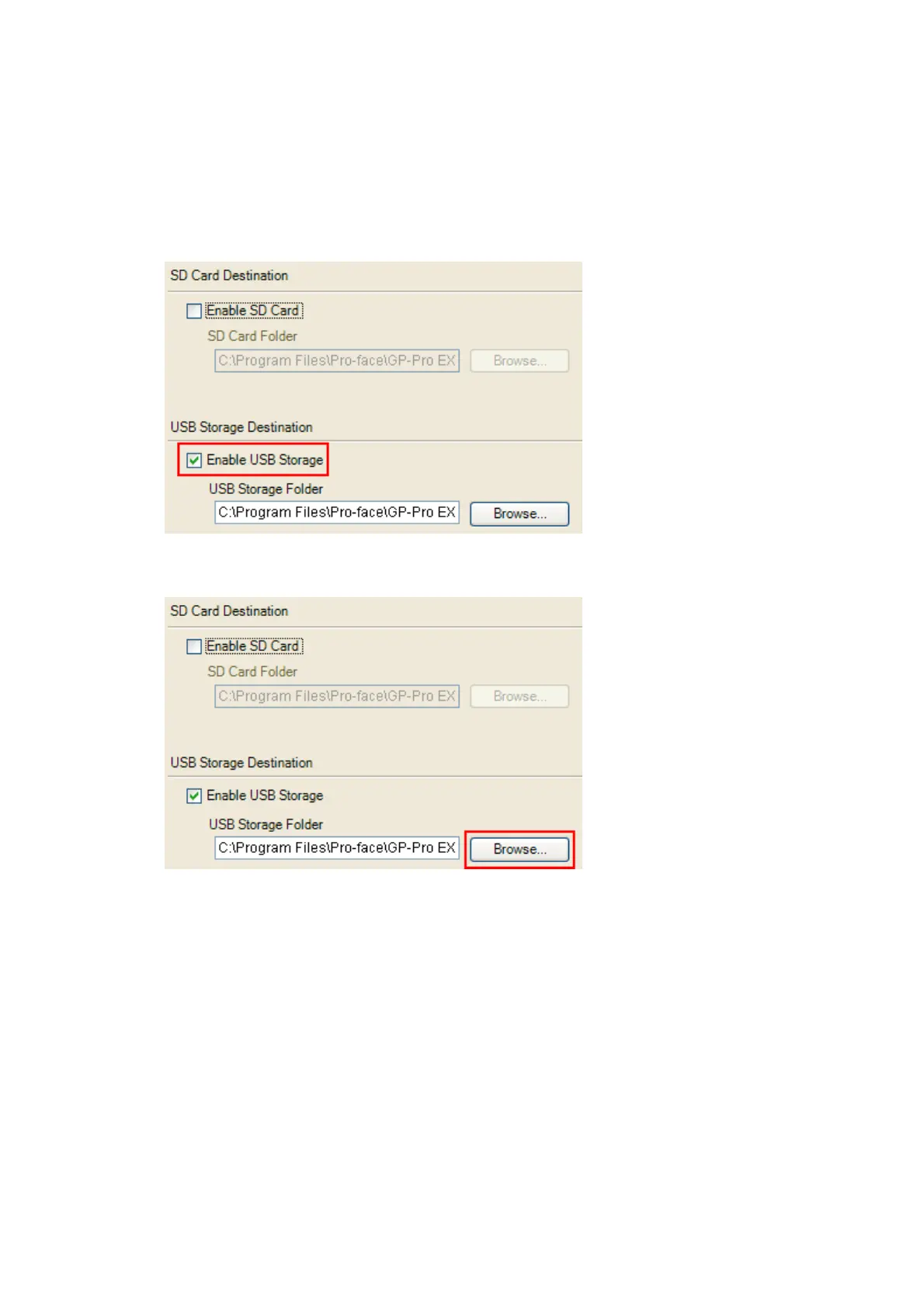
ii. Uncheck “Enable SD Card” and check “Enable USB Storage.
iii. Click the [Browse] button and specify a destination folder.
iv. Click [OK] to confirm the setting.
v. Click [Project]->[Save] to save changes.
vi. Check each function that uses the CF card and replace the setting of [SD Card]
with the one of [USB Storage].




 To Next Page