EasyManua.ls Logo

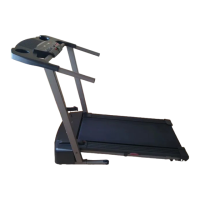
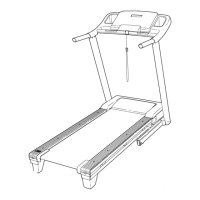
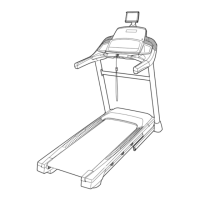
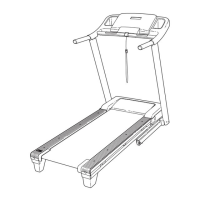
Pro-Form 6.0 Rt Treadmill - User Manual

Pro-Form 6.0 Rt Treadmill
28 pages
Print Icon
To Next Page IconTo Next Page
Loading...
!"#$%"&'()!(*
+++,-./0/.1,2/1
!!
'/345&)/,&678*9:;<<,=
"4.>?5&)/,&&&&&&&&&&&&&&&&&&&&&&&&&&&&&&&&&&&&&&
"#$%&!%'&!(&#$)*!+,-.&#!$+!%'&!(/)0&!
).12&!31#!#&3&#&+0&4
&&&&@(!8AB)
$4?3&?55&-.42?CD>/EF&?E3&>EFD.C2G
D>/EF&>E&DH>F&1?EC?5&I40/.4&CF>EJ&
DH>F&4KC>-14ED,&"?L4&DH>F&1?EC?5&
0/.&0CDC.4&.404.4E24,
(@8AM(8#&NB!$&
O($$()8N&
8/&.4J>FD4.&P/C.&-./3C2D&?E3&
?2D>L?D4&P/C.&+?..?EDP&D/3?PQ&
J/&D/&+++,-./0/.1F4.L>24,2/1R
.4J>FD.?D>/E,
@!"8B'#$&@($#
7/.&F4.L>24&?D&?EP&D>14Q&J/&D/&
+++,-./0/.1F4.L>24,2/1,
5#!0)**!6788879::76:::
;1+4<=#$4!>!)4-4<>!/4-4!;?
@)%4!8!)4-4<A!/4-4!;?
654?F4&3/&E/D&2/ED?2D&DH4&FD/.4,
@&#$)*!B,-.&#!
C&0)*

Questions and Answers

  • T
    Tiffany GonzalezJul 31, 2025
    How to fix Pro-Form 6.0 Rt Treadmill when power does not turn on?
    • I
      iwilliamsJul 31, 2025
      First, ensure the power cord is correctly plugged into a surge suppressor, and the surge suppressor is plugged into a properly grounded outlet. Also, verify that the key is properly inserted into the console. If the switch has tripped, wait five minutes before pressing it back in.
  • M
    Mr. Robert MurphyAug 6, 2025
    What to do if Pro-Form Treadmill turns off during use?
    • J
      John CurtisAug 7, 2025
      If your Pro-Form Treadmill turns off during use, there could be a few reasons. First, make sure the power cord is securely plugged in; if it is, unplug it, wait five minutes, and plug it back in. Also, remove the key from the console and reinsert it. If the switch has tripped, allow five minutes before pressing it back in.
  • W
    Wayne LuceroAug 12, 2025
    What to do if incline does not change correctly on Pro-Form Treadmill?
    • M
      Micheal NguyenAug 12, 2025
      To recalibrate the incline on your Pro-Form Treadmill, hold down the Stop button and the Speed increase button simultaneously. While holding these buttons, insert the key into the console, and then release the Stop and Speed increase buttons. Next, press the Stop button, followed by either the Incline increase or decrease button.
  • S
    Scott RiversAug 18, 2025
    How to stop Pro-Form 6.0 Rt walking belt slowing down when walked on?
    • E
      Edward BakerAug 18, 2025
      If the walking belt on your Pro-Form Treadmill slows down when you walk on it, and it feels overtightened, remove the key and unplug the power cord. Then, using a hex key, turn both idler roller screws counterclockwise 1/4 of a turn. Also, avoid applying silicone spray or other substances to the walking belt or platform unless instructed by an authorized service representative.
  • M
    mwilliamsAug 25, 2025
    How to turn off demo mode on Pro-Form 6.0 Rt?
    • E
      Elizabeth WilliamsAug 25, 2025
      If the console displays on your Pro-Form Treadmill remain lit even after you remove the key, the demo mode may be activated. To turn off the demo mode, simply hold down the Stop button for a few seconds.

Summary

Warning Decal Placement

Warning Decal Locations

Shows locations of warning decals and instructions for replacement.

Important Precautions

Before You Begin

Assembly

Operation and Adjustment

Features of the Console

How to Turn On the Power

How to Use the Manual Mode

How to Use a Preset Workout

How to Fold and Move the Treadmill

Troubleshooting

Power Issues

Troubleshooting steps for power not turning on or turning off during use.

Console Display Issues

Resolving console display remaining lit after removing the key.

Exercise Guidelines

Pro-Form 6.0 Rt Treadmill Specifications

General IconGeneral
BrandPro-Form
Model6.0 Rt Treadmill
CategoryTreadmill
LanguageEnglish

Related product manuals