EasyManua.ls Logo

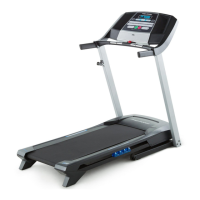
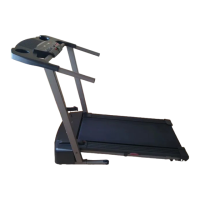
Pro-Form 6.0 RT - User Manual

Pro-Form 6.0 RT
28 pages
Print Icon
To Next Page IconTo Next Page
Loading...
USER’S MANUAL
CAUTION
Read all precautions and instruc-
tions in this manual before using
this equipment. Keep this manual
for future reference.
Model No. PFTL39511.2
Serial No.
Write the serial number in the space
above for reference.
QUESTIONS?
If you have questions, or if parts
are damaged or missing, DO NOT
CONTACT THE STORE; please
contact Customer Care.
IMPORTANT: Please register this
product (see the limited warranty
on the back cover of this manual)
before contacting Customer Care.
CALL TOLL-FREE:
1-888-533-1333
Mon.–Fri., 6 a.m.–6 p.m. MT
Sat. 8 a.m.–4 p.m. MT
ON THE WEB:
www.proformservice.com
Serial Number
Decal
www.proform.com

Questions and Answers

  • R
    rose73Jul 26, 2025
    What to do if Pro-Form Treadmill power does not turn on?
    • S
      Shawn MedinaJul 26, 2025
      First, ensure the power cord is properly connected to both a surge suppressor and a grounded outlet. Also, check that the key is fully inserted into the console. If it still doesn't turn on, the switch may have tripped; wait five minutes, then try pressing the switch back in.
  • T
    Tyler FitzgeraldAug 1, 2025
    What to do if Pro-Form 6.0 RT walking belt is off-center or slips?
    • P
      Pamela WalkerAug 1, 2025
      If the walking belt has shifted to the left, use the hex key to turn the left idler roller screw clockwise 1/2 of a turn. If it has shifted to the right, turn the left idler roller screw counterclockwise 1/2 of a turn. If the belt slips, remove the key and unplug the power cord. Then, use the hex key to turn both idler roller screws clockwise, 1/4 of a turn. The walking belt is correctly tightened when you can lift each edge 2 to 3 inches off the walking platform.
  • G
    Glen JonesAug 7, 2025
    How to fix Pro-Form 6.0 RT console displays that don't function properly?
    • K
      Kimberly GonzalezAug 7, 2025
      First, remove the key from the console and unplug the power cord. Then, ensure that the gap between the Magnet and the Reed Switch is about 1/8 inch (3 mm). If the walking belt is overtightened, use a hex key to turn both idler roller screws counterclockwise, 1/4 of a turn. When the walking belt is properly tightened, you should be able to lift each edge of the walking belt 2 to 3 inches (5 to 7 cm) off the walking platform.
  • J
    Jason FloresAug 14, 2025
    What to do if Pro-Form Treadmill console displays remain lit after removing the key?
    • A
      Amy WaltonAug 14, 2025
      To turn off the demo mode, hold down the Stop button for a few seconds. If the displays are still lit, see THE INFORMATION MODE on page 18 to turn off the demo mode.
  • D
    Dr. Brittany ChristianAug 19, 2025
    Why does my Pro-Form 6.0 RT Treadmill power turn off during use?
    • K
      Kevin MartinAug 20, 2025
      The power may be turning off because the switch has tripped. If this is the case, wait five minutes, and then press the switch back in. Also ensure that the power cord is plugged in properly and that the key is correctly inserted into the console. If problems persist, consult the front cover of this manual.

Summary

Warning Decal Placement

Warning Decal Overview

Explains the location and purpose of warning decals on the treadmill.

Important Precautions

General Safety and Usage Guidelines

Covers user responsibility, physician consultation, proper use, environment, placement, children/pets, weight limits, and attire.

Before You Begin

Treadmill Parts Identification

Familiarizes users with the main components of the treadmill.

Part Identification Chart

Small Assembly Parts

Identifies small parts used for assembly with key numbers and quantities.

Assembly

Step-by-Step Assembly Instructions

Guides users through the process of assembling the treadmill.

Operation and Adjustment

Connecting the Power Cord

Details how to safely connect the treadmill's power cord using a surge suppressor.

Console Diagram and Features

Console Overview and Functionality

Explains the console layout and available features like manual and preset workouts.

Using the Treadmill

Turning On and Manual Mode

Instructions for powering on the treadmill and using the manual exercise mode.

Workout Modes

Preset Workout Guide

Details how to select and perform preset calorie or timed workouts.

Console Modes

Information and Stereo System

Explains how to use the information mode and connect an audio device.

Folding and Moving the Treadmill

Storage and Transportation

Provides instructions on how to safely fold, move, and lower the treadmill.

Troubleshooting

Common Issues and Solutions

Addresses common problems like power issues, console malfunctions, and belt problems.

Exercise Guidelines

Intensity, Warm-up, and Frequency

Offers guidance on exercise intensity, workout structure, and frequency for optimal results.

Part List

Component Identification

A comprehensive list of all treadmill parts with key numbers and quantities.

Exploded Drawing A

Exploded Drawing B

Exploded Drawing C

Replacement Parts and Warranty

Ordering and Limited Warranty

Information on how to order replacement parts and details of the product's limited warranty.

Pro-Form 6.0 RT Specifications

General IconGeneral
BrandPro-Form
Model6.0 RT
CategoryTreadmill
LanguageEnglish

Related product manuals