EasyManua.ls Logo

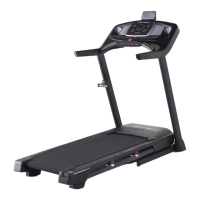
Pro-Form PERFORMANCE 600i - User Manual

Pro-Form PERFORMANCE 600i
40 pages
Print Icon
To Next Page IconTo Next Page
Loading...
USER’S MANUAL
proform.com
Model No. PFTL79518.0
Serial No.
Write the serial number in the space
above for reference.
CAUTION
Read all precautions and
instructions in this manual before
using this equipment. Save this
manual for future reference.
To register your product and
activate your warranty today,
go to my.proform.com.
For service at any time, go to
proformservice.com.
Or call 1-888-533-1333
Mon.–Fri. 6 a.m.–6 p.m. MT
Sat. 8 a.m.–12 p.m. MT
Please do not contact the store.
ACTIVATE YOUR
WARRANTY
CUSTOMER CARE
Serial Number
Decal

Questions and Answers

  • J
    Jennifer WilcoxJul 28, 2025
    What to do if Pro-Form PERFORMANCE 600i power turns off during use?
    • M
      Michael SanchezJul 28, 2025
      If the power switch has tripped, wait five minutes, and then press the switch back in. Ensure the power cord is properly plugged in; if it is, unplug it, wait five minutes, and plug it back in. Also, try removing and reinserting the key from the console.
  • T
    tcarpenterAug 1, 2025
    Why Pro-Form PERFORMANCE 600i Treadmill power does not turn on?
    • J
      Jared Lynch IIIAug 1, 2025
      Ensure the power cord is plugged into a surge suppressor, and the surge suppressor is plugged into a grounded outlet. Also, verify that the key is correctly inserted into the console. If the switch has tripped, wait five minutes before pressing it back in.
  • S
    Sarah AllenAug 5, 2025
    How to fix Pro-Form PERFORMANCE 600i Treadmill walking belt slipping?
    • S
      Sean SaundersAug 5, 2025
      Remove the key and unplug the power cord. Then, using the hex key, turn both idler roller screws clockwise, 1/4 of a turn.
  • M
    Melanie NewtonAug 10, 2025
    What to do if Pro-Form PERFORMANCE 600i walking belt slows down when walked on?
    • M
      Melinda MannAug 10, 2025
      Use only a surge suppressor that meets all requirements. If the walking belt is overtightened, remove the key and unplug the power cord. Using the hex key, turn both idler roller screws counterclockwise, 1/4 of a turn.
  • E
    Elizabeth HinesAug 14, 2025
    How to center Pro-Form Treadmill walking belt?
    • J
      Jeremiah AbbottAug 14, 2025
      If the walking belt rubs against the foot rails, first remove the key and unplug the power cord. If the walking belt has shifted to the left, use the hex key to turn the left idler roller screw clockwise 1/2 of a turn; if the walking belt has shifted to the right, turn the left idler roller screw counterclockwise 1/2 of a turn.
  • M
    Mr. Corey SmithAug 19, 2025
    How to fix Pro-Form PERFORMANCE 600i Treadmill console display?
    • B
      Brian DaughertySep 12, 2025
      If the console does not boot up properly, or if the console freezes and does not respond, reset the console to the factory default settings. Resetting the console requires two people.
  • H
    Heather MurrayAug 23, 2025
    How to fix Pro-Form PERFORMANCE 600i Treadmill tablet holder?
    • M
      Meghan HughesAug 23, 2025
      Rotate the tablet holder until it faces backward. Then, tighten the indicated screw slightly until the tablet holder stays in place when it is rotated to the desired position.

Summary

WARNING DECAL PLACEMENT

IMPORTANT PRECAUTIONS

EXTENDED SERVICE PLANS

PREVENTIVE MAINTENANCE SERVICE PLANS

Plans offering annual checks and in-home repairs for fitness equipment.

STANDARD SERVICE PLANS

Service options covering parts and labor for manufacturer defects and wear.

BEFORE YOU BEGIN

PART IDENTIFICATION CHART

ASSEMBLY

HOW TO USE THE TREADMILL

CONNECTING THE POWER CORD

Proper procedure for connecting the power cord and using a surge suppressor.

CONSOLE DIAGRAM

CONSOLE FEATURES

Overview of the advanced console's capabilities, including iFit and workout modes.

TURNING ON THE POWER

USING THE TOUCH SCREEN

SETTING UP THE CONSOLE

USING THE MANUAL MODE

USING A MAP WORKOUT

DRAW YOUR OWN MAP WORKOUT

USING A DISTANCE OR TIME WORKOUT

WORKOUT SETTINGS SECTION

EQUIPMENT SETTINGS SECTION

MAINTENANCE SECTION

WIRELESS NETWORK MODE

SOUND SYSTEM

OPTIONAL CHEST HEART RATE MONITOR

FOLDING AND MOVING THE TREADMILL

FOLDING THE TREADMILL

Step-by-step instructions for safely folding the treadmill for storage.

MOVING THE TREADMILL

Guidance on how to safely transport the folded treadmill to a new location.

LOWERING THE TREADMILL FOR USE

Procedure for unfolding the treadmill and returning it to its ready-to-use state.

MAINTENANCE AND TROUBLESHOOTING

MAINTENANCE

Routine cleaning, inspection, and tightening of parts for optimal treadmill performance.

TROUBLESHOOTING

Steps to diagnose and resolve common problems like power issues or connectivity errors.

EXERCISE GUIDELINES

EXERCISE INTENSITY

Using heart rate zones to determine and achieve specific fitness goals like fat burning.

WORKOUT GUIDELINES

Recommended practices for warming up, training, and cooling down during exercise sessions.

EXERCISE FREQUENCY

Advice on how often to exercise to maintain or improve overall physical condition.

PART LIST

ORDERING REPLACEMENT PARTS

LIMITED WARRANTY

Pro-Form PERFORMANCE 600i Specifications

General IconGeneral
Weight203 Lbs
Running Area20" x 55"
Incline0-10%
Speed0-10 mph
Heart Rate MonitoringYes
FoldingYes
Weight Capacity300 lbs
iFitCompatible
Motor2.5 HP

Related product manuals