EasyManua.ls Logo

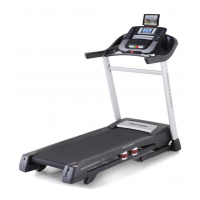
Pro-Form PERFORMANCE 950 - User Manual

Pro-Form PERFORMANCE 950
36 pages
Print Icon
To Next Page IconTo Next Page
Loading...
USERʼS MANUAL
Model No. PETL99711.0
Serial No.
Write the serial number in the space
above for reference.
QUESTIONS?
If you have questions, or if there are
missing parts, please contact us:
UK
Call: 08457 089 009
From Ireland: 053 92 36102
Website: www.iconsupport.eu
E-mail: csuk@iconeurope.com
Write:
ICON Health & Fitness, Ltd.
c/o HI Group PLC
Express Way
Whitwood, West Yorkshire
WF10 5QJ, UK
AUSTRALIA
Call: 1-800-237-173
E-mail:
australiacc@iconfitness.com
CAUTION
Read all precautions and instruc-
tions in this manual before using
this equipment. Save this manual
for future reference.
Serial Number
Decal

Questions and Answers

  • S
    Stephanie WarrenJul 30, 2025
    What to do if Pro-Form Treadmill power turns off during use?
    • R
      Roberto ClarkJul 31, 2025
      If your Pro-Form Treadmill's power turns off during use, first wait five minutes, then press the power switch back in. Also, ensure the power cord is properly plugged in. If the issue persists, remove the key from the console and reinsert it.
  • R
    Ricky KimAug 4, 2025
    Why does my Pro-Form Treadmill walking belt slow down when I walk on it?
    • A
      Ashley BradleyAug 4, 2025
      If the walking belt on your Pro-Form Treadmill slows down when you walk on it, it might be overtightened. Use the hex key to turn both idler roller screws counterclockwise, about 1/4 of a turn. Also, ensure the walking belt is properly tightened. When correctly tightened, you should be able to lift each edge of the belt 2 to 3 inches (5 to 7 cm) off the platform.
  • D
    David BrandtAug 8, 2025
    What to do if Pro-Form Treadmill walking belt slips?
    • J
      Jennifer WatkinsAug 8, 2025
      If the walking belt on your Pro-Form Treadmill slips when you walk on it, remove the key and unplug the power cord. Also, ensure the walking belt is properly tightened. When correctly tightened, you should be able to lift each edge of the walking belt 2 to 3 inches (5 to 7 cm) off the walking platform.
  • C
    Cynthia Dennis DVMAug 12, 2025
    What to do if the incline of Pro-Form Treadmill does not change?
    • B
      brittany70Aug 12, 2025
      If the incline of your Pro-Form Treadmill does not change correctly, remove the key and reinsert it after a few seconds. The treadmill will automatically rise to the maximum incline level and then return to the minimum level to recalibrate the incline system.
  • J
    Jennifer WardAug 16, 2025
    Why Pro-Form Treadmill power does not turn on?
    • J
      Jennifer HughesAug 17, 2025
      If your Pro-Form Treadmill's power does not turn on, make sure that the power cord is plugged into a surge suppressor and that the surge suppressor is plugged into a properly grounded outlet. Remove the key from the console and unplug the power cord. If the power switch has tripped, wait for five minutes and then press the switch back in to reset it.
  • G
    Gabriella BarnesAug 21, 2025
    How to fix Pro-Form Treadmill walking belt that is off-center?
    • E
      Emily WrightAug 21, 2025
      If the walking belt on your Pro-Form Treadmill is off-center or slips when you walk on it, and if the walking belt has shifted to the left, use the hex key to turn the left idler roller screw clockwise 1/2 of a turn; if the walking belt has shifted to the right, turn the left idler roller screw counterclockwise 1/2 of a turn.
  • E
    Edward AndersonAug 26, 2025
    How to turn off demo mode on Pro-Form Treadmill?
    • N
      Nicholas SuarezAug 26, 2025
      If the console displays on your Pro-Form Treadmill remain lit even after you remove the key, the demo mode is likely turned on. To turn off the demo mode, hold down the Stop button for a few seconds.

Summary

QUESTIONS?

Customer Support Contact

Provides contact information for technical assistance and missing parts.

WARNING DECAL PLACEMENT

IMPORTANT PRECAUTIONS

BEFORE YOU BEGIN

PART IDENTIFICATION CHART

ASSEMBLY

THE CHEST HEART RATE MONITOR

OPERATION AND ADJUSTMENT

HOW TO PLUG IN THE POWER CORD

Detailed steps for safely connecting the treadmill's power cord to the electrical outlet.

FEATURES OF THE CONSOLE

HOW TO TURN ON THE POWER

HOW TO USE THE MANUAL MODE

HOW TO USE AN ONBOARD WORKOUT

HOW TO USE AN iFIT LIVE WORKOUT

HOW TO USE THE PROFORM SYNC

HOW TO USE THE STEREO SOUND SYSTEM

THE INFORMATION MODE

Console Settings and Information

Adjusting units, demo mode, and display contrast settings on the console.

Module and Coach Settings

Configuring iFit Live modules, audio coach, and start modes.

Network and Data Management

Checking Wi-Fi status and managing workout data transfers.

HOW TO FOLD AND MOVE THE TREADMILL

HOW TO FOLD THE TREADMILL

Steps for safely folding the treadmill for convenient storage.

HOW TO MOVE THE TREADMILL

Guidance on safely moving the folded treadmill using its integrated wheels.

HOW TO LOWER THE TREADMILL FOR USE

Instructions for safely unfolding the treadmill from its storage position.

TROUBLESHOOTING

Power and Console Issues

Solutions for power-related problems and console display malfunctions.

Walking Belt and Incline Problems

Troubleshooting for walking belt speed, centering, slipping, and incline issues.

EXERCISE GUIDELINES

EXERCISE INTENSITY

Guidance on setting exercise intensity levels based on heart rate zones.

WORKOUT GUIDELINES

Recommendations for warming up, training zones, and cooling down during exercise.

EXERCISE FREQUENCY

Advice on the optimal frequency and consistency for exercise routines.

SUGGESTED STRETCHES

Basic Stretches for Flexibility

Instructions for performing fundamental stretches to improve flexibility and prevent injury.

PART LIST

EXPLODED DRAWING A

EXPLODED DRAWING B

EXPLODED DRAWING C

EXPLODED DRAWING D

ORDERING REPLACEMENT PARTS

RECYCLING INFORMATION

Pro-Form PERFORMANCE 950 Specifications

General IconGeneral
Heart Rate MonitoringEKG Grip Pulse Sensors
Running Area/Surface20" x 60"
Incline15 levels
DeclineNo Decline
Speed0-12 mph
Weight Capacity350 lbs
FoldingYes

Related product manuals