EasyManua.ls Logo

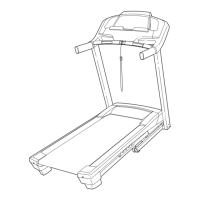
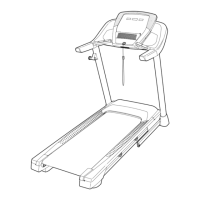
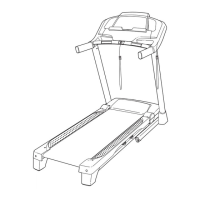
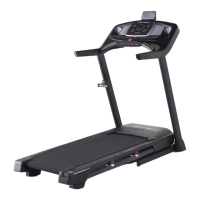
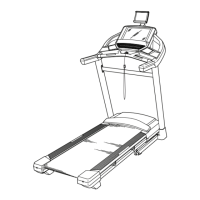
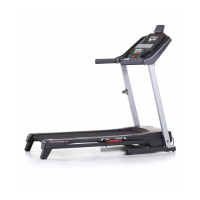
Pro-Form Performance 1450 - User Manual

Pro-Form Performance 1450
44 pages
Print Icon
To Next Page IconTo Next Page
Loading...
www.proform.com
IVIodel No. PFTL14511.4
Serial No.
Write the serial number in the space
above for reference.
Serial Number
Decal
1
To register your product and
activate your warranty today,
go to www.proformservice.com/
registration.
For service at any time, go to
www.proformservice.com.
Or call 1-888-533-1333
Mon.-Fri. 6 a.m.-6 p.m. MT
Sat. 8 a.m.-4 p.m. MT
Please do not contact the store.
ER'S
O
ANUAL

Questions and Answers

  • D
    Daniel HoodAug 15, 2025
    What to do if the Pro-Form Treadmill power turns off during use?
    • J
      Jennifer NguyenAug 15, 2025
      If your Pro-Form Treadmill's power turns off during use, first check the power switch and reset it if it has tripped by waiting five minutes and then pressing it back in. Also, ensure the power cord is securely plugged in; if it is, unplug it, wait five minutes, and plug it back in. Finally, try removing and reinserting the key from the console.
  • J
    John RileyAug 18, 2025
    How to fix Pro-Form Performance 1450 Treadmill when the power does not turn on?
    • A
      amy57Aug 19, 2025
      To troubleshoot a Pro-Form Treadmill that won't turn on, ensure the power cord is plugged into a properly earthed outlet, using a suitable extension cord if needed (3-conductor, 14-gauge, no longer than 5 ft.). Also, verify that the key is correctly inserted into the console. Finally, check the power switch on the treadmill frame and reset it if it has tripped by waiting five minutes before pressing it back in.
  • M
    Matthew MarshallAug 21, 2025
    What to do if Pro-Form Performance 1450 walking belt slips when walked on?
    • T
      Tyler WatsonAug 21, 2025
      If the walking belt on your Pro-Form Treadmill slips when you walk on it, use the hex key to turn both idler roller screws clockwise, 1/4 of a turn. Ensure the walking belt is correctly tightened, allowing you to lift each edge 2 to 3 inches off the platform. Keep the belt centered. Then, plug in the power cord, insert the key, and carefully walk on the treadmill for a few minutes. Repeat until properly tightened.
  • S
    susan55Aug 25, 2025
    How to center walking belt on Pro-Form Performance 1450 Treadmill?
    • K
      Kimberly ThorntonAug 26, 2025
      To correct an off-center walking belt on your Pro-Form Treadmill, use the hex key to adjust the left idler roller screw. Turn it clockwise 1/2 turn if the belt has shifted left, or counterclockwise 1/2 turn if it has shifted right.
  • M
    Mrs. Mary TrujilloAug 30, 2025
    What to do if Pro-Form Performance 1450 power does not turn on?
    • A
      Austin ButlerAug 30, 2025
      First, ensure the power cord is properly plugged into a surge suppressor, and that the surge suppressor is connected to a properly grounded outlet. Use a single-outlet surge suppressor meeting the specifications. Also, verify that the key is fully inserted into the console. Finally, check the power switch on the treadmill frame near the power cord. If it protrudes, the switch has tripped; wait five minutes, then press it back in to reset.
  • M
    Melanie EdwardsSep 2, 2025
    Why Pro-Form Treadmill console displays remain lit after removing the key?
    • S
      Samantha MullinsSep 2, 2025
      To turn off the demo mode on your Pro-Form Treadmill, hold down the Stop button for a few seconds. If the displays are still lit, see THE INFORMATION MODE on page 24 to turn off the demo mode.
  • V
    Victor TaylorSep 5, 2025
    Why does Pro-Form Performance 1450 Treadmill power turn off during use?
    • J
      Jacqueline WilsonSep 6, 2025
      The power may turn off during use because the power switch has tripped. Check the power switch. If the switch has tripped, wait five minutes and then press the switch back in. Also, ensure that the power cord is properly plugged in. If it is, unplug it, wait five minutes, and then plug it back in.
  • T
    Thomas PerezSep 8, 2025
    Why is Pro-Form Treadmill walking belt off-center?
    • W
      Wendy PearsonSep 9, 2025
      If the walking belt is off-center, remove the key and unplug the power cord. If the belt has shifted left, turn the left idler roller screw clockwise 1/2 turn with the hex key. If it has shifted right, turn the left idler roller screw counterclockwise 1/2 turn. If the walking belt slips when walked on, remove the key and unplug the power cord, then use the hex key to turn both idler roller screws clockwise 1/4 of a turn.
  • M
    Michael McdowellSep 12, 2025
    How to turn off demo mode on Pro-Form Performance 1450 Treadmill?
    • J
      Jennifer PowellSep 12, 2025
      If the console features a display demo mode and remains lit after key removal, turn off the demo mode by holding down the Stop button for a few seconds. If the demo mode is still on, see step 5 on page 24 to turn off the demo mode.
  • B
    Brianna OchoaNov 26, 2025
    Why Pro-Form Treadmill incline does not change correctly?
    • J
      Jonathan CrawfordNov 27, 2025
      To resolve incorrect incline changes on your Pro-Form Treadmill, recalibrate the incline system. Hold down the Stop button and the Speed increase button, insert the key into the console, and then release the Stop button and the Speed increase button. Press the Stop button and then press the Incline increase or decrease button. The treadmill will automatically rise to the maximum incline level and then return to the minimum level. If the walking belt is overtightened, remove the key and unplug the power cord. Using the hex key, turn both idler roller screws counterclockwise, 1/4 of a turn. When the walking belt is properly tightened, you should be able to lift each edge of the walking belt 2 to 3 in. (5 to 7 cm) off the walking platform. Be careful to keep the walking belt centered. Then, p...

Summary

SAFETY AND PREPARATION

IMPORTANT PRECAUTIONS

Essential safety guidelines and warnings for treadmill use.

ASSEMBLY

OPERATING THE TREADMILL

OPERATION AND ADJUSTMENT

Connecting the power cord and using surge protection.

HOW TO TURN ON THE POWER

Procedure for safely turning on the treadmill's power.

HOW TO SET UP THE CONSOLE

Initial configuration steps for the treadmill console.

WORKOUT MODES

HOW TO USE THE MANUAL MODE

How to use the treadmill in manual mode for workouts.

SYSTEM SETTINGS AND MAINTENANCE

PRACTICAL USAGE AND SUPPORT

TROUBLESHOOTING

Solutions to common treadmill problems and error conditions.

Pro-Form Performance 1450 Specifications

General IconGeneral
BrandPro-Form
ModelPerformance 1450
CategoryTreadmill
LanguageEnglish

Related product manuals