EasyManua.ls Logo

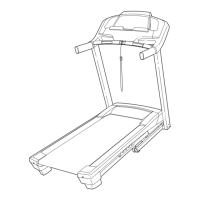
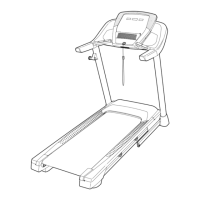
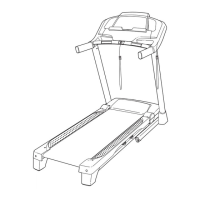
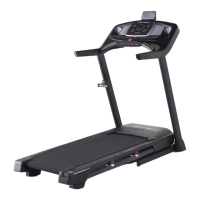
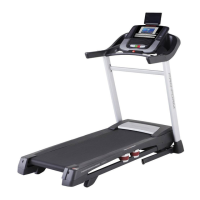
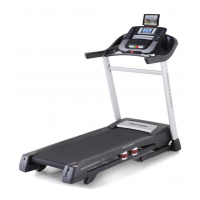
Pro-Form PERFORMANCE 800i - User Manual

Pro-Form PERFORMANCE 800i
40 pages
To Next Page IconTo Next Page
Loading...
USER’S MANUAL
Model No. PETL99819.0
Serial No.
Write the serial number in the space
above for reference.
CAUTION
Read all precautions and
instructions in this manual before
using this equipment. Save this
manual for future reference.
Serial Number
Decal
CUSTOMER SERVICE
UNITED KINGDOM
Call: 0330 123 1045
From Ireland: 053 92 36102
Website: iconsupport.eu
E-mail: csuk@iconeurope.com
Write:
ICON Health & Fitness, Ltd.
Unit 4, Westgate Court
Silkwood Park
OSSETT
WF5 9TT
UNITED KINGDOM
AUSTRALIA
Call: 1800 993 770
E-mail: australiacc@iconfitness.com
Write:
ICON Health & Fitness
PO Box 635
WINSTON HILLS NSW 2153
AUSTRALIA
iconeurope.com

Questions and Answers

Pro-Form PERFORMANCE 800i Specifications

General IconGeneral
BrandPro-Form
ModelPERFORMANCE 800i
CategoryTreadmill
LanguageEnglish

Summary

Warning Decal Placement

Important Precautions

Electrical and Power Safety

Ensures safe use of power cords, extension cords, and proper grounding to prevent shock.

Safe Operation Practices

Covers emergency stops, correct posture, and keeping clear of moving parts for user safety.

Before You Begin

Assembly

How to Use the Treadmill

Plugging in the Power Cord Safely

Details the steps for safely connecting the treadmill's power cord to an earthed outlet.

Console Diagram and Features

How to Turn on the Power

How to Use the Touch Screen

How to Set Up the Console

How to Use the Manual Mode

How to Use a Map Workout

How to Use a Draw Your Own Map Workout

How to Use a Distance or Time Workout

How to Use Workout Settings

How to Use Equipment Settings

How to Use Maintenance Section

How to Use Wireless Network Mode

How to Fold and Move the Treadmill

Maintenance and Troubleshooting

Troubleshooting: Power Issues

Steps to resolve problems related to the treadmill not turning on or shutting off unexpectedly.

Troubleshooting: Console Display Issues

Troubleshooting: Incline Calibration

Troubleshooting: Walking Belt Speed

Troubleshooting: Wireless Network Connection

Troubleshooting: Walking Belt Centering

Troubleshooting: Walking Belt Slipping

Troubleshooting: Tablet Holder Stability

Exercise Guidelines

Ordering Replacement Parts

Related product manuals