EasyManua.ls Logo

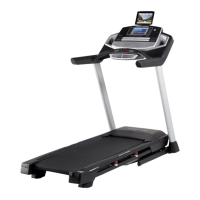
Pro-Form Premier 600 - User Manual

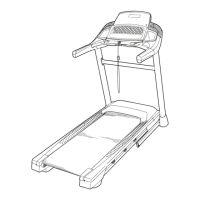
Pro-Form Premier 600
40 pages
Print Icon
To Next Page IconTo Next Page
Loading...
Serial Number
Decal
Model No. PFTL60919.0
Serial No.
Write the serial number in the space
above for reference.
CAUTION
Read all precautions and instruc-
tions in this manual before using
this equipment. Save this manual
for future reference.
USER’S MANUAL
proform.com
ACTIVATE YOUR
WARRANTY
To register your product and
activate your warranty today, go
to my.proform.com.
CUSTOMER CARE
For service at any time, go to
support.proform.com
Or call 1-866-362-4490
Mon.–Fri. 6 a.m.–6 p.m. MT
Sat. 8 a.m.–12 p.m. MT
Please do not contact the store.

Questions and Answers

  • S
    Sarah HahnJul 29, 2025
    How to fix Pro-Form Treadmill when the power does not turn on?
    • A
      Autumn KelleyJul 30, 2025
      Ensure the power cord is properly plugged into a surge suppressor, and that the surge suppressor is connected to a grounded outlet. If you're using an AFCI-equipped outlet and the circuit breaker trips, consider purchasing an arc filter (refer to the manual's front cover). Also, verify the key is inserted into the console and check the power switch on the treadmill frame; if it's tripped, reset it by waiting five minutes before pressing it back in. Lastly, make sure the console is activated as described in assembly step 19.
  • J
    Jenna CastroAug 6, 2025
    What to do if my Pro-Form Treadmill power turns off during use?
    • L
      Lauren WilsonAug 6, 2025
      If your Pro-Form Treadmill turns off during use, start by checking the power switch to see if it has tripped; if so, wait five minutes before pressing it back in. Next, ensure the power cord is securely plugged in; if it is, unplug it, wait five minutes, and then plug it back in. Also, try removing and reinserting the key from the console. If these steps don't resolve the issue, please see the front cover of this manual.
  • L
    llaneAug 21, 2025
    Why Pro-Form Treadmill walking belt slows when walked on?
    • B
      Brett FlowersAug 21, 2025
      If the walking belt of your Pro-Form Treadmill slows down when you walk on it: * Ensure you are using a surge suppressor that meets the specifications described. * If the walking belt is too tight, remove the key and unplug the power cord. Use the hex key to turn both idler roller screws counterclockwise 1/4 of a turn. * The walking belt should be tight enough that you can lift each edge 2 to 3 inches off the platform. Keep the belt centered, plug the treadmill back in, insert the key, and walk on it for a few minutes. Repeat until properly tightened.
  • W
    william04Nov 13, 2025
    What to do if Pro-Form Treadmill walking belt is off-center or slips?
    • K
      Kenneth WrightNov 13, 2025
      To address an off-center or slipping walking belt on your Pro-Form Treadmill: * First, remove the key and unplug the power cord. * If the belt is off-center, turn the left idler roller screw clockwise 1/2 turn if the belt has shifted left, or counterclockwise 1/2 turn if it has shifted right. * If the belt slips, turn both idler roller screws clockwise 1/4 turn. * The walking belt should be tight enough that you can lift each edge 2 to 3 inches off the platform. Keep the belt centered, plug the treadmill back in, insert the key, and walk on it for a few minutes. Repeat until properly tightened. Important: Do not apply silicone spray or other substances to the belt unless instructed by an authorized service representative, as this may cause damage. If you suspect the belt needs mo...

Summary

Warning Decal Placement

Important Precautions

Before You Begin

Part Identification Chart

Assembly

How to Use the Treadmill

How to Connect the Power Cord

Instructions for connecting the power cord, including surge suppressor requirements and safety warnings.

Console Diagram

Features of the Console

Overview of console features, including manual mode, workouts, heart rate monitoring, and iFit connectivity.

How to Turn On the Power

How to Use the Manual Mode

Instructions for operating the treadmill in manual mode, adjusting speed and incline.

How to Use an Onboard Workout

How to Connect Your Tablet to the Console

The Settings Mode

How to Connect a Heart Rate Monitor to the Console

Steps for connecting a Bluetooth heart rate monitor to the console for heart rate tracking.

How to Use the Sound System

The Optional Chest Heart Rate Monitor

The Optional Tablet Holder

Information about the optional tablet holder for securing a tablet during workouts.

FCC Information

How to Fold and Move the Treadmill

How to Fold the Treadmill

Step-by-step instructions on how to safely fold the treadmill for storage.

How to Move the Treadmill

Instructions on how to safely move the folded treadmill using its wheels.

How to Lower the Treadmill for Use

Steps to safely unfold the treadmill from its storage position for use.

Maintenance and Troubleshooting

Maintenance

Guidelines for regular cleaning and upkeep of the treadmill to ensure optimal performance.

Troubleshooting

Common problems and their solutions, covering power issues and incline system errors.

Exercise Guidelines

Exercise Intensity

How to use heart rate to find optimal intensity levels for fat burning and aerobic exercise.

Workout Guidelines

Recommendations for warming up, training zone exercise, and cooling down.

Exercise Frequency

Advice on how often to exercise for maintaining or improving fitness levels.

Suggested Stretches

Part List

Exploded Drawing A

Exploded Drawing B

Exploded Drawing C

Exploded Drawing D

Ordering Replacement Parts

Limited Warranty

Details of the product warranty, coverage, exclusions, and how to obtain service.

Pro-Form Premier 600 Specifications

General IconGeneral
Running Area20" x 55"
Speed0-10 MPH
User Weight Capacity300 lbs
FoldingYes
Incline10%
Heart Rate MonitoringEKG Grip Pulse Sensor

Related product manuals