EasyManua.ls Logo

Pro-Form Premier 700 - User Manual

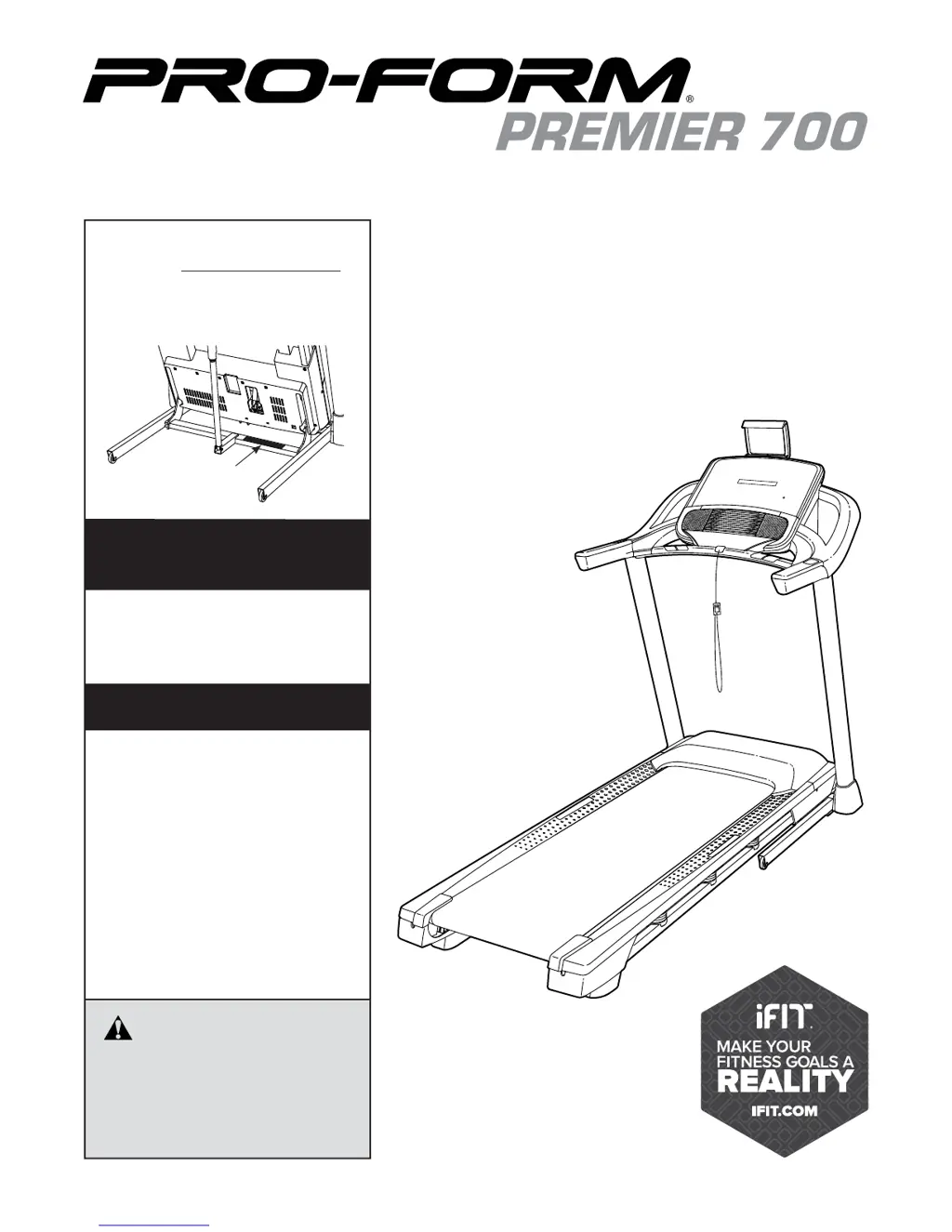
Pro-Form Premier 700
40 pages
Print Icon
To Next Page IconTo Next Page
Loading...
Serial Number
Decal
Model No. PFTL79117.0
Serial No.
Write the serial number in the space
above for reference.
CAUTION
Read all precautions and instruc-
tions in this manual before using
this equipment. Save this manual
for future reference.
USER’S MANUAL
proform.com
ACTIVATE YOUR
WARRANTY
To register your product and
activate your warranty today, go
to my.proform.com.
CUSTOMER CARE
For service at any time, go to
proformservice.com.
Or call 1-866-362-4490
Mon.–Fri. 6 a.m.–6 p.m. MT
Sat. 8 a.m.–12 p.m. MT
Please do not contact the store.

Questions and Answers

  • D
    David GriffinAug 2, 2025
    What to do if Pro-Form Premier 700 Treadmill power does not turn on?
    • K
      Kevin KimAug 2, 2025
      First, ensure the power cord is plugged into a surge suppressor and that the surge suppressor is plugged into a properly grounded outlet. After plugging in the power cord, verify that the key is inserted into the console. Also, check the power switch located on the treadmill frame near the power cord. If the switch has tripped (protrudes), wait five minutes, then press the switch back in to reset it. Finally, the console may require activation, please refer to assembly step 20 if you have not activated the console.
  • D
    Danny ScottAug 6, 2025
    Why does my Pro-Form Premier 700 power turn off during use?
    • D
      Daniel FryeAug 6, 2025
      The treadmill might be turning off due to a tripped power switch. Check the power switch and if it has tripped, wait five minutes before pressing it back in. Also, ensure the power cord is securely plugged in; try unplugging it, waiting five minutes, and then plugging it back in. Another potential fix is to remove and reinsert the key from the console.
  • J
    jeffrey90Aug 12, 2025
    What to do if Pro-Form Premier 700 Treadmill walking belt slows when walked on?
    • A
      Aaron RiveraAug 12, 2025
      Make sure you are using a surge suppressor that meets the specifications. If the walking belt is overtightened, remove the key and unplug the power cord. Then, use the hex key to turn both idler roller screws counterclockwise, 1/4 of a turn.
  • J
    Jessica HallAug 16, 2025
    How to adjust Pro-Form Premier 700 Treadmill walking belt if it is off-center or slips?
    • R
      Renee HaydenAug 16, 2025
      If the walking belt is off-center, remove the key and unplug the power cord. If the belt has shifted to the left, use the hex key to turn the left idler roller screw clockwise 1/2 of a turn. If it has shifted to the right, turn the left idler roller screw counterclockwise 1/2 of a turn. If the walking belt slips, remove the key and unplug the power cord. Use the hex key to turn both idler roller screws clockwise, 1/4 of a turn.
  • R
    richardespinozaAug 22, 2025
    Why do the console displays remain lit on my Pro-Form Treadmill when I remove the key?
    • K
      Kyle MelendezAug 22, 2025
      The console displays might remain lit because the treadmill is in demo mode. To turn off the demo mode, hold down the Stop button for a few seconds.
  • P
    pbrownAug 27, 2025
    How to fix Pro-Form Treadmill tablet holder if it does not stay in place?
    • G
      gregorybrendaAug 27, 2025
      Rotate the tablet holder backwards. Then, slightly tighten the indicated screw until the tablet holder stays in place when rotated to the desired position.

Summary

WARRANTY ACTIVATION

CUSTOMER SUPPORT CONTACT

CRITICAL SAFETY PRECAUTIONS

iFIT FITNESS FEATURES

EXTENDED SERVICE PLAN OPTIONS

PRE-USE CHECKLIST

TREADMILL ASSEMBLY GUIDE

TREADMILL OPERATION GUIDE

POWER CORD CONNECTION SAFETY

Instructions for safely connecting the power cord with a surge suppressor.

TREADMILL CONSOLE OVERVIEW

POWERING ON AND MANUAL MODE OPERATION

TREADMILL WORKOUT MODES

CUSTOM WORKOUTS AND DEVICE CONNECTIVITY

ADVANCED CONSOLE FUNCTIONS

CONSOLE SETTINGS AND TABLET HOLDER

FOLDING AND MOVING THE TREADMILL

PROCEDURE FOR FOLDING THE TREADMILL

Procedure for safely folding the treadmill for storage.

PROCEDURE FOR LOWERING THE TREADMILL

Steps to safely unfold and lower the treadmill for use.

TREADMILL MAINTENANCE AND TROUBLESHOOTING

ROUTINE MAINTENANCE GUIDELINES

Routine cleaning and inspection to ensure optimal performance and longevity.

TROUBLESHOOTING POWER ISSUES

Steps to resolve issues with power not turning on or turning off during use.

TROUBLESHOOTING BELT AND INCLINE ISSUES

RESOLVING INCLINE ADJUSTMENT PROBLEMS

Troubleshooting steps when the treadmill incline does not change correctly.

RESOLVING WALKING BELT PERFORMANCE ISSUES

Addressing issues with the walking belt slowing down or being off-center.

TROUBLESHOOTING OTHER ISSUES

GENERAL EXERCISE GUIDELINES

UNDERSTANDING EXERCISE INTENSITY

Understanding heart rate zones for fat burning and aerobic exercise.

WORKOUT SESSION GUIDELINES

Recommendations for warm-up, training zone duration, and cool-down.

ORDERING REPLACEMENT PARTS INFORMATION

PRODUCT LIMITED WARRANTY DETAILS

Pro-Form Premier 700 Specifications

General IconGeneral
BrandPro-Form
ModelPremier 700
CategoryTreadmill
LanguageEnglish

Related product manuals