EasyManua.ls Logo

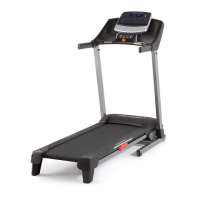
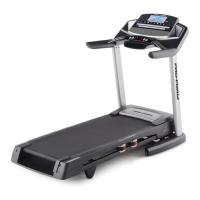
Pro-Form Power 995c - User Manual

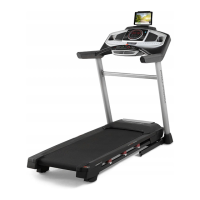
Pro-Form Power 995c
36 pages
Print Icon
To Next Page IconTo Next Page
Loading...
Serial Number
Decal
Model No. PFTL99912.0
Serial No.
Write the serial number in the space
above for reference.
CAUTION
Read all precautions and instruc-
tions in this manual before using
this equipment. Save this manual
for future reference.
QUESTIONS?
If you have questions, or if parts
are damaged or missing, DO NOT
CONTACT THE STORE; please
contact Customer Care.
IMPORTANT: Please register this
product (see the limited warranty
on the back cover of this manual)
before contacting Customer Care.
CALL TOLL-FREE:
1-888-533-1333
Mon.–Fri. 6 a.m.–6 p.m. MT
Sat. 8 a.m.–4 p.m. MT
ON THE WEB:
www.proformservice.com
USER’S MANUAL
www.proform.com

Questions and Answers

Pro-Form Power 995c Specifications

General IconGeneral
BrandPro-Form
ModelPower 995c
CategoryTreadmill
LanguageEnglish

Summary

Warning Decal Placement

Important Precautions

Consult Physician Before Exercise

Advise consulting a doctor before starting any exercise program.

Keep Children and Pets Away

Keep children and pets away from the treadmill at all times.

Wear Appropriate Exercise Attire

Wear appropriate clothing and athletic shoes for exercise.

Use Surge Suppressor for Power

Always use a surge suppressor to protect the treadmill from voltage changes.

Before You Begin

Treadmill Component Identification

Familiarize yourself with the labeled parts of the treadmill.

Part Identification Chart

Assembly

Initial Base and Upright Assembly

Attach wheel caps to the base and route wires for the uprights.

Upright Wire Routing and Grounding

Route the upright wire and ground wire through the base.

Attaching Base and Handrail Covers

Slide base covers and bottom handrail covers onto the uprights.

Handrail Attachment

Attach the left and right handrails to the uprights.

Console Mounting

Attach the console assembly to the handrails.

Console Wire Connection

Connect the upright wire to the console wire.

Console Cover Attachment

Attach the console cover to the console assembly.

Frame and Latch Installation

Install the storage latch and secure the treadmill frame.

The Chest Heart Rate Monitor

How to Use the Heart Rate Monitor

Instructions for wearing and using the heart rate monitor.

Heart Rate Monitor Care and Troubleshooting

Maintenance tips and solutions for common heart rate monitor issues.

Operation and Adjustment

Connecting the Power Cord Safely

Proper connection of the power cord with a surge suppressor.

Console Diagram

Console Features Overview

Description of the console's various features and capabilities.

How to Turn On the Power

Using the Manual Mode

Step-by-step guide for operating the treadmill in manual mode.

How to Use an Onboard Workout

How to Use a Set-a-Goal Workout

How to Use an iFit Workout

How to Use the Stereo Sound System

The Information Mode

How to Fold and Move the Treadmill

Folding the Treadmill

Instructions for folding the treadmill into storage position.

Moving the Treadmill

Safe procedures for moving the folded treadmill.

Unfolding the Treadmill

Steps to safely unfold the treadmill for use.

Troubleshooting

Power and Console Display Issues

Solutions for power not turning on, turning off, or console display problems.

Incline and Belt Speed Problems

Troubleshooting issues with incline function and walking belt speed.

Walking Belt Alignment and Slipping

Correcting walking belt off-center or slipping issues.

Exercise Guidelines

Exercise Intensity and Zones

Guidance on achieving proper exercise intensity and training zones.

Workout and Frequency Advice

Recommendations for warming up, cooling down, and workout frequency.

Part List

Exploded Drawing A

Exploded Drawing B

Exploded Drawing C

Exploded Drawing D

Ordering Replacement Parts

Limited Warranty

Related product manuals