EasyManua.ls Logo

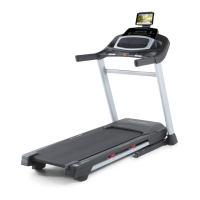
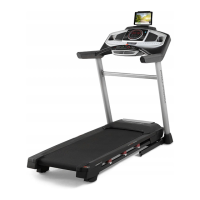
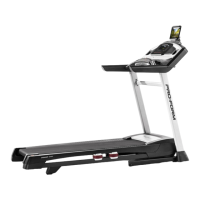
Pro-Form POWER 595i - User Manual

Pro-Form POWER 595i
36 pages
Print Icon
To Next Page IconTo Next Page
Loading...
USER’S MANUAL
iconeurope.com
Model No. PETL78717.0
Serial No.
Write the serial number in the space
above for reference.
CAUTION
Read all precautions and instruc-
tions in this manual before using
this equipment. Save this manual
for future reference.
Serial Number
Decal
CUSTOMER SERVICE
UNITED KINGDOM
Call: 0330 123 1045
From Ireland: 053 92 36102
Website: iconsupport.eu
E-mail: csuk@iconeurope.com
Write:
ICON Health & Fitness, Ltd.
Unit 4, Westgate Court
Silkwood Park
OSSETT
WF5 9TT
UNITED KINGDOM
AUSTRALIA
Call: 1800 993 770
E-mail: australiacc@iconfitness.com
Write:
ICON Health & Fitness
PO Box 635
WINSTON HILLS NSW 2153
AUSTRALIA

Questions and Answers

  • G
    gutierrezjamesAug 2, 2025
    How to fix Pro-Form Treadmill that won't turn on?
    • Y
      yjonesAug 2, 2025
      First, ensure the power cord is properly plugged into a grounded outlet. If using an extension cord, it should be a 3-conductor, 14-gauge cord no longer than 5 ft. Also, check that the key is fully inserted into the console. Finally, examine the power switch on the treadmill frame near the power cord. If it's protruding, wait five minutes, then press it back in to reset.
  • M
    Marc EvansAug 6, 2025
    Why does my Pro-Form Treadmill power off during use?
    • V
      vlewisAug 7, 2025
      The treadmill may be turning off due to a tripped power switch. Check the power switch and if it has tripped, wait five minutes before pressing it back in. Also, ensure the power cord is securely plugged in; try unplugging it, waiting five minutes, and plugging it back in. Finally, remove and reinsert the key from the console.
  • R
    Renee WeaverAug 11, 2025
    What to do if Pro-Form POWER 595i walking belt slips when walked on?
    • L
      Linda MurrayAug 11, 2025
      If the walking belt slips, use the hex key to turn both idler roller screws clockwise, 1/4 of a turn. When the walking belt is correctly tightened, you should be able to lift each edge of the walking belt 2 to 3 inches off the walking platform.
  • M
    masseydeniseAug 15, 2025
    How to fix Pro-Form POWER 595i walking belt that is off-center?
    • J
      Janet SmithAug 15, 2025
      If the walking belt has shifted to the left, use the hex key to turn the left idler roller screw clockwise 1/2 of a turn. If the walking belt has shifted to the right, turn the left idler roller screw counterclockwise 1/2 of a turn. Be careful not to overtighten the walking belt.
  • M
    Miranda HallAug 20, 2025
    What to do if the Pro-Form POWER 595i Treadmill console display doesn't function?
    • V
      Vanessa BooneAug 20, 2025
      Remove the key from the console and unplug the power cord. Next, remove the five #8 x 3/4" Screws and carefully pivot off the Motor Hood. Locate the Reed Switch and the Magnet on the left side of the Pulley. Turn the Pulley until the Magnet is aligned with the Reed Switch. Make sure that the gap between the Magnet and the Reed Switch is about 1/8 in. If necessary, loosen the #8 x 3/4" Truss Head Screw, move the Reed Switch slightly, and then retighten the Truss Head Screw. Reattach the Motor Hood with the #8 x 3/4" Screws and run the treadmill for a few minutes to check for a correct speed reading.
  • A
    andrewwilsonAug 25, 2025
    What to do if Pro-Form POWER 595i walking belt slows when walked on?
    • M
      Melissa Ortiz MDAug 25, 2025
      If the walking belt is overtightened, treadmill performance may decrease and the walking belt may become damaged. Remove the key and unplug the power cord. Using the hex key, turn both idler roller screws counterclockwise, 1/4 of a turn. When the walking belt is properly tightened, you should be able to lift each edge of the walking belt 2 to 3 in. off the walking platform. Be careful to keep the walking belt centered.
  • M
    martinezjamesAug 28, 2025
    How to recalibrate incline on Pro-Form Treadmill?
    • T
      Timothy PetersenAug 28, 2025
      To recalibrate the incline system, hold down the Stop button and insert the key into the console, then release the Stop button. Next, press the Stop button and then press the Incline increase or decrease button. The treadmill will automatically rise to the maximum incline level and then return to the minimum level. If the incline system does not begin calibrating, press the Stop button again, and then press the Incline increase or decrease button again.

Summary

Customer Service

Contact Information

General contact details for UK and Australia.

Warning Decal Placement

Decal Locations and Safety Points

Shows positions of warning decals and lists important safety points.

Important Precautions

User Safety Guidelines

Lists critical safety measures for treadmill operation.

Before You Begin

Treadmill Component Overview

Identifies key components of the treadmill and provides dimensions.

Part Identification Chart

Assembly Hardware Identification

Lists and illustrates small parts and their quantities for assembly.

Assembly

Assembly Process Steps

Guides users through the process of assembling the treadmill.

How to Use the Treadmill

Power Cord Connection

Instructions on connecting the treadmill to a power source safely.

Console Operation Overview

Overview of the console layout, features, and basic functions.

Starting Power and Manual Mode

Steps for turning on the treadmill and using basic manual controls.

Using Onboard Workouts

Guide to selecting and performing pre-programmed exercise routines.

Tablet Connectivity

Instructions for pairing a tablet with the console via Bluetooth.

Heart Rate and Audio System

Details on using heart rate monitors and the treadmill's audio system.

Settings and Tablet Holder

How to customize console settings and use the tablet holder feature.

How to Fold and Move

Folding, Moving, and Lowering Procedures

Steps for safely folding, moving, and lowering the treadmill.

Maintenance and Troubleshooting

Routine Maintenance and Cleaning

Guidelines for cleaning and maintaining the treadmill for optimal performance.

Troubleshooting Common Issues

Solutions for common problems like power, display, and belt issues.

Exercise Guidelines

Exercise Intensity and Workout Structure

Advice on setting exercise intensity levels and structuring workouts.

Suggested Stretches

Pre and Post-Workout Stretching

Demonstrations of basic stretches for warm-up and cool-down.

Part List

Treadmill Component Breakdown

Comprehensive list of all parts with key numbers and descriptions.

Exploded Diagrams

Exploded View A

Detailed visual breakdown of treadmill components from one perspective.

Exploded View B

Detailed visual breakdown of treadmill components from another perspective.

Exploded View C

Detailed visual breakdown of treadmill components from another perspective.

Exploded View D

Detailed visual breakdown of treadmill components from another perspective.

Ordering Replacement Parts

How to Order Parts

Information on obtaining replacement components for the treadmill.

Recycling Information

Proper Disposal Guidelines

Instructions for environmentally responsible disposal of the electronic product.

Pro-Form POWER 595i Specifications

General IconGeneral
Motor2.5 CHP
Display5" backlit display
Programs20 built-in programs
Speed Range0 - 10 MPH
Incline Range0 - 10 %
FoldingYes
Weight203 Lbs
Running Area20" x 55"
Incline0-10%
Speed0-10 mph
Weight Capacity300 lbs
FoldableYes
Heart Rate MonitoringEKG grip pulse
Running Surface20" x 55"
iFitiFit® Enabled

Related product manuals