EasyManua.ls Logo

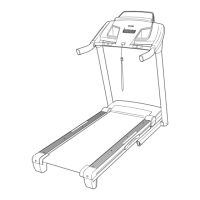
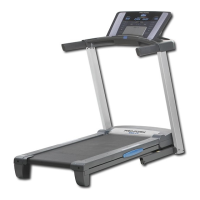
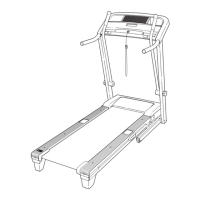
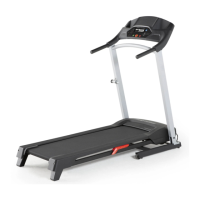
Pro-Form 600 LT - User Manual

Pro-Form 600 LT
36 pages
Print Icon
To Next Page IconTo Next Page
Loading...
Serial Number
Decal
Model No. PFTL70010.0
Serial No.
Write the serial number in the space
above for reference.
CAUTION
Read all precautions and instruc-
tions in this manual before using
this equipment. Save this manual
for future reference.
QUESTIONS?
If you have questions, or if parts are
damaged or missing, DO NOT CON-
TACT THE STORE; please contact
Customer Care.
IMPORTANT: Please register this
product (see the limited warranty
on the back cover of this manual)
before contacting Customer Care.
CALL TOLL-FREE:
1-888-533-1333
Mon.–Fri. 6 a.m.–6 p.m. MT
Sat. 8 a.m.–4 p.m. MT
ON THE WEB:
www.proformservice.com
USERʼS MANUAL
www.proform.com
All manuals and user guides at all-guides.com
all-guides.com

Questions and Answers

  • R
    raymondkirbyAug 5, 2025
    How to fix Pro-Form Treadmill if the power does not turn on?
    • S
      Sarah BlanchardAug 5, 2025
      First, ensure the power cord is securely plugged into a surge suppressor, which is then plugged into a grounded outlet. Next, confirm the key is properly inserted into the console. Check the power switch on the treadmill frame near the power cord. If the switch is tripped (protruding), wait five minutes, then press it back in to reset it.
  • B
    Bryan WhiteAug 9, 2025
    What to do if Pro-Form Treadmill walking belt is off-center or slips?
    • B
      Brooke StrongAug 9, 2025
      If the Pro-Form Treadmill walking belt is off-center, remove the key and unplug the power cord. If the belt is shifted left, turn the left idler roller bolt clockwise 1/2 turn; if shifted right, turn it counterclockwise 1/2 turn. Plug in the power cord, insert the key, and run the treadmill briefly to check. Repeat as needed to center the belt. If the belt slips, remove the key and unplug the power cord. Turn both idler roller bolts clockwise 1/4 turn. A properly tightened belt should allow lifting each edge 2-3 inches off the platform. Plug in the power cord, insert the key, and carefully walk on the treadmill for a few minutes. Repeat until the belt is properly tightened.
  • S
    Sonya TorresAug 15, 2025
    Why does my Pro-Form Treadmill power turn off during use?
    • K
      Kathy MillerAug 15, 2025
      If your Pro-Form Treadmill turns off during use, check the power switch. Ensure the power cord is plugged in; if it is, unplug it, wait five minutes, and plug it back in. Also, remove and reinsert the key from the console. If the issue persists, please consult the front cover of the manual.
  • Y
    yshawAug 19, 2025
    How to reset the incline on a Pro-Form Treadmill?
    • E
      Elizabeth Macdonald DVMAug 19, 2025
      To reset the incline on your Pro-Form Treadmill, insert the key into the console and press one of the Incline buttons. While the incline is changing, remove the key. After a few seconds, reinsert the key. The treadmill will automatically rise to the maximum incline level and then return to the minimum level.
  • R
    rachel02Aug 25, 2025
    Why does the walking belt on my Pro-Form Treadmill slow down when I walk on it?
    • D
      David ObrienAug 25, 2025
      Make sure that you are using a single-outlet surge suppressor that meets the specifications. If the walking belt is overtightened, remove the key and unplug the power cord. Using the hex key, turn both idler roller bolts counterclockwise, 1/4 of a turn. When the walking belt is properly tightened, you should be able to lift each edge of the walking belt 2 to 3 in. off the walking platform. Be careful to keep the walking belt centered. Plug in the power cord, insert the key, and run the treadmill for a few minutes. Repeat until the walking belt is properly tightened.
  • R
    Richard MooreAug 30, 2025
    How to turn off demo mode on Pro-Form Treadmill?
    • K
      Kristi ShawAug 30, 2025
      The console of your Pro-Form Treadmill may be in display demo mode, designed for store displays. To turn off this mode, press and hold the Stop button for a few seconds. If the displays remain lit, consult THE INFORMATION MODE section for further instructions on disabling the demo mode.

Summary

WARNING DECAL PLACEMENT

IMPORTANT PRECAUTIONS

BEFORE YOU BEGIN

ASSEMBLY

OPERATION AND ADJUSTMENT

THE PRE-LUBRICATED WALKING BELT

Information about the walking belt's lubrication and cleaning.

HOW TO PLUG IN THE POWER CORD

Instructions for connecting the power cord and using a surge suppressor.

HOW TO TURN ON THE POWER

HOW TO USE THE MANUAL MODE

Guide on operating the treadmill in manual mode.

HOW TO USE AN ONBOARD WORKOUT

Following Your Progress

Monitoring workout progress via console displays.

Measuring Your Heart Rate

Using the handgrip pulse sensor for heart rate monitoring.

Using the Fan

Operating the console's fan feature.

HOW TO USE THE WEIGHT LOSS CENTER

Following Your Progress

Monitoring workout progress in weight loss mode.

Measuring Your Heart Rate

Using the handgrip pulse sensor for heart rate monitoring.

Using the Fan

Operating the console's fan feature.

HOW TO USE AN IFIT WORKOUT

Following Your Progress

Monitoring workout progress with iFit.

Measuring Your Heart Rate

Using the handgrip pulse sensor for heart rate monitoring.

Using the Fan

Operating the console's fan feature.

THE INFORMATION MODE

HOW TO USE THE STEREO SOUND SYSTEM

Connecting and using the console's stereo sound system.

HOW TO FOLD AND MOVE THE TREADMILL

HOW TO FOLD THE TREADMILL

Step-by-step instructions for folding the treadmill.

HOW TO MOVE THE TREADMILL

Instructions for safely moving the folded treadmill.

HOW TO LOWER THE TREADMILL FOR USE

Steps to unfold the treadmill for use.

TROUBLESHOOTING

Power Issues

Solutions for problems related to power not turning on or turning off.

Console Functionality

Troubleshooting issues with console display and operation.

Display Problems

Solutions for console displays not functioning properly.

BELT AND INCLINE ADJUSTMENT

Incline Adjustment

Recalibrating the incline system.

Belt Slows When Walked On

Addressing issues with the walking belt slowing down.

WALKING BELT ADJUSTMENT

Belt Off-Center or Slips

Correcting the walking belt's centering and slippage.

EXERCISE GUIDELINES

Exercise Intensity

Using heart rate to determine proper exercise intensity levels.

Workout Guidelines

Recommendations for warming up, training, and cooling down.

Exercise Frequency

Guidance on how often to exercise for maintenance and improvement.

SUGGESTED STRETCHES

PART LIST

EXPLODED DRAWING A

EXPLODED DRAWING B

EXPLODED DRAWING C

EXPLODED DRAWING D

ORDERING REPLACEMENT PARTS

LIMITED WARRANTY

Pro-Form 600 LT Specifications

General IconGeneral
BrandPro-Form
Model600 LT
CategoryTreadmill
LanguageEnglish

Related product manuals