EasyManua.ls Logo

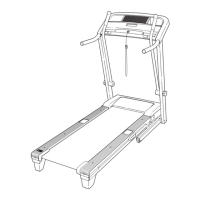
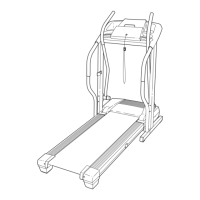
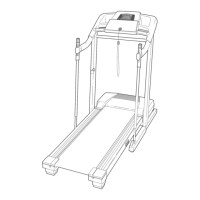
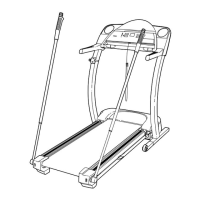
Pro-Form CROSSWALK 590 LT - User Manual

Pro-Form CROSSWALK 590 LT
32 pages
Print Icon
To Next Page IconTo Next Page
Loading...
USER’S MANUAL
Model No. PFTL99909.3
Serial No.
Write the serial number in the space
above for reference.
CAUTION
Read all precautions and instruc-
tions in this manual before using
this equipment. Save this manual
for future reference.
QUESTIONS?
If you have questions, or if parts
are damaged or missing, DO NOT
CONTACT THE STORE; please
contact Customer Care.
IMPORTANT: Please register this
product (see the limited warranty
on the back cover of this manual)
before contacting Customer Care.
CALL TOLL-FREE:
1-888-533-1333
Mon.–Fri. 6 a.m.–6 p.m. MT
Sat. 8 a.m.–4 p.m. MT
ON THE WEB:
www.proformservice.com
www.proform.com
Serial
Number
Decal

Questions and Answers

  • R
    rachelcunninghamJul 26, 2025
    What to do if Pro-Form Treadmill power turns off during use?
    • A
      alexanderturnerJul 26, 2025
      If the power turns off during use, the switch may have tripped. Wait for five minutes, and then press the switch back in. Also, ensure that the power cord is plugged in and try removing and reinserting the key from the console.
  • H
    Heather JohnsonJul 31, 2025
    Why does Pro-Form CROSSWALK 590 LT Treadmill walking belt slow down when I walk on it?
    • R
      Rebecca WellsJul 31, 2025
      The walking belt may slow down if it is overtightened. To resolve this, remove the key and unplug the power cord. Use the hex key to turn both idler roller screws counterclockwise, 1/4 of a turn. Also, ensure you are using a surge suppressor that meets all requirements. When the walking belt is properly tightened, you should be able to lift each edge of the walking belt 2 to 3 inches off the walking platform. If you suspect that the walking belt needs more lubricant, please check the front cover of this manual.
  • K
    Kathryn JohnsonAug 5, 2025
    What to do if Pro-Form CROSSWALK 590 LT walking belt is off-center or slips?
    • S
      shawnblairAug 5, 2025
      If the walking belt has shifted to the left, use the hex key to turn the left idler roller screw clockwise 1/2 of a turn. If the walking belt has shifted to the right, turn the left idler roller screw counterclockwise 1/2 of a turn. If the walking belt slips when walked on, first remove the key and unplug the power cord. Using the hex key, turn both idler roller screws clockwise, 1/4 of a turn.
  • J
    Jack MartinezAug 10, 2025
    What to do if Pro-Form Treadmill console displays do not function properly?
    • K
      Kevin WilliamsAug 10, 2025
      If the console displays are not working correctly, adjust the incline level of the treadmill to 5 percent. Remove the key from the console and unplug the power cord. If the switch has tripped, wait for five minutes and then press the switch back in to reset it.
  • M
    Mark NelsonAug 15, 2025
    How to stop Pro-Form CROSSWALK 590 LT Treadmill crosswalk arms from squeaking?
    • S
      Stephanie GreenAug 15, 2025
      To stop the crosswalk arms from squeaking, apply a thin layer of white marine grease to the outer surface of the Resistance Cone (85).
  • F
    fernando13Aug 20, 2025
    Why does Pro-Form CROSSWALK 590 LT Treadmill console screen stay on after removing the key?
    • M
      Maria BerryAug 20, 2025
      If the console screen remains lit after you remove the key, the demo mode is likely turned on. To turn off the demo mode, hold down the Stop button for a few seconds.

Summary

Warning Decal Placement

Important Precautions

Before You Begin

Assembly

Operation and Adjustment

How to Connect the Power Cord

Connects the treadmill power cord to a surge suppressor and outlet for safe operation.

Console Diagram and Features

Powering On and Manual Mode

How to Turn On the Power

Step-by-step guide to powering on the treadmill, including key insertion and safety checks.

How to Use the Manual Mode

Instructions for operating the treadmill in manual mode, adjusting speed and incline.

Preset Workouts

How to Use a Preset Workout

Guide to selecting and executing built-in personal trainer and crosswalk workouts.

Additional Console Functions

The Information Mode

Accessing and using the console's information and demo modes for usage tracking.

How to Use the Crosswalk Arms

Guidance on using the crosswalk arms for upper body exercise and adjusting resistance.

Folding and Moving the Treadmill

Troubleshooting

Exercise Guidelines

Suggested Stretches

Recommended static stretches to improve flexibility and prevent post-exercise issues.

Part List

Exploded Drawings

Exploded Drawing A

Detailed breakdown of the treadmill's lower frame and base components.

Exploded Drawing B

Illustration of the treadmill's motor, console frame, and power components.

Exploded Drawing C

Diagram showing the uprights, crosswalk arms, and base frame assembly.

Exploded Drawing D

Exploded view of the console, handrails, and accessory components.

Ordering Replacement Parts

Limited Warranty

Pro-Form CROSSWALK 590 LT Specifications

General IconGeneral
FoldingYes
Motor2.5 CHP
Incline0-10%
Speed0 - 10 mph
Weight Capacity300 lbs
DisplayLCD
Heart Rate MonitoringYes
Weight203 lbs
Running Surface/Area18" x 50" Tread Belt

Related product manuals