EasyManua.ls Logo

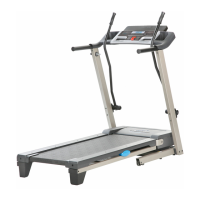
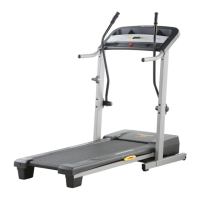
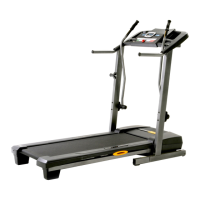
Pro-Form Crosswalk 425 PFTL39707.0 - User Manual

Pro-Form Crosswalk 425 PFTL39707.0
28 pages
Print Icon
To Next Page IconTo Next Page
Loading...
Model No. PFTL39707.0
Serial No.
CAUTION
Read all precautions and instruc-
tions in this manual before using
this equipment. Save this manual
for future reference.
Serial
Number
Decal
QUESTIONS?
As a manufacturer, we are com-
mitted to providing complete
customer satisfaction. If you
have questions, or if parts are
damaged or missing, PLEASE
CONTACT OUR CUSTOMER
SERVICE DEPARTMENT
DIRECTLY.
CALL TOLL-FREE:
1-888-533-1333
Mon.–Fri. 6 a.m.–6 p.m. MST
Sat. 8 a.m.–5 p.m. MST
ON THE WEB:
www.proformservice.com
USER'S MANUAL
Visit our website at
www.proform.com
new products, prizes,
fitness tips, and much more!

Questions and Answers

  • K
    Kelsey MorganJul 30, 2025
    What to do if Pro-Form Crosswalk 425 PFTL39707.0 power does not turn on?
    • W
      William FrostJul 30, 2025
      First, ensure the power cord is plugged into a surge suppressor, and that the surge suppressor is plugged into a grounded outlet. Use a single-outlet surge suppressor meeting the specifications on page 10. Note that the treadmill isn't compatible with GFCI outlets. Also, ensure the key is inserted into the console after plugging in the power cord. Finally, check the reset/off circuit breaker on the treadmill frame near the power cord. If the switch protrudes, the breaker has tripped; wait five minutes, then press the switch back in to reset it.
  • H
    Heather HesterAug 3, 2025
    Why does my Pro-Form Treadmill power turn off during use?
    • J
      Judy Harris DDSAug 3, 2025
      If the power turns off during use, check the circuit breaker located on the treadmill frame near the power cord. If tripped, wait five minutes before pressing the switch back in. Also, ensure the power cord is securely plugged in; if it is, unplug it, wait five minutes, and plug it back in. Lastly, remove and reinsert the key from the console.
  • D
    Dustin BaileyAug 8, 2025
    How to fix Pro-Form Crosswalk 425 PFTL39707.0 Treadmill walking belt that is off-center?
    • R
      Robert VaughnAug 8, 2025
      If the walking belt is off-center, remove the key and unplug the power cord first. If the belt has shifted left, use a hex key to turn the left rear roller bolt clockwise 1/2 turn. If it shifted right, turn the same bolt counterclockwise 1/2 turn. Avoid overtightening. Plug the cord back in, insert the key, and run the treadmill for a few minutes, repeating until centered. If the walking belt slips when walked on, unplug the power cord. Tighten both rear roller bolts clockwise 1/4 turn, ensuring you can lift each belt edge 2 to 3 inches. Plug in the power cord, insert the key, and carefully walk on the treadmill for a few minutes. Repeat until properly tightened.
  • K
    Kristen RiceAug 12, 2025
    What to do if Pro-Form Crosswalk 425 PFTL39707.0 console displays remain lit after removing the key?
    • W
      Wendy PalmerAug 12, 2025
      The console features a display demo mode that’s designed for store displays. If the displays stay lit after removing the key, the demo mode is on. To turn it off, hold the Stop button for a few seconds. If the displays are still lit, see THE INFORMATION MODE on page 14 to turn off the demo mode.
  • P
    Patrick ChambersAug 17, 2025
    How to fix Pro-Form Crosswalk 425 PFTL39707.0 Treadmill console displays that do not function properly?
    • C
      Cassie JenkinsAug 17, 2025
      To fix console displays that don't function correctly, remove the key and unplug the power cord. Remove the screws from the hood. Locate the reed switch and the magnet on the left side of the pulley. Turn the pulley until the magnet aligns with the reed switch. Make a 1/8" adjustment if needed by loosening the screw, moving the reed switch slightly, and retightening the screw. Reattach the hood and run the treadmill to check for a correct speed reading.
  • D
    Dakota DavilaAug 21, 2025
    How do I stop my Pro-Form Crosswalk 425 PFTL39707.0 upper body arms from squeaking?
    • J
      James RobertsonAug 21, 2025
      To stop the upper body arms from squeaking, you'll need white marine grease from a hardware store. Turn the Resistance Knob counterclockwise and remove it. Remove the Resistance Cone and the Upper Body Arm, along with the Resistance Plate, Washers, Spring Washer, Thrust Washers, and Thrust Bearing. Apply a thin layer of white marine grease to the outer surface of the Resistance Cone. Then, reattach all parts in the correct order.
  • M
    Mark BanksAug 26, 2025
    Why does my Pro-Form Crosswalk 425 PFTL39707.0 Treadmill walking belt slow down when I walk on it?
    • B
      bcastroAug 26, 2025
      If the walking belt slows when walked on, use only a single-outlet surge suppressor that meets the specifications described on page 10. If the walking belt is overtightened, treadmill performance may decrease and the walking belt may become damaged. Remove the key and unplug the power cord. Using the hex key, turn both rear roller bolts counterclockwise, 1/4 of a turn. When the walking belt is properly tightened, you should be able to lift each edge of the walking belt 2 to 3 inches off the walking platform. Be careful to keep the walking belt centered. Then, plug in the power cord, insert the key, and run the treadmill for a few minutes. Repeat until the walking belt is properly tightened.

Summary

General Safety Warnings

Initial Safety Cautions

Key safety warnings and precautions before operating the treadmill.

Important Safety Precautions

Additional Safety Instructions and Decals

Treadmill Assembly - Part 1

Attaching Frame and Extension Legs

Step-by-step guide for attaching frame and extension legs.

Treadmill Assembly - Part 2

Treadmill Assembly - Part 3

Connecting Console and Handrails

Steps for connecting the console, handrails, and wire harness.

Treadmill Assembly - Part 4

Operation and Power Connection

Power Cord Connection and Safety

Proper procedures for connecting the power cord and using surge suppressors.

Console Overview and Powering On

Using the Manual Mode

Manual Mode Operation Steps

How to use the treadmill in manual mode, adjusting speed and incline.

Using Calorie Goal Programs

Upper Body Arm Exercise Guide

Folding and Moving the Treadmill

Folding Treadmill for Storage

Step-by-step guide on how to fold the treadmill securely.

Moving the Treadmill Safely

Instructions for safely tilting and moving the folded treadmill.

Lowering the Treadmill for Use

Unfolding Treadmill Procedure

Procedures for safely unfolding the treadmill for operation.

Troubleshooting - Power and Display Issues

Power Not Turning On

Solutions for the treadmill not powering up.

Power Turns Off During Use

Addressing intermittent power loss during operation.

Console Display Malfunctions

Solutions for console displays not functioning correctly.

Troubleshooting - Belt and Console Behavior

Walking Belt Slows Down

Troubleshooting why the walking belt slows under load.

Belt Off-Center or Slipping

Adjusting the belt to center it or prevent slipping.

Troubleshooting - Squeaks and Noises

Conditioning and Workout Guidelines

Ordering Replacement Parts

Limited Warranty Information

Pro-Form Crosswalk 425 PFTL39707.0 Specifications

General IconGeneral
BrandPro-Form
ModelCrosswalk 425 PFTL39707.0
CategoryTreadmill
LanguageEnglish

Related product manuals