24
Regular maintenance is important for optimal
performance and to reduce wear. Inspect and properly
tighten all parts each time the treadmill is used.
Regularly clean the treadmill and keep the walking
belt clean and dry. First,
Wipe
exterior parts of the treadmill with a damp cloth and
a small amount of mild soap.
Then, thoroughly dry the treadmill with a soft
towel.
-
-
a. Make sure that the power cord is plugged into
a properly earthed outlet (see page 15). If an
extention cord is needed, use only a 3-conductor,
14-gauge (1 mm
2
) cord that is no longer than 5 ft.
(1.5 m).
b. After the power cord has been plugged in, make
sure that the key is inserted into the console.
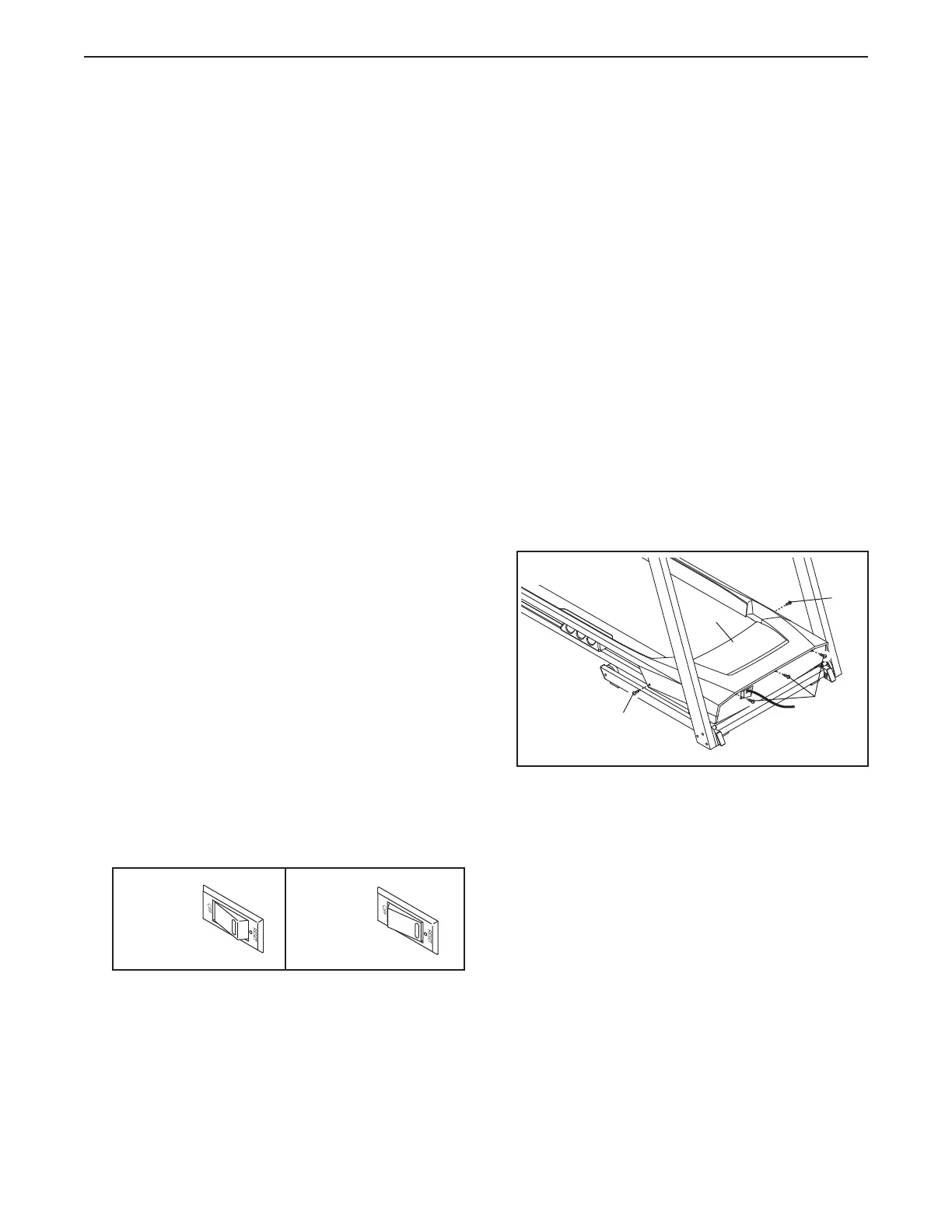
c. Check the power switch located on the treadmill
frame near the power cord. If the switch protrudes
as shown, the switch has tripped. To reset the
power switch, wait for five minutes and then press
the switch back in.
a. Check the power switch (see drawing c at the left).
If the switch has tripped, wait for five minutes and
then press the switch back in.
b. Make sure that the power cord is plugged in. If the
power cord is plugged in, unplug it, wait for five
minutes, and then plug it back in.
c. Remove the key from the console, and then
reinsert it.
d. If the treadmill still will not run, please see the front
cover of this manual.
a. Remove the key from the console and
Next, remove the five indi-
cated #8 x 3/4" Screws (4).
Then, carefully lift the Motor Hood (48) upward,
and then slide it forward and off. Make sure that the
Motor Hood does not get caught by the tabs on the
sides of the Motor Hood.
Reset
Tripped
c
4
4
48
4
a



 To Next Page