22
THE INFORMATION MODE/DEMO MODE
T
he console features an information mode that keeps
track of treadmill usage information and allows you to
s
elect a system of measurement.
To select the information mode, insert the key into the
console while holding down the Stop button, and then
release the Stop button. When the information mode is
selected, the following information will be shown:
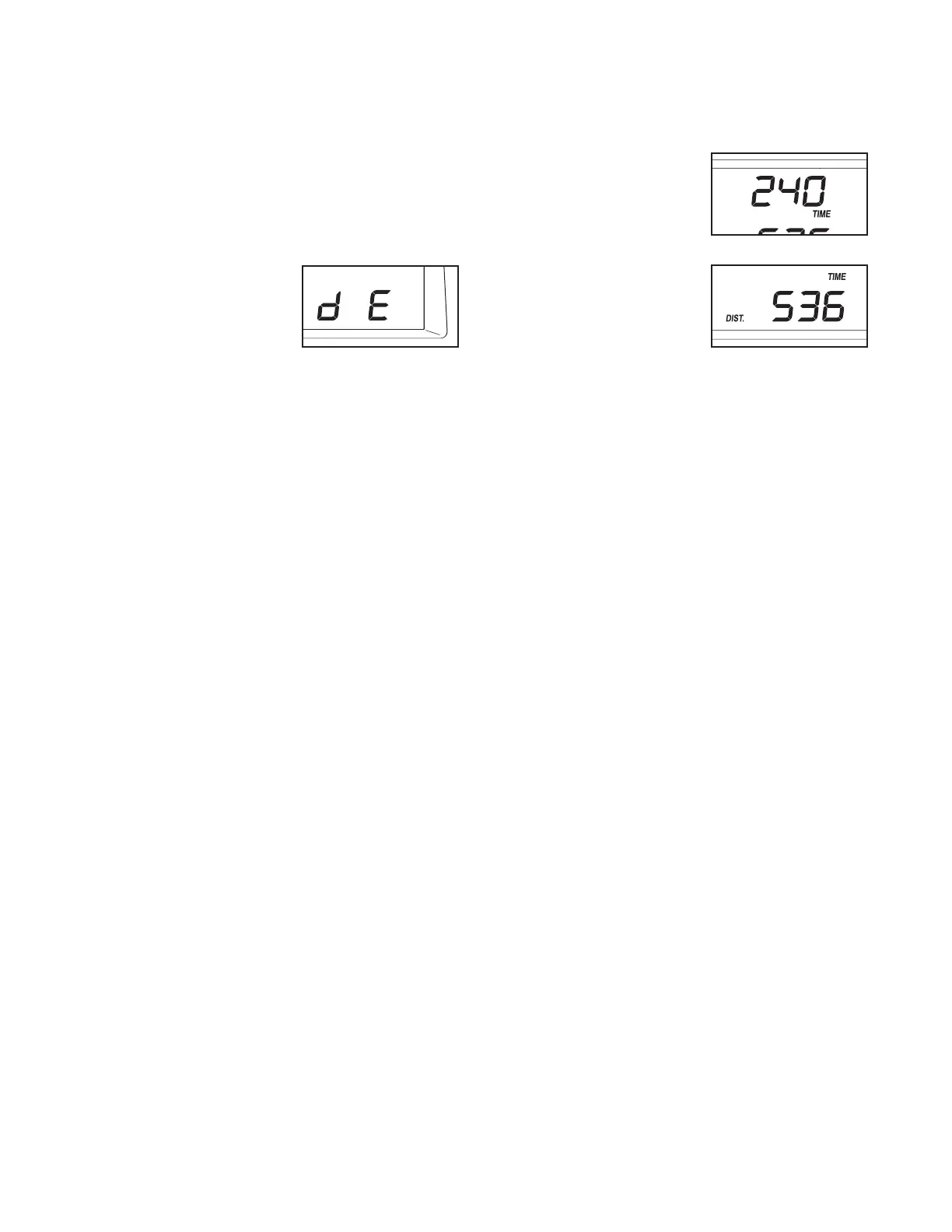
An “M” (for metric) or an “E”
(for English) will appear in
the lower right corner of the
display. Press the Speed in-
crease button to change the
unit of measurement, if de-
sired.
Important: If a “d” appears in the display, the
console is in the “demo” mode. This mode is intended
to be used only when a treadmill is displayed in a store.
When the console is in the demo mode, the power cord
can be plugged in, the key can be removed from the
console, and the display will remain lit; the buttons will
not operate.
If a “d” appears when the information
m
ode is selected, press the Speed decrease button
so the “d” disappears.
The upper left corner of the
display will show the total
number of hours that the
treadmill has been used.
The lower left corner of the
display will show the total
number of miles or kilome-
ters that the walking belt has
moved.
To exit the information mode, remove the key from the
console.







 To Next Page