For technical questions call: 1-800-665-8685
8319683 / 8319709
V 1.35
9
CONTINUITY TEST
Warning! Make sure the object under test isn't live.
Instrument operates as follows when measuring continuity:
1. LED RX/Ω should be lighted, and the buzzer should sound
continuously.
Note:
In continuity mode the instrument works in the same way as the self-diagnostic
test.
PEN LIGHT FUNCTION
Equipped pen light illuminates the measurement point in dimly lit areas.
1. Pressing the pen light switch turns the light on.
Note:
The light is available while the instrument is powered on. Using
the pen light shortens the battery life.
BATTERY REPLACEMENT
Warning! Remove the probes
from any testing point when
opening the battery case.
Batteries are dead when the power
LED flashes or goes off during the
self-diagnostic test. Follow the procedure below
and replace batteries with new
ones (type IEC LR03 1.5V).
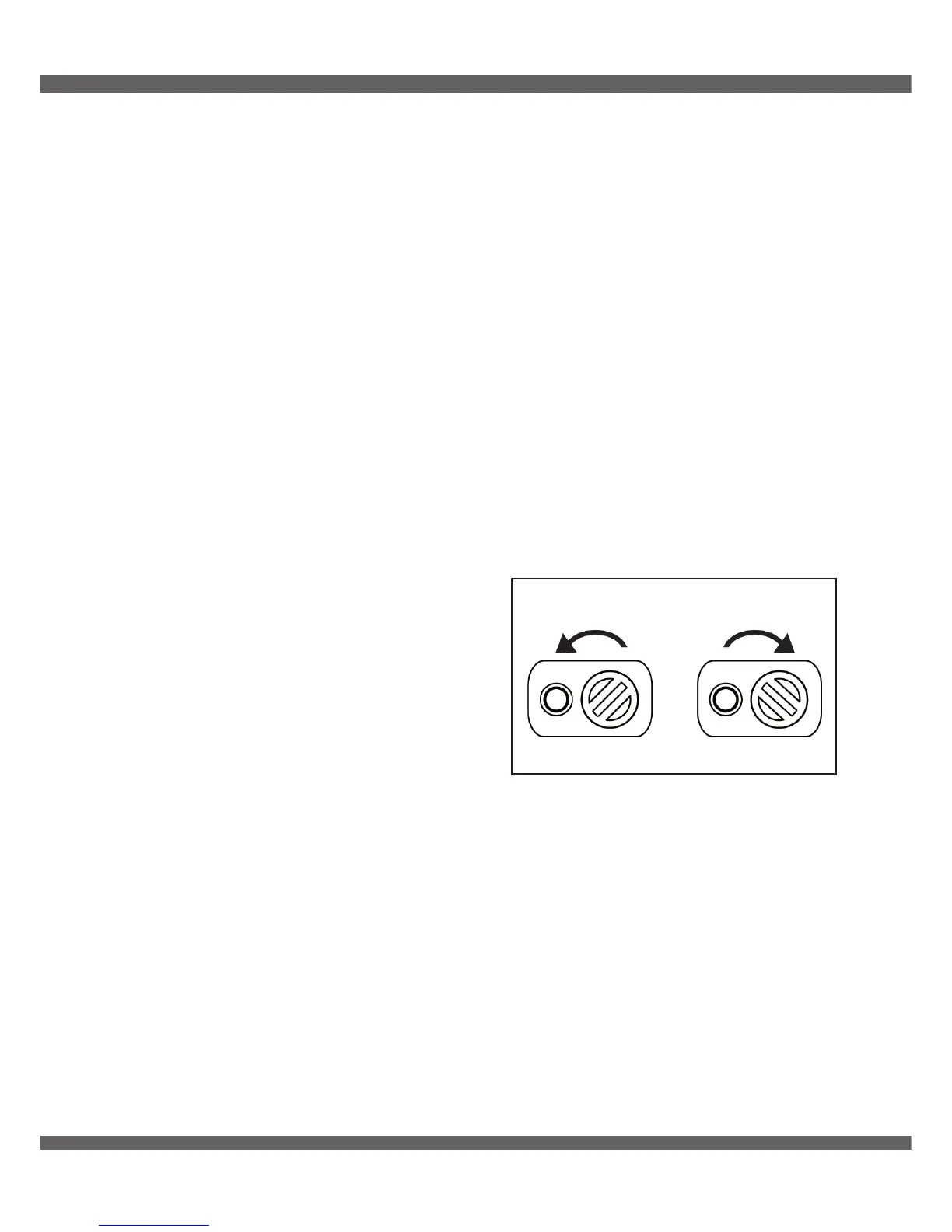
1. Unlock the battery case with a coin-shaped object.
2. Pull out the battery case and replace the batteries. Insert new
batteries according to the engraving on the battery case.
3. Insert the battery case into the instrument and firmly lock the case
again.
Warning! Confirm that the battery case is properly locked
prior to taking measurements.
Lock Unlock
Fig. 6


 To Next Page