17
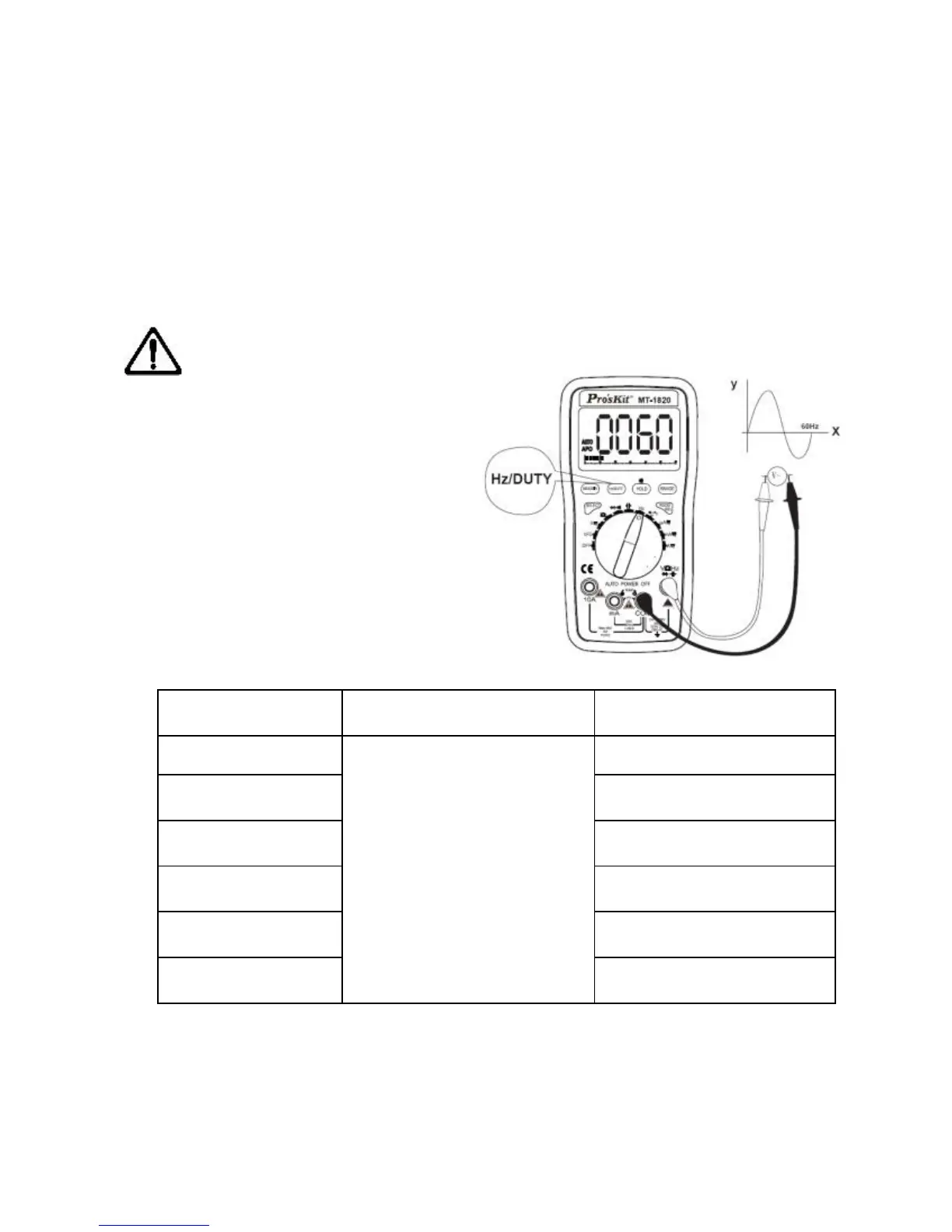
get into the mode of DUTY measurement, and press “Hz/DUTY”
button again to return to the mode of Frequency measurement.
4. When measuring AC current or voltage, press “Hz/DUTY” button
to get into the mode of Frequency measurement, and press
“Hz/DUTY” button again to get into the mode of Duty Circle
measurement, and press the button third to return to the mode of
AC current or voltage measurement.
Note:
a) Do not input the signal
more than 60V. Otherwise it is
possible to damage the
instrument and endanger the
safety of the users.
b) Cut the connection
between the test lead and
tested circuit at once after
measurement.
Input sensitivity: 1.0V.
Overload protection: 250V DC/AC peak value.
Duty Circle Indication: (0.1%-99.9%)


 To Next Page