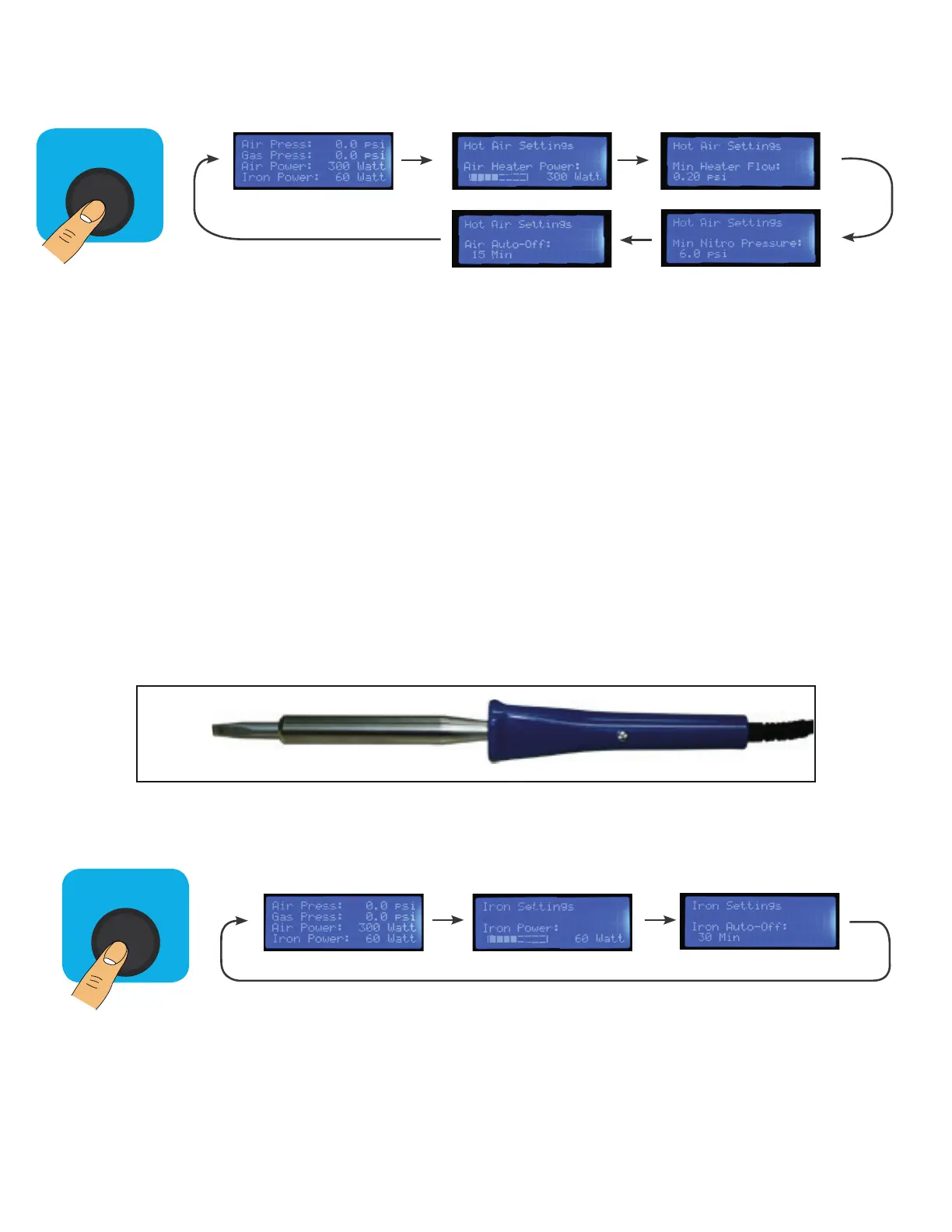
Cycle through advanced hot air settings by pressing the hot air button
(as shown in the menu diagram above).
• Air Heater Power
- This setting adjusts the power delivered to the 550W heating element in the hot
air gun. The default is set at 300W.
• Min Heater Flow
- This setting adjusts the minimum air flow required to activate the heating ele-
ment in the hot air gun. If the Min Airflow is not met a “low flow” error message
will be displayed on the home screen and the heater will not turn on.
• Min Nitro Pressure
- This setting adjusts the minimum Nitrogen flow required to activate the heating ele-
ment in the hot air gun. If the Min Nitrogen-flow is not met a “low-flow” error message
will be displayed on the home screen and the heater will not turn on.
• Air Auto-Off
- This setting adjusts the not air gun auto shut down timer. This prevents stress on the
heating element which can result in a reduced lifespan.
1. Plug the iron into the outlet on the lower front panel of the NP-3.
2. To turn on the iron, press and hold the “Iron Control” button on the front panel. This can only be done
from the home/status screen.
3. adjust iron settings to your liking, the default power is set to 60W this controls the iron’s temperature.
Auto-off controls the automatic shut off timer.
Advanced Gun Settings:
Home Screen:
Hot Air
Control
Air Power: Low Air Flow Protection:
Air Auto-Off: Low Nitrogen Flow Protection:
Smoothing Iron Setup:
Home Screen:
Iron
Control
Iron Power: Iron Auto-Off:



 To Next Page