Probox user manual
Page 23 of 63
6.4 Setting up for PresonusStudio One
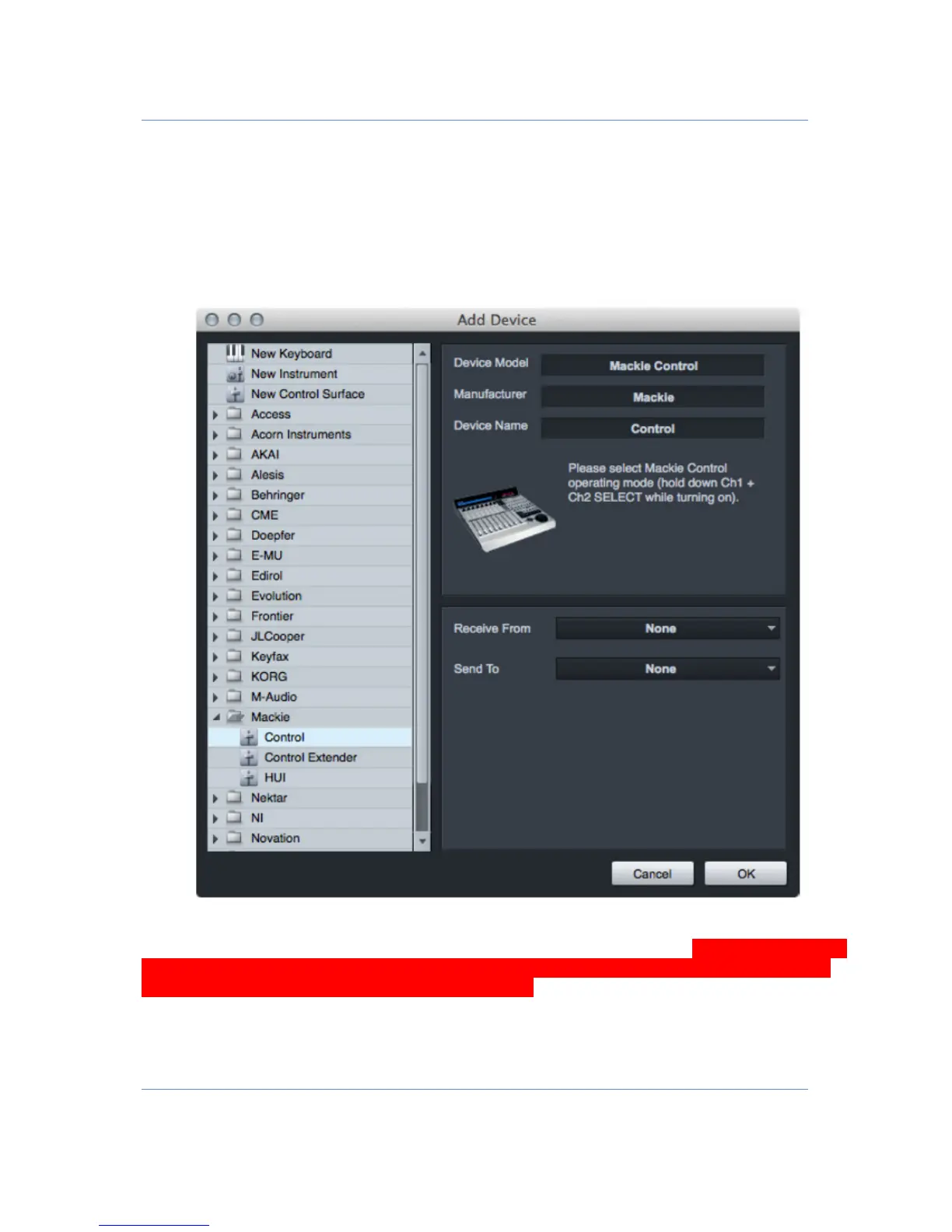
• For presonus studio one setup the probox protocol to Mackie Control
• Add a Mackie Control in the Add External Devices dialog
• Select the Send and receive MIDI ports MCUport4 for IN/OUT
• Add two Mackie XT controllers in the Add external device dialog
• Select send and receive MIDI Ports MCUport3 and MCUport2 for the extenders
Group your Units. Use the surface Placement option to create a Group and fdefine the placement of
each unit. Put all three devices in one group (Group 1) to get all channels (1-24) Note that the Extender
with port MCUport2 has to be the first one, the extender with port 3 has to be the second one and the
MCU on MCUport 4 the last one to have the right order !


 To Next Page