Probox user manual
Page 38 of 63
7.2 Configure your Probox
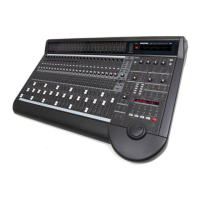
You can make some small configuration for your Probox/d8b. This is done via the config menu on the d8b.
There are three configuration pages available, you can select them by pressing the “NEXT” or “PREVIOUS”
button.
As some of you do not have a working VDF display it’s possible to setup the box also via the MTC display.
The first 8 digits display the modes in the setup mode.
Page parameter 1 parameter 2 parameter 3
01 00 00 00
PAGE 1/6: You can select three parameters:
M-Faders Ctl-Room Protocol
Normal [0] Generic [0] Mackie [0]
Fast [1] d8b [1] Logic [1]
D8b/gen[2] HUI [2]
Faders: The motor faders will react normal or fast. It’s recommended to use the normal operation, as it seems
so that the d8b has a strange algorithm on the fast fader routine (drives fast near the transmitted position and
then after a short delay drives slow to the dedicated point). Often the Faders jump above the dedicated
position and drive back again
Monitor control: use the Audio Monitor section of the d8b or use the buttons and Vpots as generic controller.
From V2-01-17 there is the possibility to use a mixture of the d8b Control Room. In this mode the Stereo VPot
is used as generic controller to have a PAN for the Master Out in Cubase and the rest operates as Monitor
Controller of the d8b. In this mode you do not have the Studio Input as this Vpot is used by the generic
Controller.
Protocol: use Logic for Logic, in all other cases use Mackie. HUI is not available at the moment. NOTE: Also
there is no difference at the moment between logic and Mackie (as both implementations uses both
initializations). The separation is on the meterbridge. If you have clipping Logic only sends the Meter command
Clip, not the full meter command anymore. This ends up in a way the the meterbridge is not updated as long
you have clipping. If you select the Logic format, all LEDs of the meterbridge will be set on a clip command.
So if you have Logic please select here Logic to get a proper meterbridge working. Also set the Meterbridge
settings to DAW/prob


 To Next Page