Probox user manual
Page 42 of 63
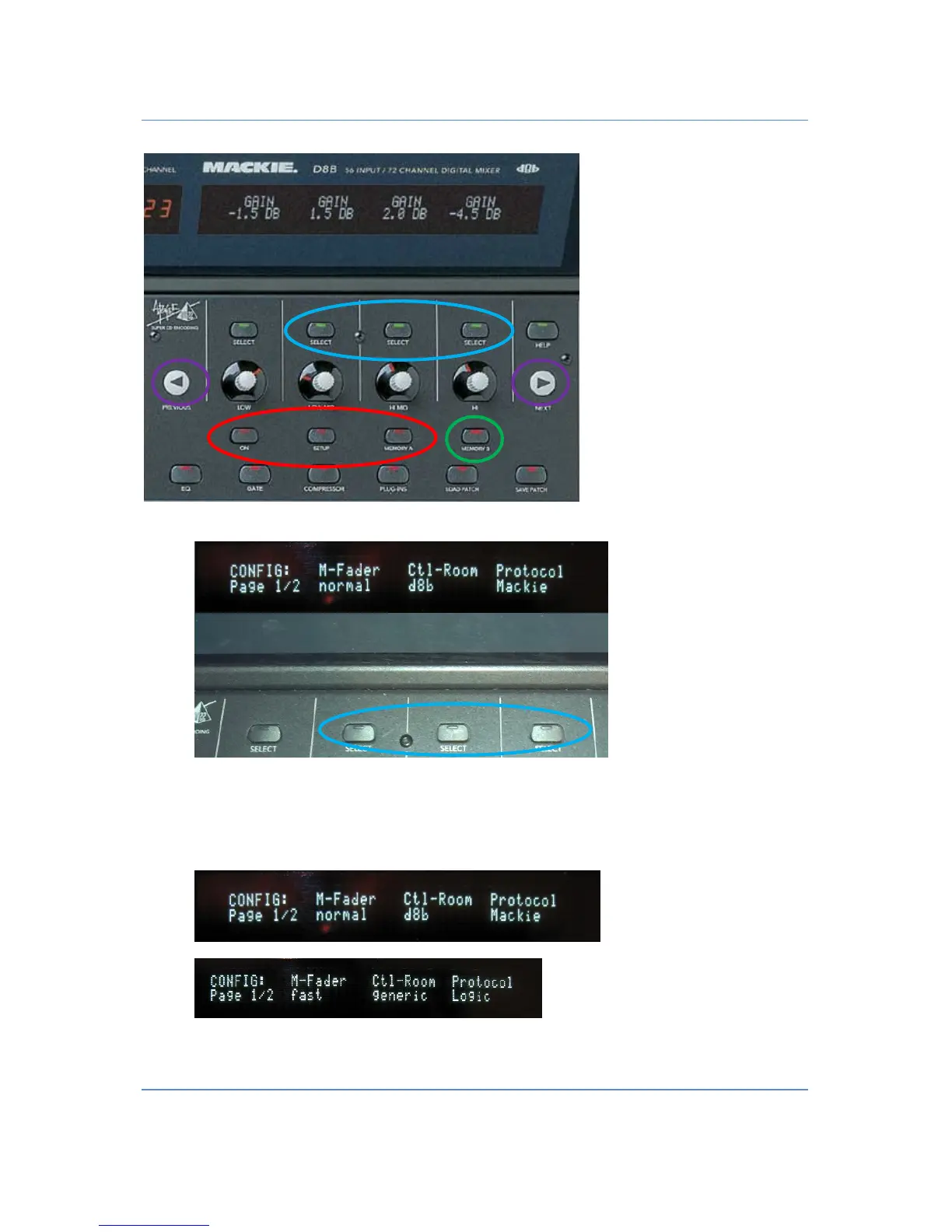
• Press the button
“MEMORY B”
marked green to access the Config Menu
• Use one of the three
“SELECT”
buttons (marked blue) to change the setup. You will find it displayed in
the second row of the display. E.g. press the left button to change between Fader normal and fader
fast, the middle button for generic or d8b and the right one for the protocol. Use the
“
NEXT,PREVIOUS”
button to access the Page 2 of the Setup or to get back to page 1.


 To Next Page