Probox user manual
Page 54 of 63
Use the
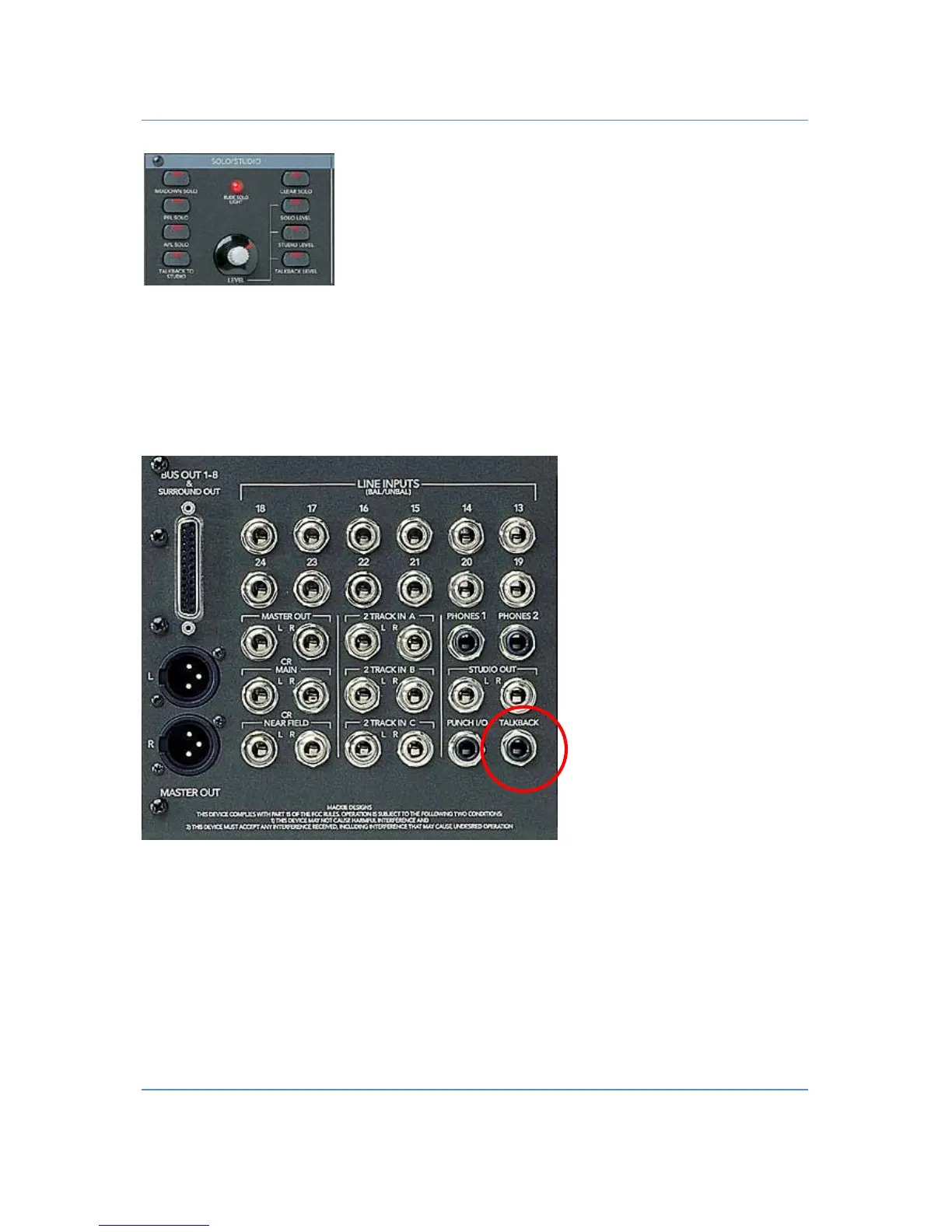
“TALKBACK”
button on the monitoring section to send the talkback mic signal to Phones/Cue 1 and 2
and the Studio Out. Control your Mic Level with the Vpot “LEVEL” in the Solo/Studio area.
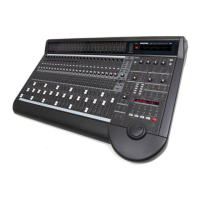
Since Version 2.1.12 it’s possible to use an additional footswitch. Connect your footswitch to the talkback jack
on the back of your d8b.
Note: You can configure the Talkback Button or footswitch to act as switch (latched on/off function) or as a
button (Talkback as long as you keep the button pressed). Additional you can configure an automatic Speaker
DIM when pressing the talk button. Details see probox configuration: chapter 7.2 (config page 5)


 To Next Page