12
3
a m p channel power amplifier
power
PRO C E E D
2
amp channel power amplifier
power
PRO C E E D
21
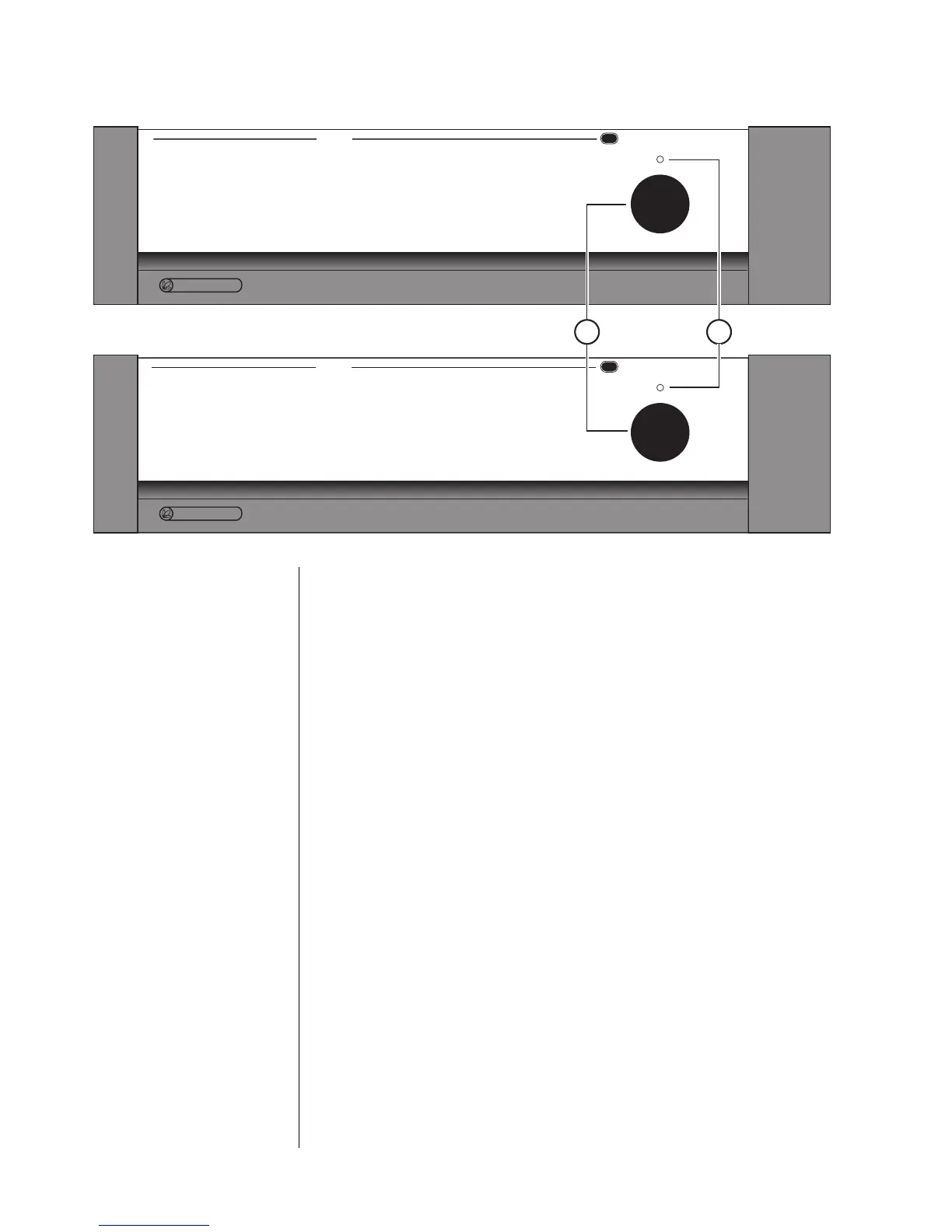
Front Panel
1POWER BUTTON
Pressing the latching power button connects the amplifier to the AC
mains, turning it on. Power consumption when fully on and at idle is ap-
proximately 140 watts for the AMP 2 and 210 watts for the AMP 3.
At your option, you may also toggle the AMP between a standby mode
and fully on by connecting its remote turn on jack to the corresponding
remote turn on output on a Proceed control unit such as the PAV, PRE, or
even the CDP. Power consumption in standby mode is extremely small—
just a few watts for the circuitry which controls the turn-on procedure.
Note that if the amplifier has been disconnected from the AC mains
power by depressing the front panel power button, it cannot respond to
a remote turn-on command from a control unit.
2 INDICATOR LIGHT
The indicator light glows either amber or red, depending on the opera-
tional status of your AMP. Amber indicates that the AMP is on and ready
to be used. When the indicator light is glowing red, the unit is in
standby (see 1 above). If the indicator light is completely off, the ampli-
fier is not receiving power. Check your AC connections and the rear-
panel AC fuse.



 To Next Page