5
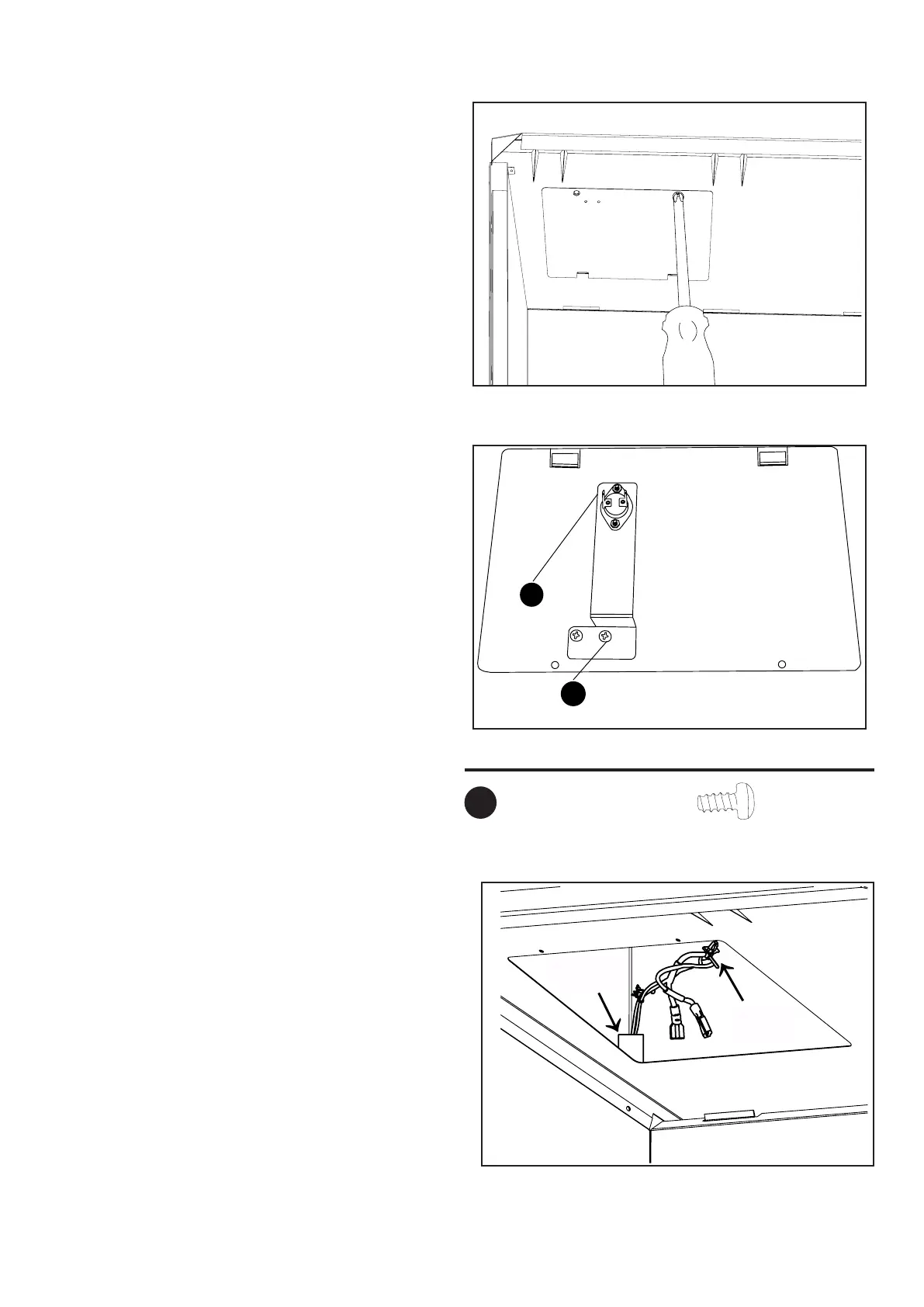
Fig.2
2.Unscrewtwoscrewsonheatinsulation
boardcoveranddrawitout.SeeFig.2.
Fig.3
3.Afxtemperaturesensortoheatinsulation
boardcoverwithM4.2X8screws(AA).
SeeFig.3.
Hardware Used
M4.2X8screw
x2
AA
c
AA
Fig.4
4.Insertwiresintothespacebetweenwire
protectingboardandshell;Fixthewiresto
thetopcoverwithwirexture.SeeFig.4.
Protecting
Board
Wire
Fixture
Protecting
Board
Wire
Fixture


 To Next Page