7
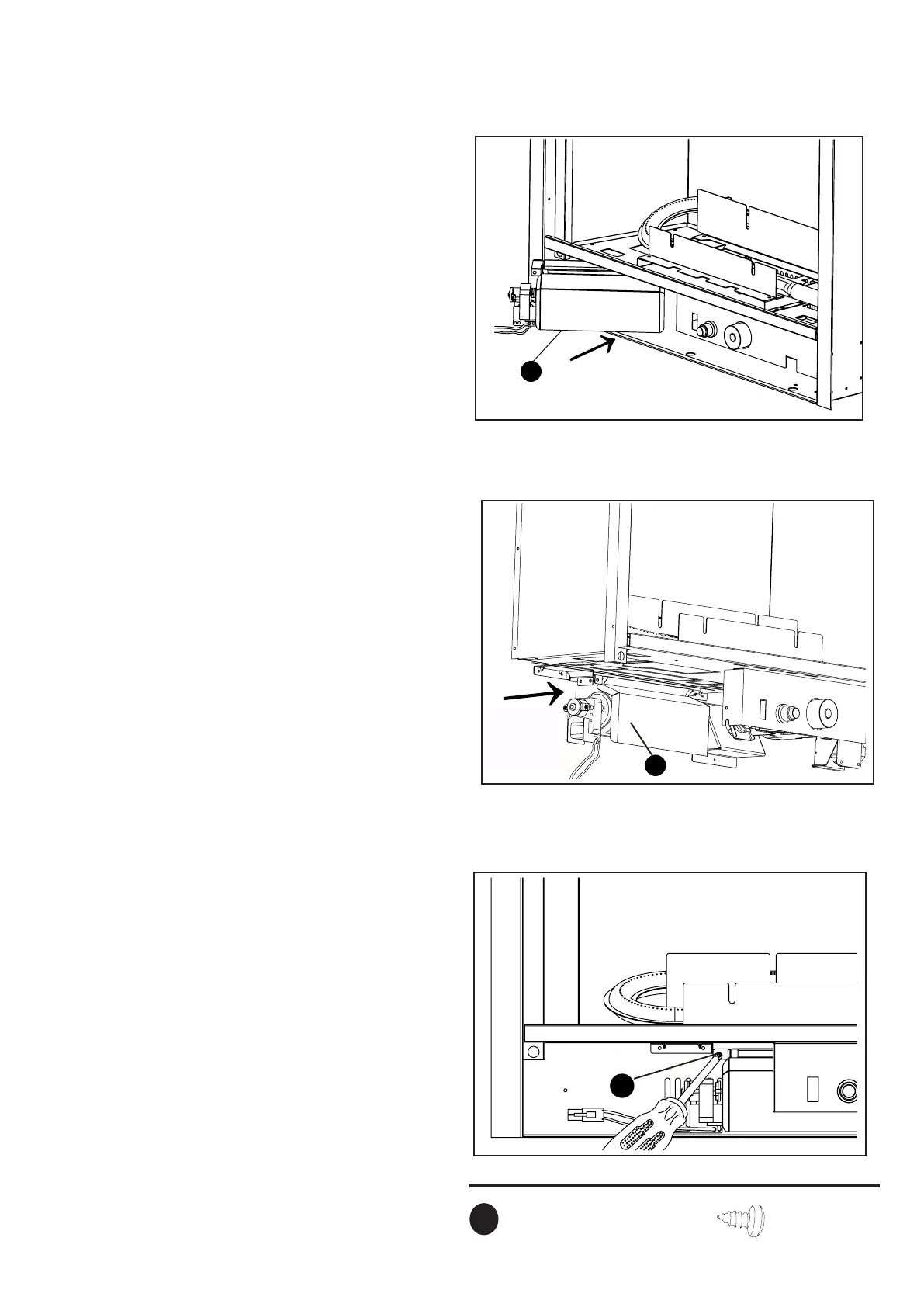
Fig.8
8.Insertblower(B)intothebottomspaceof
burnerpan.Payattentionnottotouch
wiresinside.SeeFig.8.
B
Fig.9
9.Setblower(B)planeandxitontotwo
bracketsofshellboard.Makesureblower
(B)isinstalledintotheslots.SeeFig.9.
Install
Blower
Into slots
B
Install
Blower
Intoslots
Fig.10
10.Afxblower(B)withM4.0X8screws(CC),
after,manuallyinstallitintoslots.SeeFig.10.
Hardware Used
M4.0X8screw
CC
cc
x1


 To Next Page