9
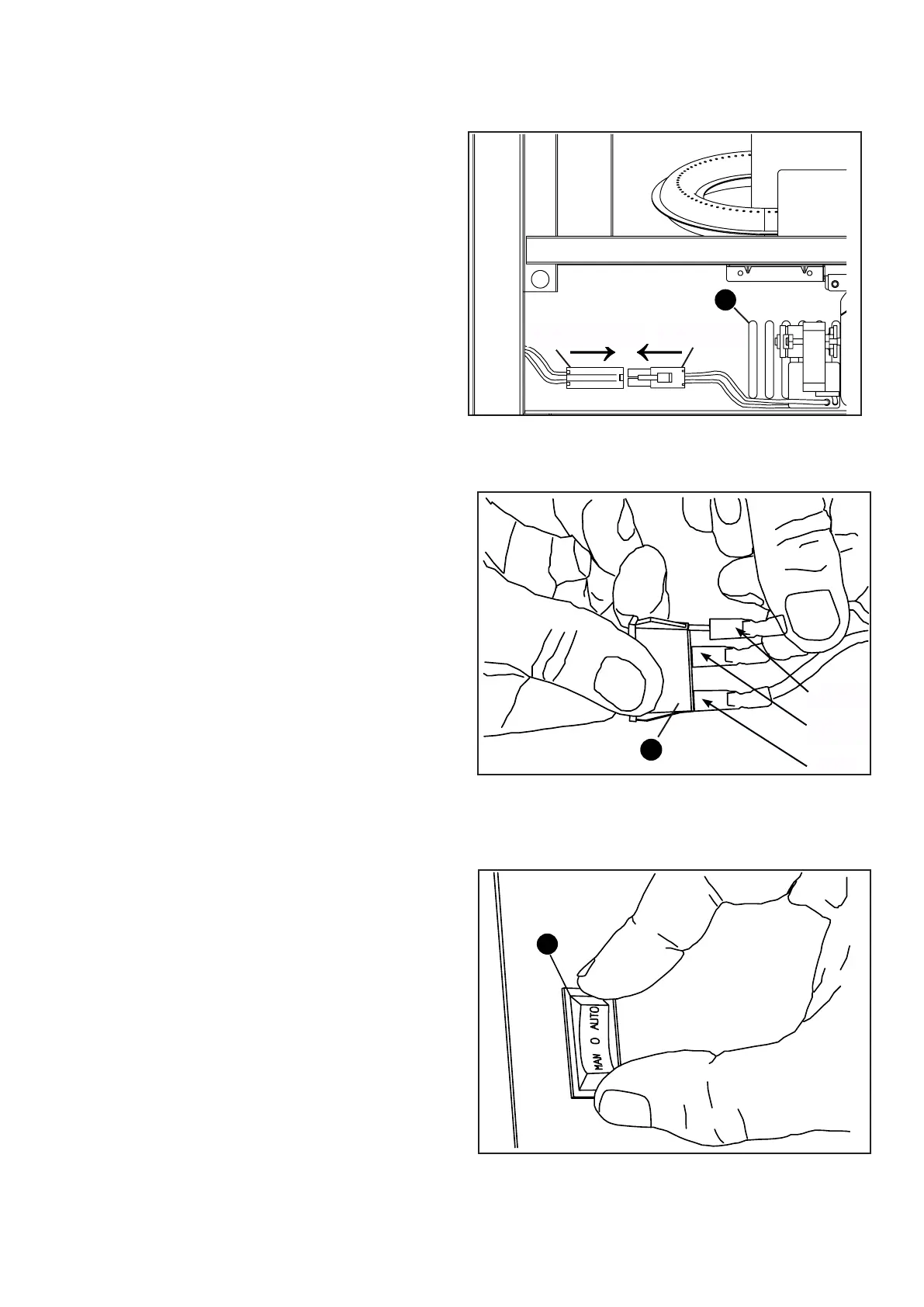
Fig.14
14.Insertthemaleportofblower(B)andin
tothecorrespondingfemaleport.
SeeFig.14.
B
Male Port
Female Port
FemalePort MalePort
Fig.15
15.Connecttheportandshellboardwith
linker(maleport)intothethreewires
withprotectingjacket(pleasereferto
linker(femaleport)(red,yellowand
black)withgroundinglabel);Put
protectingjacketintorockerswitch(E)
corresponding.SeeFig.15.
E
AUTO
OFF
MAN
Fig.16
16.Pushtherockerswitchintotheholeon
thepanel.SeeFig.16.
E


 To Next Page