EasyManua.ls Logo

Procom QNSD250RT - User Manual

Procom QNSD250RT
32 pages
Print Icon
To Next Page IconTo Next Page
Loading...
Questions, problems, missing parts? Before returning to your retailer, call
our customer service department at 1-866-573-0674, 7:30 am - 4:15 pm CST,
Monday through Friday or email customerservice@usaprocom.com
WARNING: If the information in this manual is not
followed exactly, a re or explosion may result causing
property damage, personal injury or loss of life.
Do not store or use gasoline or other ammable va-
pors and liquids in the vicinity of this or any other
appliance.
WHAT TO DO IF YOU SMELL GAS
Do not try to light any appliance.
Do not touch any electrical switch; do not use any
phone in your building.
Immediately call your gas supplier from a neighbors
phone. Follow the gas suppliers instructions.
If you cannot reach your gas supplier, call the re
department.
Installation and service must be performed by a quali-
ed installer, service agency or the gas supplier.
WARNING: This appliance is equipped for Natural and
Propane gas. Field conversion is not permitted other than
between natural or propane gases.
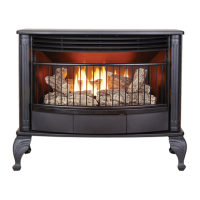
VENT-FREE GAS STOVE
OWNER’S OPERATION
AND INSTALLATION
MANUAL
MODEL QNSD250RT
PFS
®
US

Questions and Answers

  • H
    hartkevinAug 16, 2025
    Why is there no spark at the ODS/pilot when I press the ignitor button on my Procom QNSD250RT Stove?
    • J
      James StokesAug 16, 2025
      If the ignitor button on your Procom Stove is pressed, but there is no spark at the ODS/pilot, it could be due to several reasons. The ignitor electrode might be positioned incorrectly or broken, in which case you should replace the electrode. Alternatively, the ignitor electrode may not be connected to the ignitor cable, requiring you to replace the ignitor cable. The ignitor cable could also be pinched or wet; ensure it's free from any metal or tubing and kept dry. A broken ignitor cable or a bad piezo ignitor would also necessitate replacement. Finally, a low battery can cause this issue, so try replacing the battery.
  • R
    Rachel DavisAug 19, 2025
    What to do if the pilot light goes out when I release the control knob on my Procom QNSD250RT?
    • O
      omarjimenezAug 19, 2025
      If the ODS/pilot lights on your Procom Stove but the flame goes out when you release the control knob, several factors could be at play. Ensure the control knob is fully pressed in and held for at least 30 seconds after the ODS/pilot lights. Verify that the equipment shutoff valve is completely open. Check the thermocouple connection at the control valve to ensure it is snug, tightening it by hand until it's snug, then giving it an additional 1/4 turn. Other potential causes include a damaged thermocouple (replace it), a damaged control valve (replace it), or the control knob not being fully pressed in (press it fully).
  • E
    Erika SmithAug 22, 2025
    What to do if there is a spark but no ignition when pressing the ignitor on my Procom QNSD250RT Stove?
    • M
      Mary PaceAug 22, 2025
      If, when pressing the ignitor button on your Procom Stove, there is a spark at the ODS/pilot but no ignition, make sure the gas supply is turned on and the equipment shutoff valve is open. Ensure the control knob is fully pressed in while pressing the ignitor button and that it's in the PILOT position. If it's a new installation or there was a recent gas interruption, air in the gas lines could be the issue; continue holding down the control knob and repeat the igniting operation until the air is removed. Also, the ODS/pilot might be clogged, so you should clean the ODS/pilot or replace the ODS/pilot assembly. Check that the inlet gas pressure is correct and that the inlet regulator isn't damaged. Finally, if you're using propane, ensure the gas supply isn't depleted.
  • M
    mckenzielynnAug 26, 2025
    Why won't the burners light on my Procom QNSD250RT after the pilot is lit?
    • H
      Henry BlairAug 26, 2025
      If the burner(s) on your Procom Stove do not light after the ODS/pilot is lit, the burner orifice may be clogged; clean the burner orifice. Another possible cause is that the inlet gas pressure is too low.
  • R
    Rachel Wu DVMAug 28, 2025
    Why is there a delayed ignition of the burners on my Procom QNSD250RT?
    • L
      Lisa MillerAug 29, 2025
      If your Procom Stove experiences delayed ignition of the burner(s), it could be due to the burner orifice being clogged, clean the burner. Another potential cause is that the manifold pressure is too low.
  • T
    Timothy AdamsAug 31, 2025
    Why is my Procom QNSD250RT Stove burner backfiring?
    • L
      Lucas Reed MDAug 31, 2025
      If your Procom Stove burner is backfiring during combustion, it could be due to a clogged or damaged burner orifice; clean the burner orifice. Alternatively, the burner may be damaged, or the gas regulator could be damaged, so replace the gas regulator.
  • K
    Kristin KellySep 3, 2025
    Why is the flame on my Procom QNSD250RT so high and yellow?
    • T
      Taylor AlvaradoSep 3, 2025
      If you notice a high yellow flame during burner combustion in your Procom Stove, it may be due to insufficient air. Check the burner for dirt and debris, and clean it if necessary. Also, the gas regulator might be defective, so replace the gas regulator. Another possible cause is that the inlet gas pressure is too low.
  • M
    Melissa WillisSep 6, 2025
    Why do I smell gas when my Procom Stove is burning?
    • C
      christytaylorSep 7, 2025
      If you detect a gas odor during combustion with your Procom Stove, there might be foreign matter between the control valve and burner; take apart the gas tubing and remove any foreign matter. Also, there could be a gas leak.
  • G
    Grant MarshallSep 9, 2025
    Why is my Procom Stove making a whistling noise?
    • J
      Jo HernandezSep 9, 2025
      If your Procom Stove produces a whistling noise when the burner is lit, it could be because the control knob was turned to the high position when the burner was cold; turn the control knob to the low position and let it warm up for a minute. There may also be air in the gas line; operate the burner until the air is removed from the line. Another possibility is that the air passageways on the heater are blocked.
  • W
    Willie RiveraSep 12, 2025
    Why is my Procom QNSD250RT Stove producing smoke or odor during initial use?
    • S
      Sarah Smith DVMSep 12, 2025
      This issue with your Procom Stove is likely due to residues from the manufacturing process. The problem should stop after a few hours of operation.

Summary

Safety Information and Warnings

General Safety Precautions

Important warnings and instructions for safe operation of the heater.

Gas Safety and CO Poisoning

Information on gas leaks, carbon monoxide risks, and gas properties.

Operational Safety Guidelines

Warnings on placement, flammable materials, hot surfaces, and supervision.

Specifications

Technical Specifications Overview

Details on gas type, input rating, ignition, pressure, dimensions, and weight.

Qualified Installing Agency

Requirements for Installers

Defines who is qualified to install and service the appliance.

Product Features

Safety Pilot System (ODS)

Describes the Oxygen Depletion Sensing safety feature.

Piezo Ignition System

Explains the electronic ignition system requiring AAA battery.

Thermostatic Control

Details automatic burner cycling for temperature regulation.

Dual Gas Capability

Information on using propane or natural gas.

Local Codes and Standards

Compliance with Regulations

Information on following local codes and national standards like NFPA 54.

Product Identification and Unpacking

Heater Component Diagram

Visual guide to the parts of the vent-free stove.

Heater Unpacking and Leg Installation

Instructions for safely removing the heater from packaging and attaching legs.

Water Vapor Considerations

By-product of Unvented Heaters

Explains water vapor generation and mitigation for unvented heaters.

Air for Combustion and Ventilation

Ventilation Air Requirements

Importance of fresh air for proper combustion for fuel-burning appliances.

Ventilation Air from Inside Building

Methods for supplying combustion air from adjoining spaces.

Installation Warnings and Location

General Installation Precautions

Warnings on heater placement, hazardous locations, and distances from combustibles.

Clearance Requirements

Wall, Ceiling, and Combustible Clearances

Minimum distances for safe installation from walls, ceiling, and nearby objects.

Gas Selection and Configuration

Regulator Identification and Gas Type Settings

Color coding and plunger functions for gas selection (Propane/LP vs Natural Gas).

Propane;LP Gas Installation

Instructions for connecting to propane or LP gas supply.

Gas Connection Procedures

Natural Gas Installation

Instructions for connecting to natural gas supply.

Connecting to Gas Supply

General Warnings and Requirements

Cautions for gas line connection and a list of required items.

Pipe Sizing and Material

Guidelines for gas pipe diameter, material, and connections.

Gas Supply Installation Details

Sealant Application and Sediment Traps

Proper use of pipe joint sealants and sediment trap installation.

External Regulator Installation

Instructions for installing the external regulator with vent pointing down.

Checking Gas Connections

Leak Testing Procedures

Methods for checking gas piping for leaks using detection fluid.

Installing Batteries

Ignitor Battery Installation

Instructions for installing the AAA battery in the ignitor.

Remote Control and Receiver Battery Installation

Battery replacement for the remote control transmitter and receiver.

Installing Logs

Log Placement and Safety

Instructions for correctly positioning the logs for optimal flame and to prevent soot.

Operation and Safety Before Lighting

Pre-Lighting Safety Checks

Essential safety steps and gas leak detection before lighting the heater.

Pilot Lighting Procedure

Step-by-step guide for lighting the pilot light using the ignitor.

Thermostat Control Features

Thermostat Settings and Modes

How to set temperature, use manual modes, and understand thermostat operation.

Turning Off Gas Supply

Procedure for shutting down the heater or just the burner.

Manual Lighting Procedure

Alternative method for lighting the pilot if the ignitor fails.

Remote Control System Operation

Programming the Remote and Receiver

Steps to pair the remote control transmitter with the receiver.

Remote Control Display and Modes

Understanding the LCD screen information and operational modes.

Advanced Thermostat and Remote Operation

Temperature Scale and Manual Functions

Changing temperature units (°F/°C) and operating in manual mode.

Thermostat and Remote Control Notes

Additional operational tips and system behavior explanations.

Inspecting Burners

Pilot Flame Pattern Inspection

How to identify a correct pilot flame pattern.

Burner Flame Pattern Inspection

Identifying correct and incorrect burner flame patterns.

Burner Primary Air Hole Cleaning

Maintaining clean air holes for proper combustion and to prevent soot.

Care and Maintenance

Main Burner Cleaning and Inspection

Procedures for cleaning burner ports, flame holes, and checking for blockages.

Burner Injector Holder and Pilot Air Inlet

Cleaning the burner injector holder and pilot assembly air inlet.

ODS;Pilot and Cabinet Maintenance

ODS;Pilot Cleaning

How to clean the ODS/pilot assembly using air or brush.

Cabinet Cleaning

Cleaning the heater's exterior and air passageways.

Log Maintenance

Referencing log replacement and care instructions.

Troubleshooting - Pilot Ignition Issues

Pilot Not Lighting with Natural Gas

Diagnosing and correcting issues with natural gas pilot ignition, including pressure switch.

Pressure Switch Functionality

Explanation of the pressure switch's role and how to bypass it.

Troubleshooting - Ignitor and Pilot Flame

No Spark or Weak Spark Issues

Diagnosing ignitor electrode, cable, and battery problems.

Spark Present, No Ignition Issues

Troubleshooting when spark is present but pilot won't ignite.

Pilot Flame Out Issues

Identifying causes for the pilot flame extinguishing after release.

Troubleshooting - Burner Operation

Burner Ignition and Flame Issues

Resolving burner not lighting, delayed ignition, backfiring, and yellow flame.

Odor and Noise Troubleshooting

Identifying causes for gas odors, whistling, and ticking noises.

Troubleshooting - General and Environmental Issues

White Powder Residue and Odor Causes

Addressing residue formation and unwanted odors from various sources.

Heater Shutdown and Gas Leak Issues

Diagnosing automatic shutdown (ODS) and gas leak detection.

Moisture and Ventilation Problems

Solutions for condensation and insufficient combustion/ventilation air.

Parts Identification

Exploded View Diagram

Visual representation of heater components with numbered parts.

Replaceable Parts List

Heater Components

List of specific part numbers and descriptions for replacement.

Available Parts (Not Shown)

Listing of other purchasable parts like hardware package and regulator cap.

Replacement Parts Information

Parts Under Warranty

Information required for warranty claims and contacting service.

Parts Not Under Warranty

Procedures for ordering parts outside of warranty coverage.

Available Accessories

Information on purchasing optional accessories like shutoff valves.

Service Hints and Technical Support

Low Gas Pressure Issues

Symptoms and solutions for low gas pressure affecting pilot and burners.

Contacting Technical Service

Information for ProCom Heating customer support for installation or troubleshooting.

Warranty Information

Warranty Registration and Details

Instructions for product registration and keeping purchase records.

Limited Warranty Coverage

Details of the one-year warranty on materials and components.

What is Not Covered

Exclusions from the warranty coverage, such as misuse or improper installation.

Procom QNSD250RT Specifications

General IconGeneral
BrandProcom
ModelQNSD250RT
CategoryStove
LanguageEnglish

Related product manuals