PRODIM 2017 © Proliner Quick start guide - Training preparation Page 6
3. The remote control
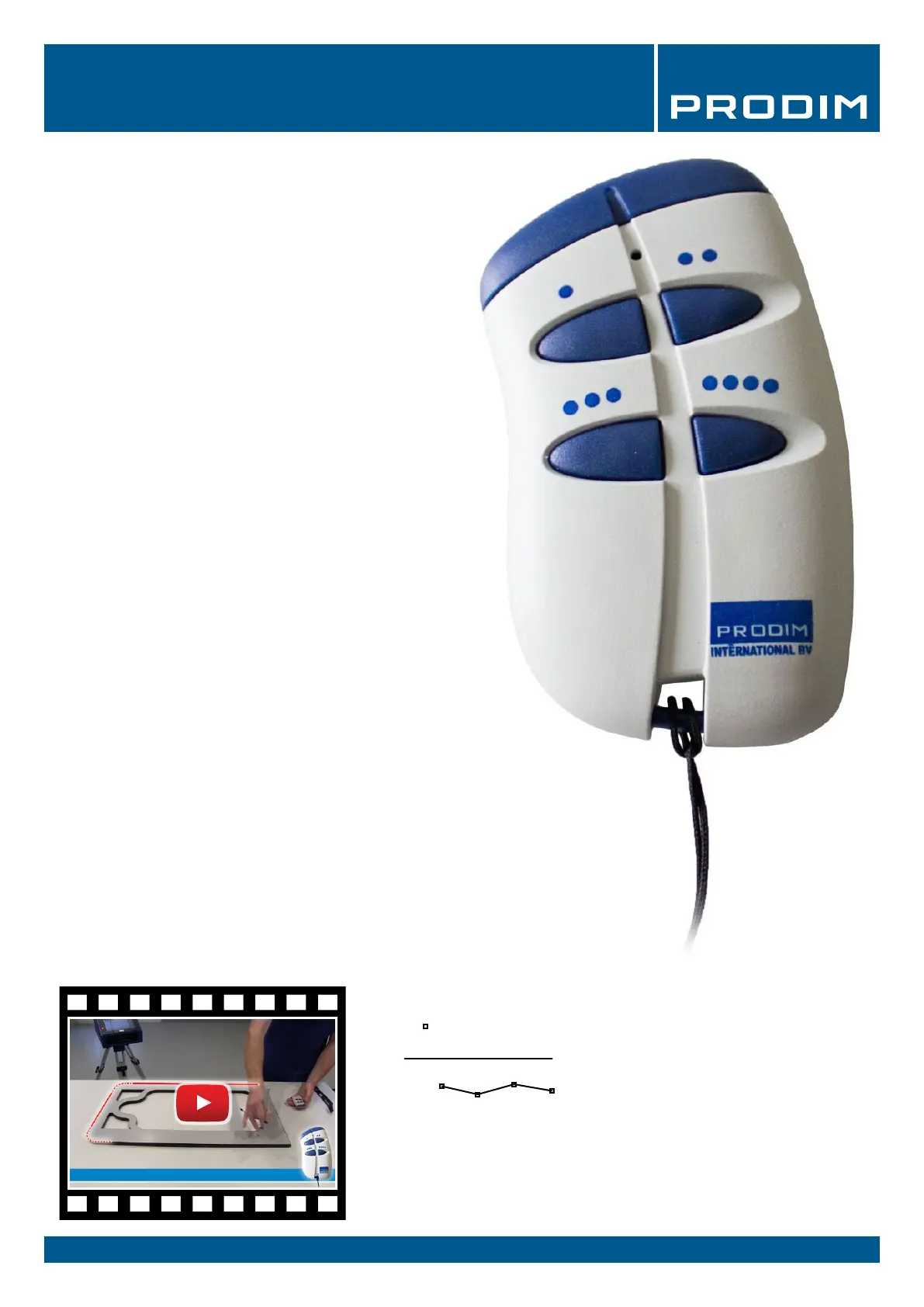
The remote control is used to capture measuring points.
The remote control has four buttons
·
1) Point mode
Press once to capture a single point. When the next point
is captured, the Proliner will automatically record a line
between the measured points.
··
2) Continuous mode
Once pressed, the Proliner will register a section of
points until the button is pressed again. The section
records straight lines and / or radii depending on the
shape of the object.
···
3) End of a contour
This button ends a measured contour.
After closing a contour, you add a new contour by
continuing to measure. You can also create a new layer by
holding button 3. This layer can be named as well.
····
4) Delete the last point or contour
Press button 4 to delete the last measured point.
Holding the button will remove the last measured contour.
Watch the video
DEFINITIONS:
Point:
Line:
Contour:
TIP: Work with layers
A layer is a collection of points, lines and contours. Hold button 3 to
close a layer and create a new layer. Working with layers can
be very useful for the processing of your drawing.


 To Next Page