Prodys S.L. Tel: +34 91 6896880 Θ Fax: +34 91 6943777 Θ Email: sales@prodys.net Θ Web: www.prodys.com
Page 14
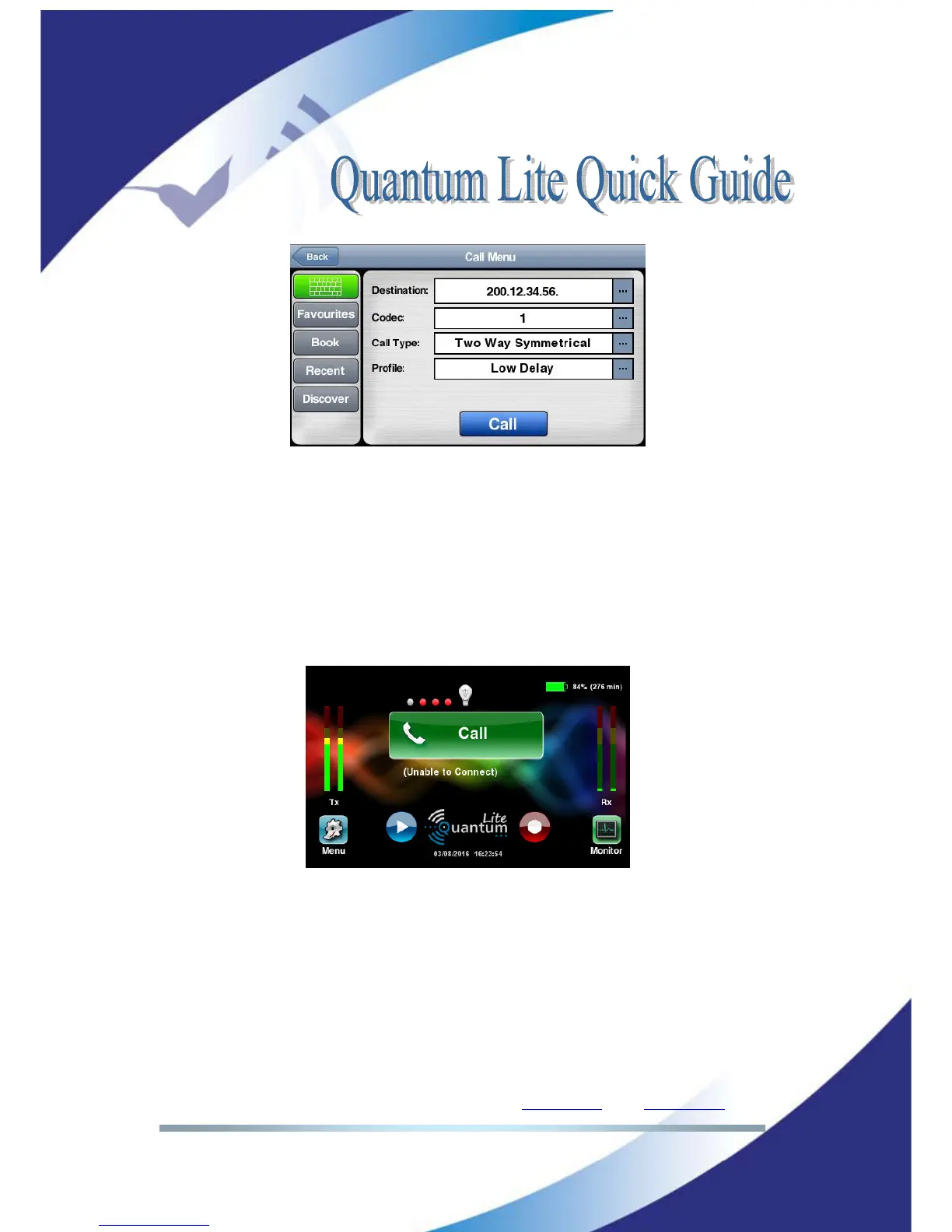
Picture 14: Dial-in typing the destination address
3. Now your communication is progressing. You should get confirmation with
a big red button as picture 5.
Remark: Unsuccessful dial attempts would indicate “unable to connect”. The big
green button offers you another attempt. This result might indicate either your
studio codec is busy, you dialled a wrong destination or the “port forwarding” at
your studio internet router is incorrect.
Picture 15: Unable to connect. Remote is busy or wrong address.
Remark: About the best suitable call profile, please refer to section IV.1
(“Profiles”) for more details.



 To Next Page