Prodys S.L. Tel: +34 91 6896880 Θ Fax: +34 91 6943777 Θ Email: sales@prodys.net Θ Web: www.prodys.com
Page 17
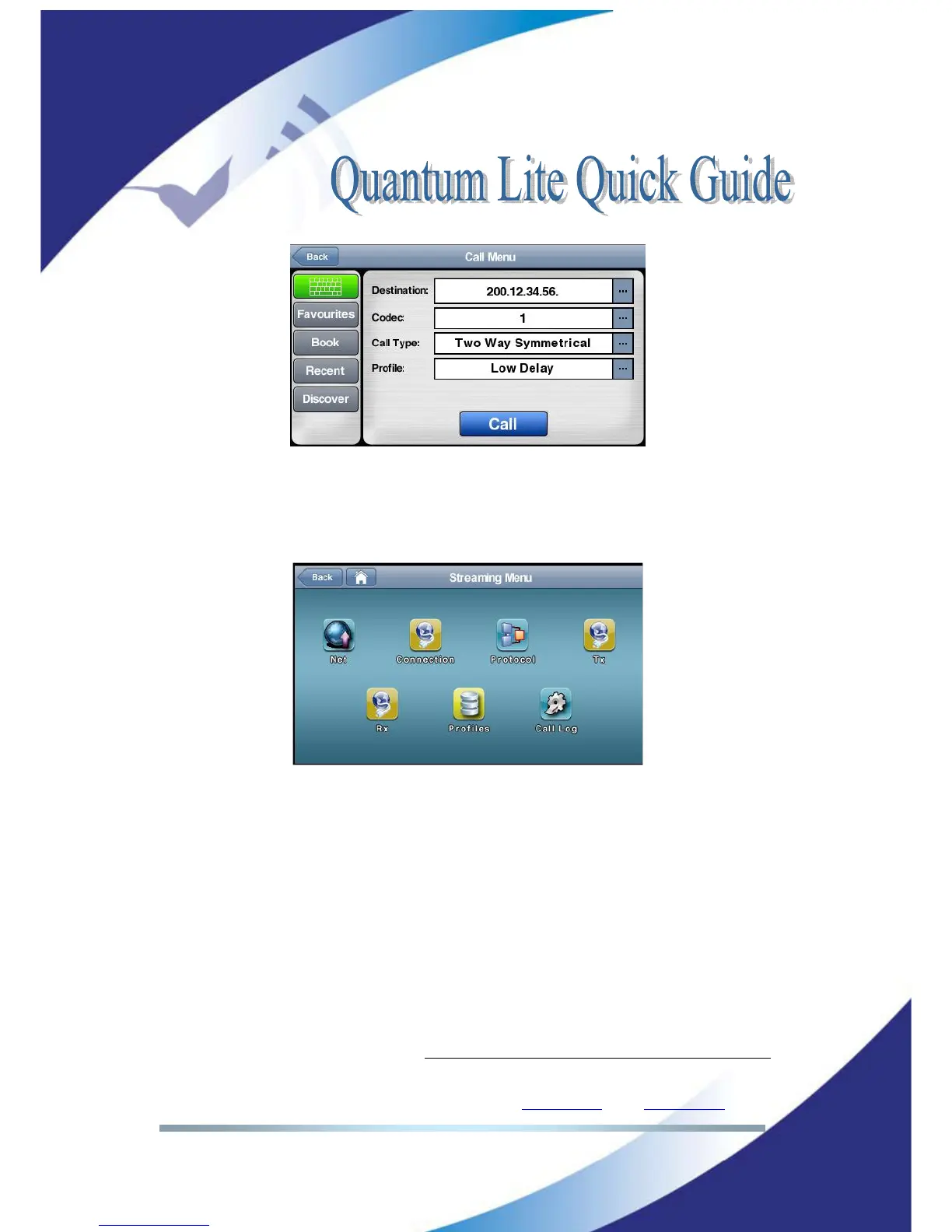
Picture 17: Profile selection at the Call Dialog is possible
New user profiles might be added to the factory default list using the <Profiles>
menu of the overall <Streaming> menu. (the complete path is Menu >
Streaming > Profiles > New
or
Edit)
Picture 18: New profiles might set up by the user
IV.2 Factory default list of Profiles
Current default profiles available are:
• Low Delay (
The buffer on each end will be set to 100ms. Applicable for pretty
good LTE or LAN connections
)
• Mid Delay (
The buffer on each end will be set to 300ms. Applicable for any
UMTS /LTE connection.
)
• High Delay (
The buffer on each end will be set to 500ms. Applicable for any
difficult or risky connection.
)
• Opus MN 64 Mid Delay Bonding
(
The next audio connection is using Opus
mono 64kbps with 300ms delay and sharing the total bandwidth among any
possible data paths enabled. This is profile is “streaming bandwidth efficient”
.
Applicable for small bandwidth connections or crowded areas.
)



 To Next Page