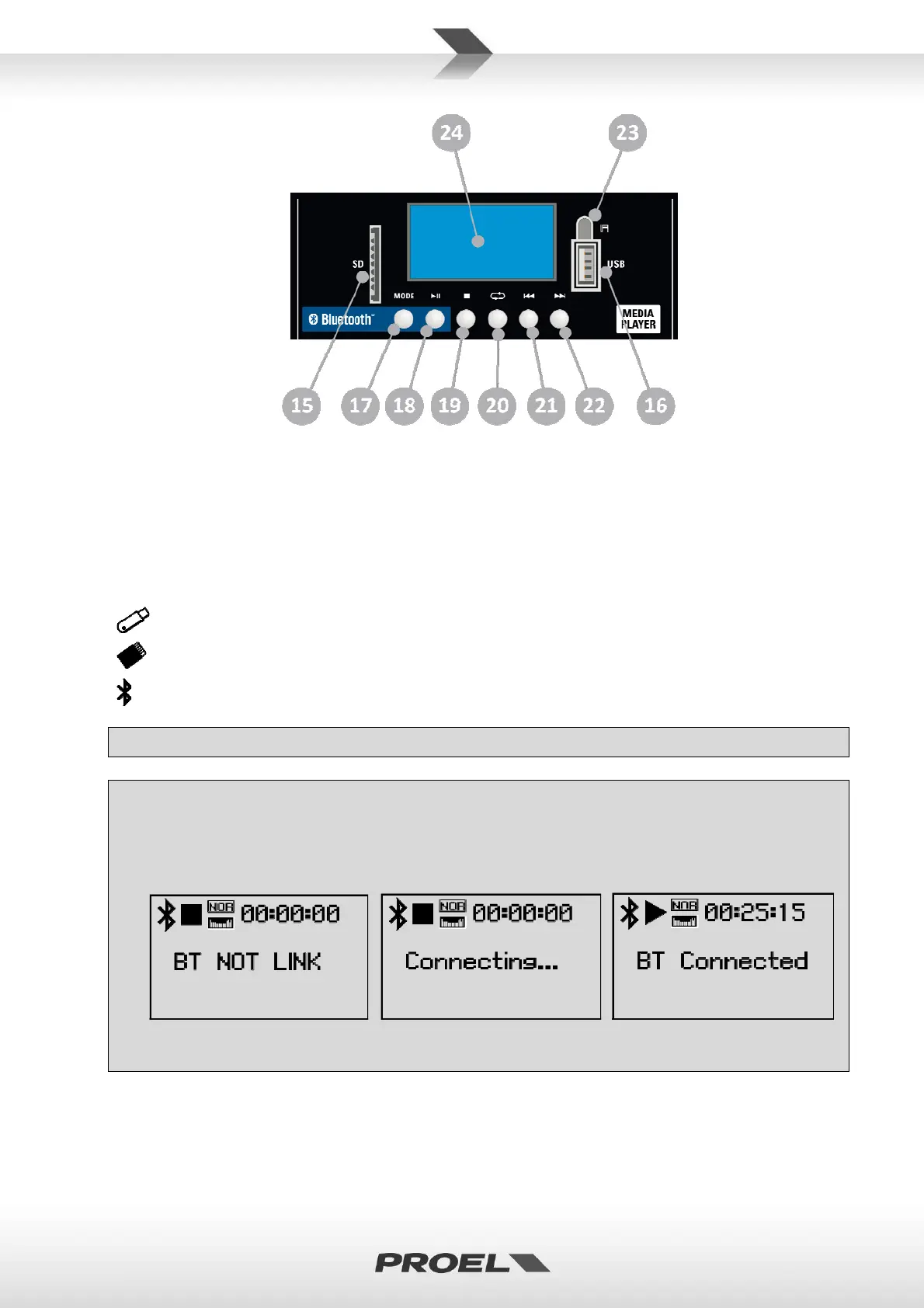
15. SDSLOT
ThisslotiswhereyoucaninsertaSDMEMORYCARDcontainingaudiofi les.
16. USBSLOT
ThisslotiswhereyoucaninsertanUSBFLASHDRIVEcontainingaudio files.
17. MODESWITCH
PressingthisswitchyoucanselectthesourcecontainingaudiofilesbetweenSD,
USBorexternal
Bluetoothplayerdevice.Asmalliconappearsonthedisplaythatidentifythememorycurrentlyused:
USBFLASHDRIVE
SDMEMORYCARD
BLUETOOTHDEVICE
Pre f er ablyuseonlyreliablememories(suggeste dbrandsare:Sandisk,Kingston,Lex ar,Verbatim).
ToconnectaBluetoothdevicefollowtheinstructionsforthedevicetobeconnected.Select
BLUETOOTHDEVICEbypressingMODEbuttonand,ifthedeviceiscloseenough,itisrecognized
afterfewseconds.Ifthisdoesn’thappen,tryagainpressingthePLAYbuttonand,atthesametime,
restartingthesearchprocedureintheexternalBluetoothdevice.
PressMODE… PressPLAYtoconnect… BTdeviceconnected.
NOTE:theaudiofi letypesandqualityplayablewithBluetoothconnectiondependsontheBluetooth
deviceused.


 To Next Page