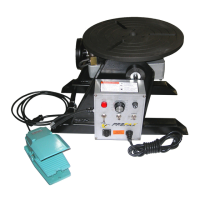
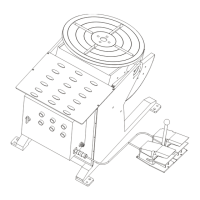
When power on, the left knob can control worktable’s
action:
0- Power off; 1-Table tilt; 2-Table horizontal rotation.
When power off, the right knob can control worktable
rotating forward or reversal.
0- Power off; CW- Rotation forward;
CCW- Rotation reversal.
The lower knob can control speed when table rotating
smooth and steady.
Clockwise- Speed up; Anticlockwise- Speed down.
Table starts work when step on the pedal switch; Stop
work when loosen the pedal switch.
Pay attention to the two ends of the sector gear
should not out of the pinion gear while worktable rotating
to 45° or 90° position. Or there will be damage of
workpiece and hurt to operator because the worktable will
turn over suddenly!
5. Electrical Drawing


 To Next Page