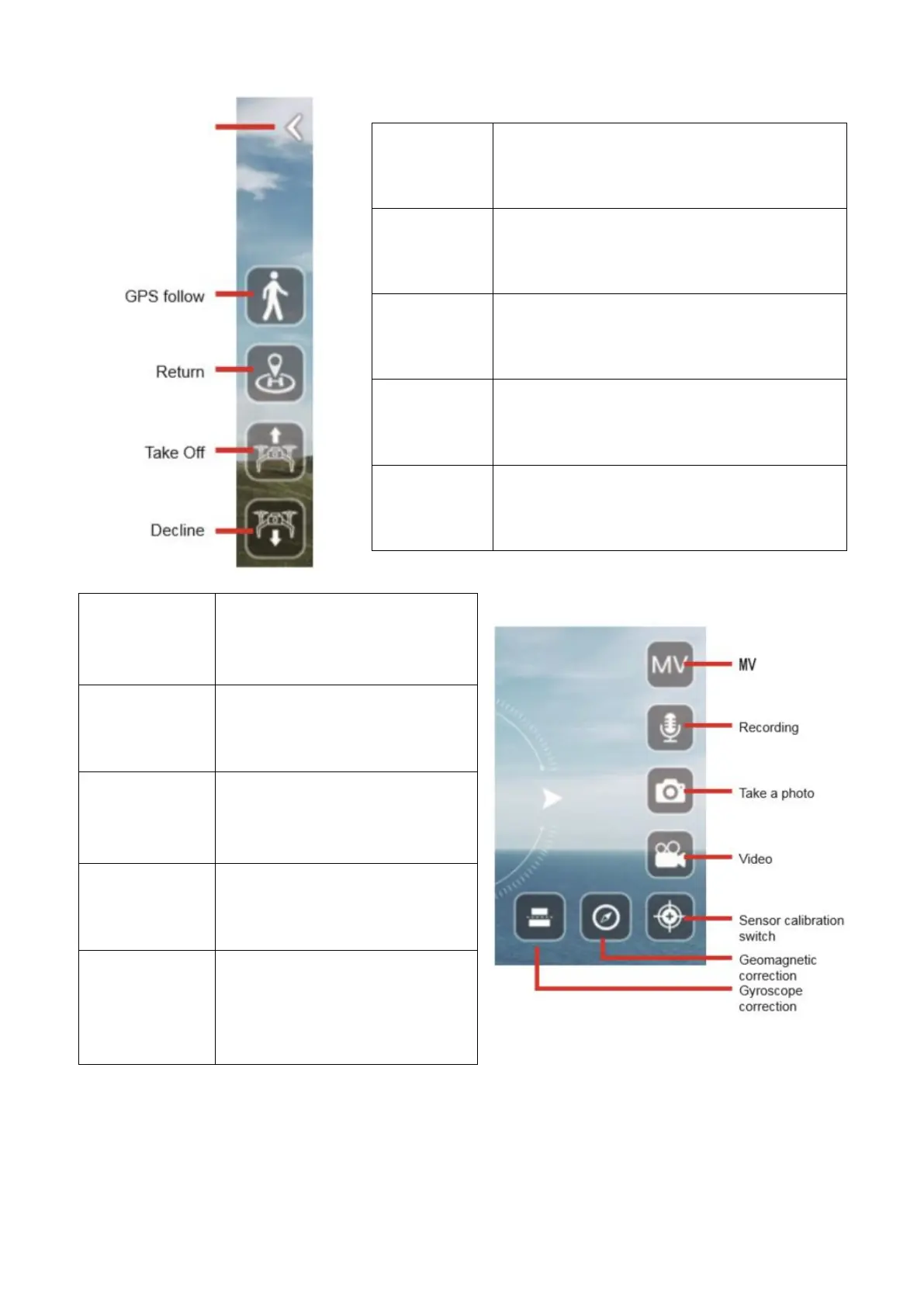
Press to return to exit the control screen.
In GPS mode, click this button and the
aircraft will follow the remote control to fly.
In GPS mode, click to return the drone to
your signal location.
Press on the aircraft to start taking off.
Press on the aircraft to start descent.
Press to enter the MV interface.
From here you can select music
and add filters to your videos
and pictures.
Use to select if audio will be
recorded when a video is saved.
Press the button to take a
photo of what is currently
displayed. The photo will be
stored on the phone.
Press the button to start
recording a video. Press again
to stop recording.
Sensor
Calibration
Switch
Press to display the
Geomagnetic (Compass)
Correction and Gyro Correction
icons. Their use is the same as
from the controller.



 To Next Page