19
WARNING:
• Always calibrate the drone before controlling using the APP.
• Ensure you understand the operating instructions provided before attempting to fly.
• Android device operating system must be 5.0 or higher.
• If you experience problems with the image, the drone is either too far away or there is
too much interference in the area. Try moving to a place with less interference.
• Ensure all safety warnings in the front of the manual are adhered to.
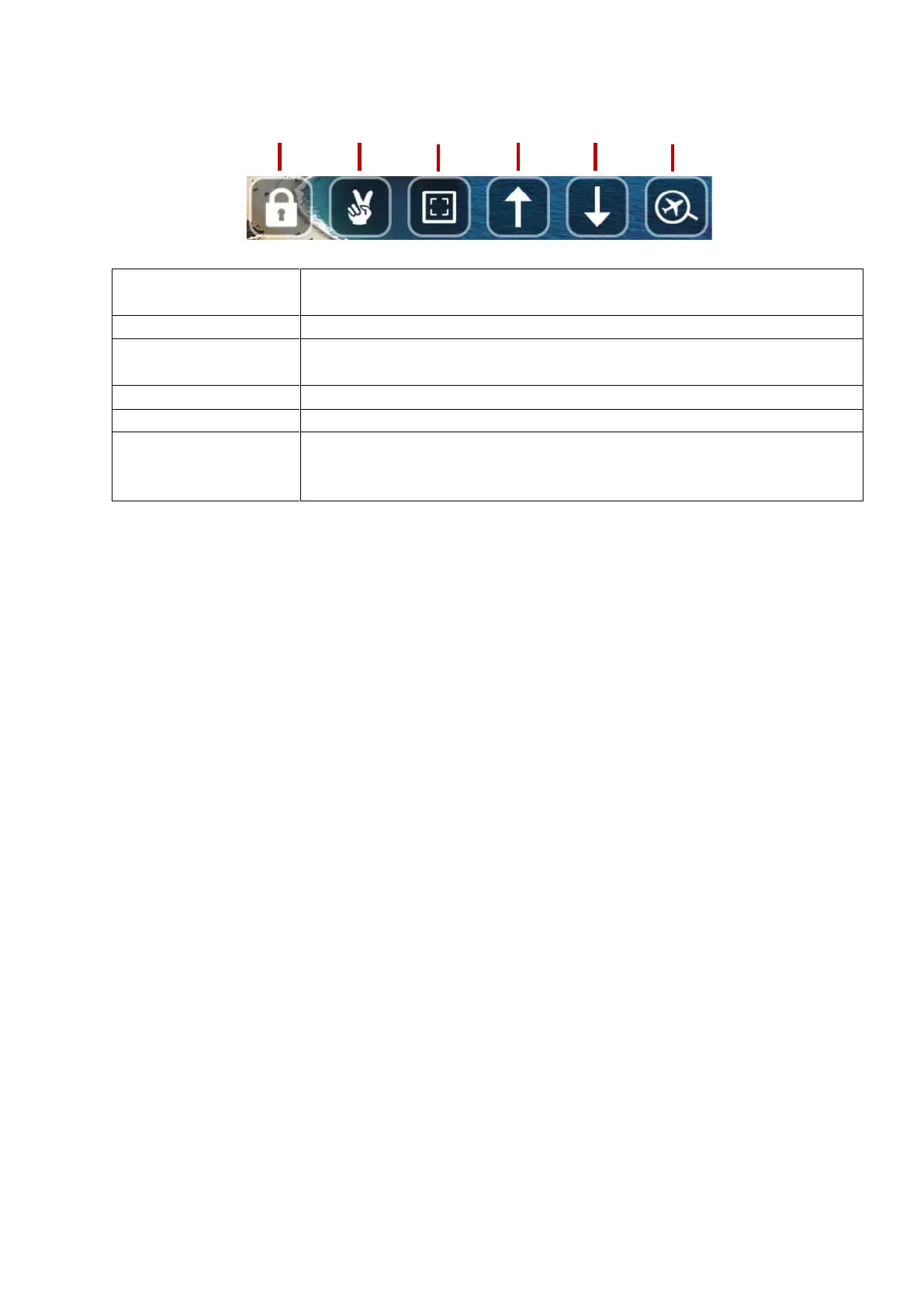
Press this button to unlock the drone for flight, this will start the
propellers.
Use gestures to take pictures and video.
Use to zoom in and out of the current image or video displayed on
screen.
Press to tilt the camera up.
Press to tilt the camera down.
If you find yourself unable to locate your drone or it has landed out of
view, press this button and if the drone is still powered on, its current
location will be shown on a map.



 To Next Page