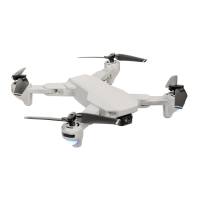
What to do if my ProFlight PFBD303 Drones blades turn but it won't take off?
E
Emma HancockAug 15, 2025
If the ProFlight Drones blades are turning but it won't take off, there are a few potential reasons. First, the battery may not have enough power, so try recharging it. Second, inspect the blades to make sure they aren't distorted; if they are, replace them. Finally, ensure that you have pressed the take-off button.
B
Brenda GonzalezAug 18, 2025
Why is my ProFlight PFBD303 Drones flashing but not responding?
J
John SimmonsAug 18, 2025
If the lights on your ProFlight Drones are flashing but it's not responding to the control, it could be due to a couple of reasons. It's possible that the aircraft and transmitter aren't properly connected, so try repeating the connection procedure. Alternatively, the battery might not have sufficient power, so try recharging it.
J
Jessica MendozaAug 21, 2025
How to fix ProFlight PFBD303 Drones if it won’t fly using the App?
R
Raymond Smith Jr.Aug 21, 2025
If your ProFlight Drones won’t fly using the App, there might be a connection issue. First, ensure the aircraft is connected to the App; if not, reconnect it. Also, the aircraft cannot fly from the app when the controller is turned on, so turn off the controller, reset the aircraft, app, and Wi-Fi to reconnect to the App.
C
christopher61Aug 25, 2025
What causes my ProFlight PFBD303 Drones to shake in flight?
K
Kendra IbarraAug 25, 2025
If your ProFlight Drones shakes during flight, it is likely that the blades are damaged or distorted. Replace the blades to resolve this issue.
J
Jeffrey TrevinoAug 27, 2025
What to do if the ProFlight PFBD303 Drones camera is not working in App?
R
Rhonda ThompsonAug 27, 2025
If the camera is not working in the App for your ProFlight Drones, the aircraft may not be connected to the App. Try reconnecting it.
K
keith88Aug 30, 2025
What to do if ProFlight PFBD303 Drones blades turn but it won't take off?
H
Heather FerrellAug 30, 2025
If your ProFlight Drone's blades are turning, but it won't take off, it could be due to a few reasons. First, the battery may not have enough power, so try recharging it. Second, the blades might be damaged or distorted, in which case you should replace them. Finally, ensure that you have pressed the take-off button.
D
Dana AguilarSep 2, 2025
Why ProFlight PFBD303 Drones lights are flashing but it does not respond to the control?
M
Mary JacksonSep 2, 2025
If the lights on your ProFlight Drone are flashing but it's not responding to the controller, it could be because the aircraft and transmitter aren't properly connected; in this case you should repeat the connection procedure. Alternatively, the battery may not have sufficient power, so try recharging it.
M
martinboothSep 5, 2025
How to fix ProFlight PFBD303 not flying using the App?
A
Angela MillerSep 5, 2025
If your ProFlight Drone won’t fly using the app, there are several potential causes. First, the aircraft may not be connected to the app; try reconnecting it. Second, the connection may not have been done in the correct order, or the main controller might be turned on. To resolve this, turn off the controller, then reset the aircraft, app, and WiFi to reconnect to the app.
L
Laurie TuckerSep 8, 2025
Why ProFlight Drones aircraft shakes in flight?
R
Robert PetersonSep 8, 2025
If your ProFlight Drone shakes during flight, the blades are likely damaged or distorted. Replace the blades to resolve this issue.
M
Maurice WilliamsSep 12, 2025
What to do if camera not working in App for ProFlight PFBD303 Drones?
A
asimmonsSep 12, 2025
If the camera isn't working in the app for your ProFlight Drone, the aircraft probably isn't connected to the app. Try reconnecting it.



 To Next Page
 General