11
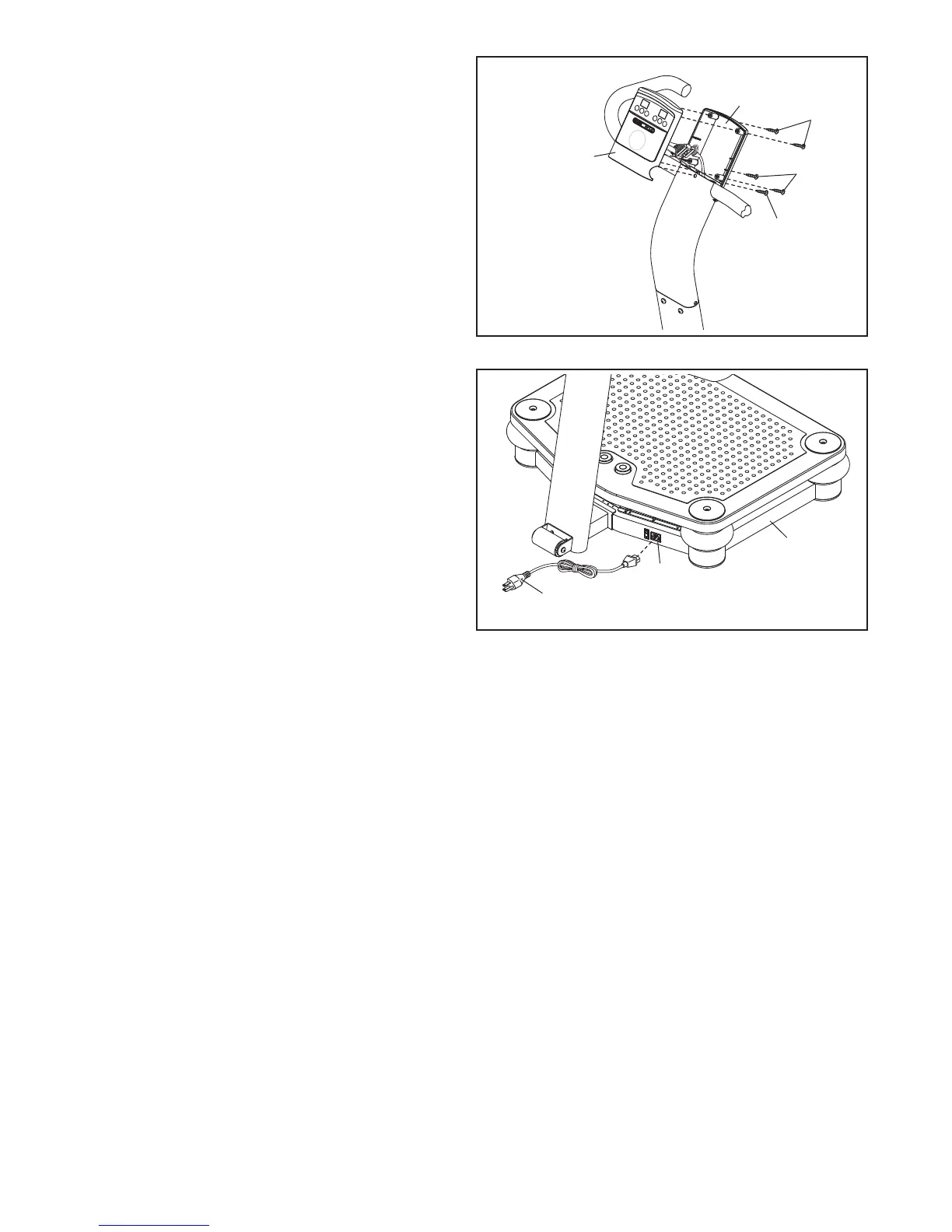
11. Tip: Be careful not to pinch the wires during
t
his step.
Attach the front of the Console (3) to the back
of the Console with the four M4 x 12mm Self-
t
apping Screws (27) you removed in step 8 and
an M4 x 19mm Screw (45).
See step 9. Tighten the two M4 x 16mm
Patch Screws (26).
11
3
27
2
7
45
3
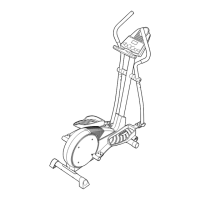
12. Plug the Power Cord (17) into the Receptacle
(18) located on the Base (5).
17
18
5
13. Make sure that all parts are properly tightened before you use the vibration platform.
12



 To Next Page