A10 AirTTL
28
www.profoto.com
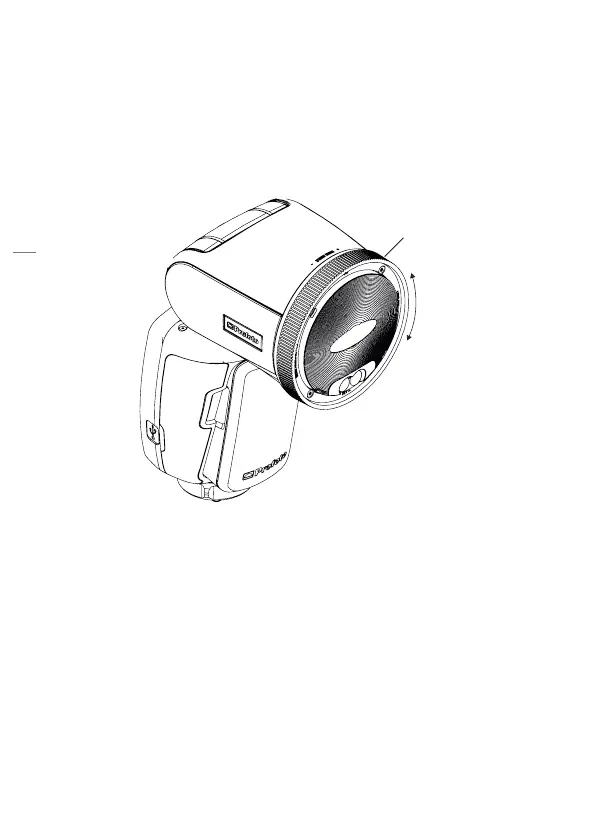
Manual zoom
The beam angle from the flash can be adjusted at any time to match
your preferences. You can for example narrow the light to highlight part
of the image.
Rotate the Zoom ring [2] on the flash head clockwise or counter
clockwise to change the beam angle.
Zoom ring
Test sync
To test the flash or take meter readings with a light meter the test button
will fire a flash on the A10 unit. If Air is activated it will also fire test flashes
on all flashes on the selected channel.
Press the test button [12] to manually transmit a sync signal and fire
the flash.


 To Next Page