MANUAL MODE FOR VACUUM PROCEDURE
30
Remark: All images below are for reference only; the user interface can be changed without prior notice.
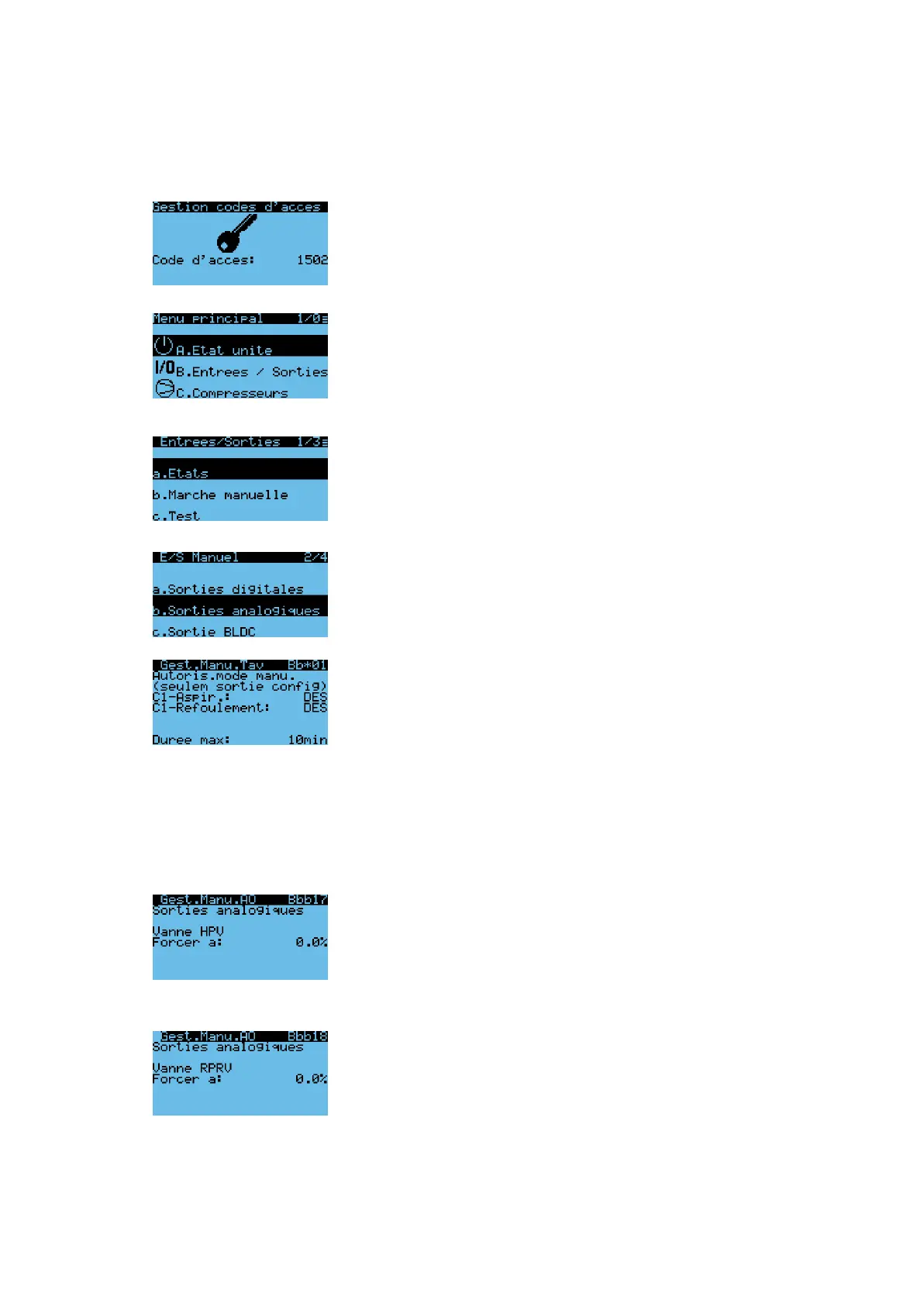
Main display
Password management
Insert password: user = 1502
Press enter to continue.
Main menu
Use arrows up/down to access the necessary
masks. Select “B. Inputs/Outputs” and press
enter.
Inputs/Outputs
Select “Manual management” and press Enter to continue
Use this function ONLY to manually open EC1
and EC3 valves during evacuation of the unit
I/O Manual
Select “Analog outputs” and press Enter to continue
Press enter to enable L1-Suction
Press enter to enable L1-Discharge
Use arrows and enter to set the timeout (15 min).
Once the specified time has been reached, both L1-
Suction and L1-Discharge manual management will
be disabled.
Once the evacuation procedure is done, either
wait for the timeout to end or go back to this
menu to disable manual management
Press enter to continue.
Manual management of HPV (EC1) valve
Use this function during evacuation of the unit
for both MT and LT models. Use arrows and
press enter to change to 100 %.
Manual management of RPRV (EC3) valve. Use
this function during evacuation of the unit, only
for MT models. Use arrows and press enter to
change to 100 %. WARNING: do not operate
EC3 on LT models, risk of compressor starting.
Press escape to go back to start menu.


 To Next Page