15
Step 6
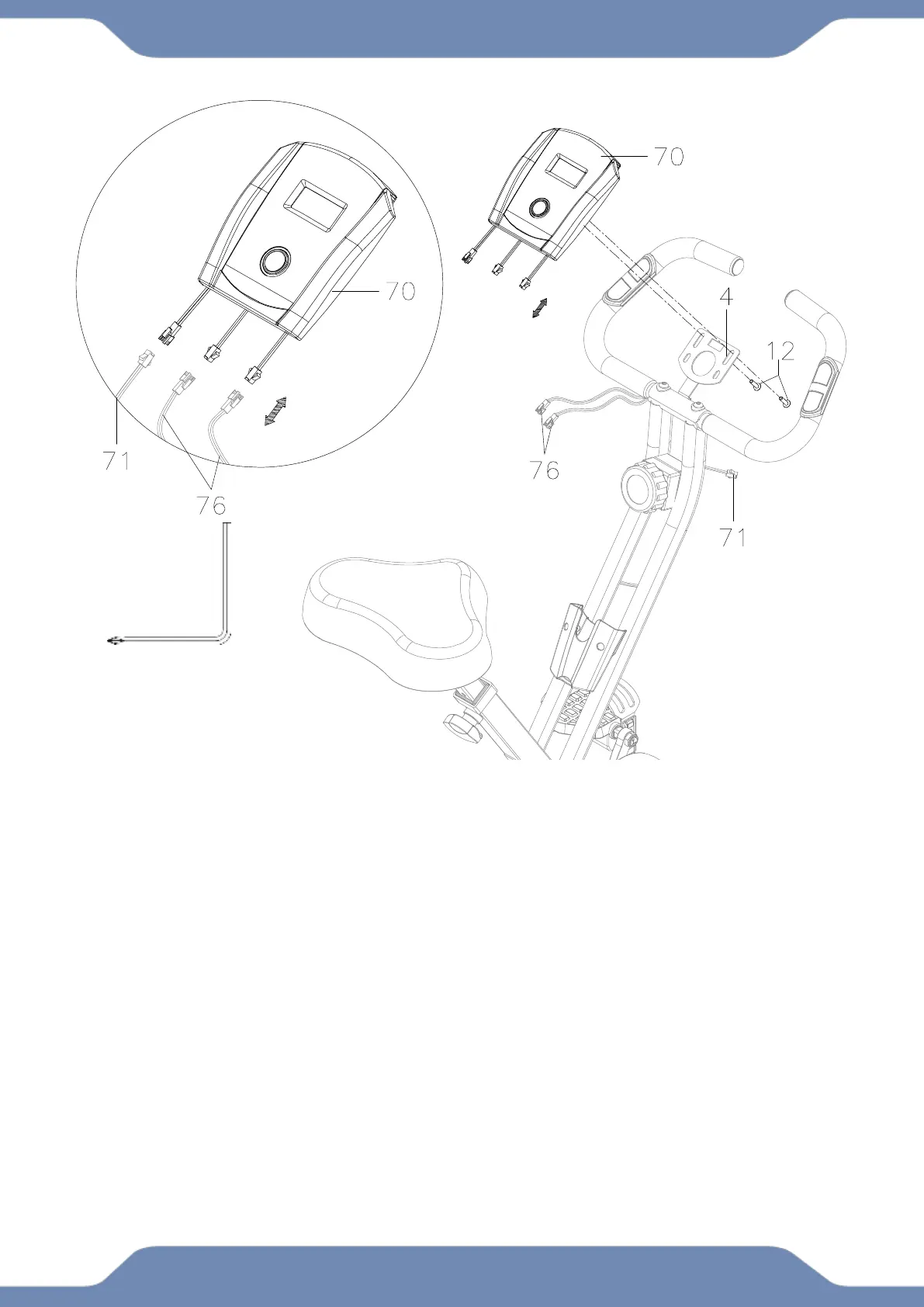
6A. Remove two Screws (12) from the back side of the Computer (70).
6B. Attach the Computer (70) to the Handlebar (4) with the two Screws (12) that were previously
removed. Tighten the screws with the 5mm Allen Wrench with Phillips Screwdriver provided.
6C. Connect the Sensor with Wire (71) and Hand Pulse Sensor (76) wires to the Computer
(70). See the above illustration. The two Hand Pulse Sensor (76) wires can be connected to
either of the two matching plugs from the Computer (70).
Phillips Screwdriver


 To Next Page