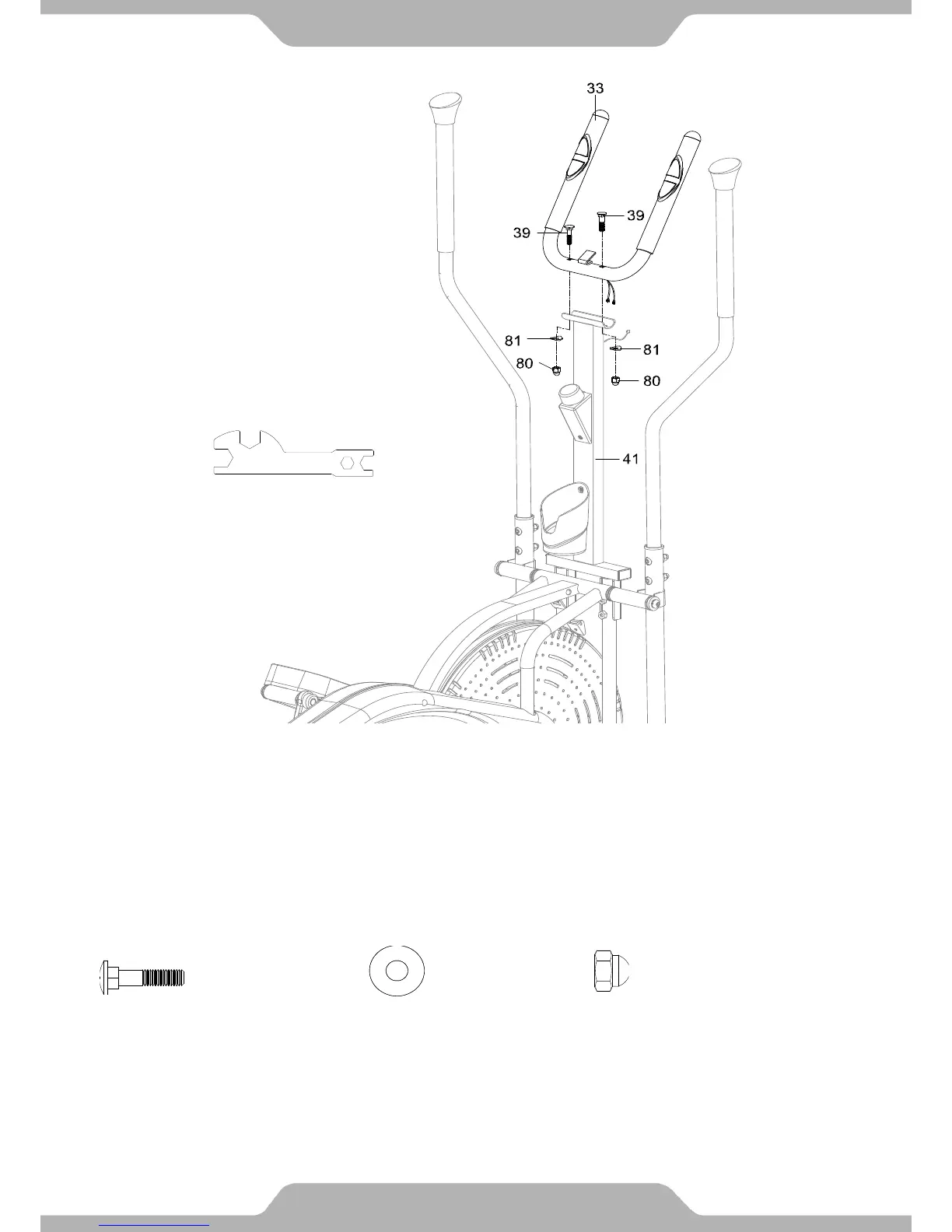
9. Hand Pulse Handlebar Installation:
Mount the Hand Pulse Handlebar (33) onto the top support bracket of the Hand Pulse Handlebar
Support Frame (41) with two Carriage Bolts (39), two Cap Nuts (80), and two Big Curve
Washers (81). Using the Open-Ended Flat Wrench, tighten the cap nuts until they are firm and
secure.
20
Tools:
Open-Ended Flat Wrench


 To Next Page