9
ASSEMBLY INSTRUCTIONS
11
10
12
AA
N
N
11. Insert the back panel as shown in the drawing.
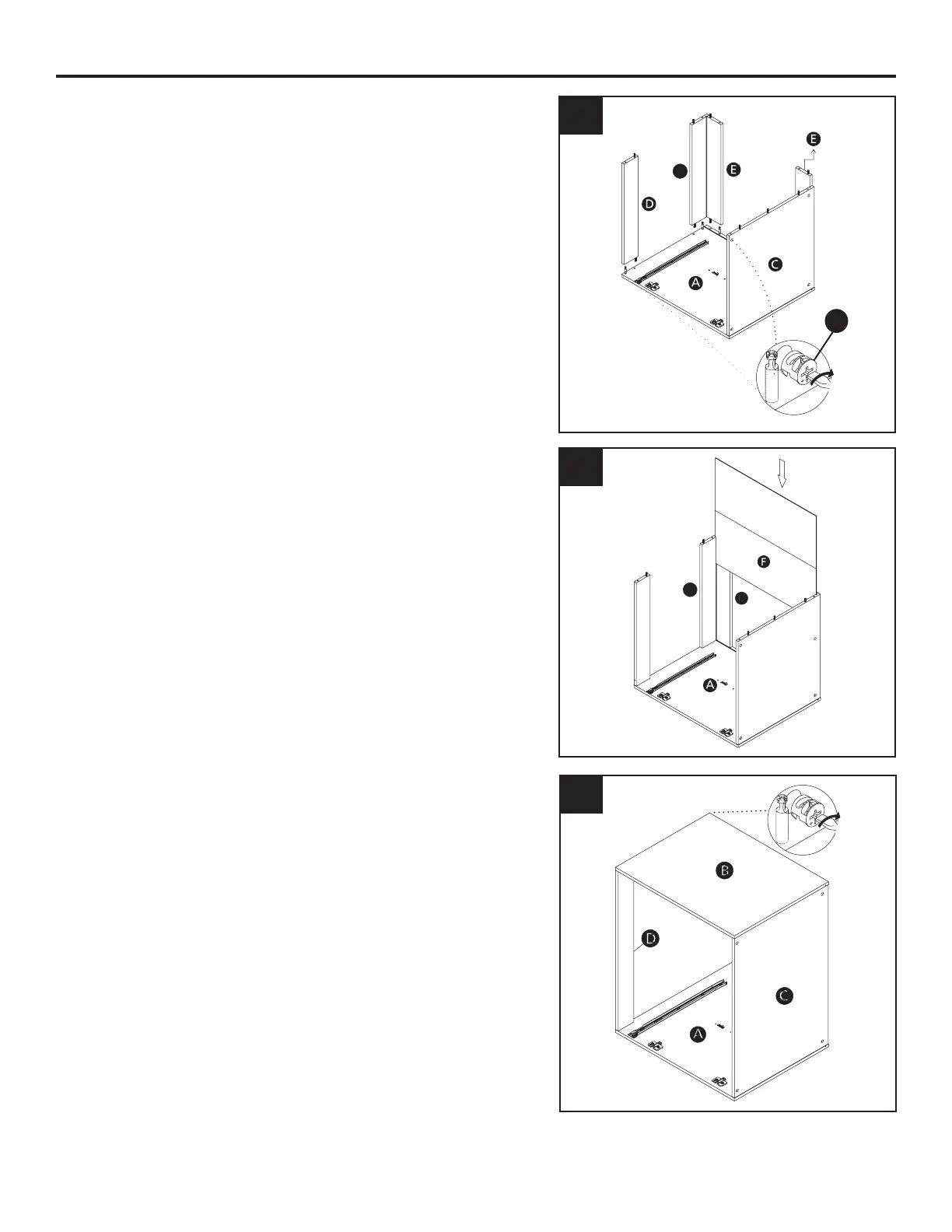
10. Assemble the cabinets parts as per the illustration.
Using a phillips head screwdriver, rotate the minix
cam clockwise to fasten into place. Ensure all
cams are locked into place before moving the
cabinet.
12. Assemble the cabinets parts as per the illustration.
Ensure all cams are locked into place before
moving the cabinet.


 To Next Page